
Cube Adventures 3DS
More actions
| Cube Adventures | |
|---|---|
 | |
| General | |
| Author | TheHighTide |
| Type | Platform |
| Version | 0.1.0 |
| License | Apache-2.0 |
| Last Updated | 2025/03/30 |
| Links | |
| Download | |
| Website | |
| Source | |
Cube Adventures is a basic 2d platformer where your goal is to get through all the levels as a red cube. You have to find a path through the levels that doesn’t involve getting sent back to the start via (example) touching a lava tile. The simple nature of Cube Adventures makes it playable on every 3DS console in the family (including the 2DS systems).
Features
Sprites
Cube Adventures features an incredibly simple graphics style. This is due to the lack of sprites the game uses. Cube Adventures only uses colors and squares to display images onto the screen making it incredibly simple and graphically simple to run. Although this might sound like it'll be hard to look at, its actually surprisingly readable and easy to understand to a new player. Although there's no sprites currently in the game, there might be some added in the future when the game gets more advanced.
Levels
Cube Adventures features a number of unique levels for you to explore with the ability to make your own levels by compiling the game for yourself if you so choose. Its as easy as putting 1s where you want ground to be and 0s where you want nothing to be.
Dev Mode
Cube Adventures makes compiling your own version of the game very simple as it gives you access to a feature called "Dev Mode". All Dev Mode does is displays the current x & y velocity as well as the players current x & y position coordinates to you on the bottom screen. This is extremely helpful when you start placing down coins and other items into the levels that you make.
Controls
This game features incredibly simple controls making it really easy to get used to. Although the controls can be seen on the bottom screen during gameplay, I’ll also list them here: A = Jump / Menu Select DPAD Left & DPAD Right = Move Left & Right START = Return to main menu R+L = Toggle dev mode SELECT = Change level (Only usable while dev mode is active) PS: More information can be found about dev mode in the features section below.
Screenshots
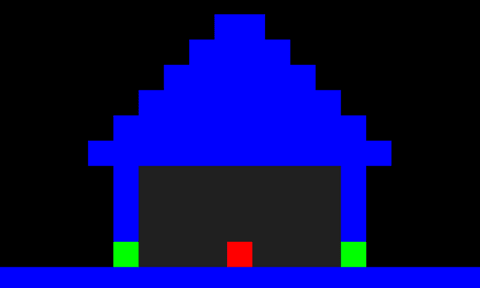
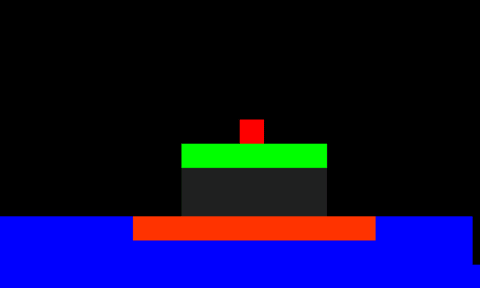
Changelog
v0.1.0
- First Release.