
LuaMainframe PSP
From GameBrew
More actions
| LuaMainframe | |
|---|---|
 | |
| General | |
| Author | Glynnder |
| Type | File Browsers |
| Version | 0.1 BETA 1 |
| License | Mixed |
| Last Updated | 2006/07/24 |
| Links | |
| Download | |
| Website | |
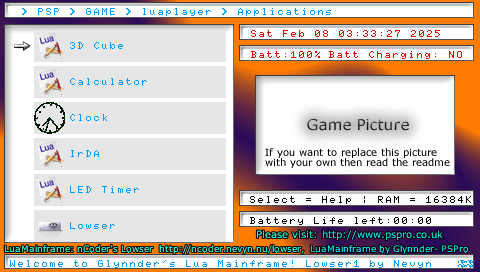
LuaMainframe is a replacement for Lowser, with many many more features.
Features
- Full browser of files on Memory Stick.
- Lua File execution.
- Image viewer (png, jpeg).
- GamePic (like icon0, it loads up image call gamepic.png in the programs folder).
- LibBase (libraries that helps with a few things like RAM saving and ROM saving).
- Favorite homebrew execution.
Controls
Cross - Execute a lua app
Up/Down - Browser through file
L - USB mode
R - Execute favourite app (set in settings.ini)
Select - Help screen
Start - Exit
Screenshots
External links
- Author's website - http://www.pspro.co.uk/ (archived)