
Framecounter Vita
From GameBrew
More actions
| Framecounter | |
|---|---|
 | |
| General | |
| Author | Rinnegatamante |
| Type | Plugins |
| Version | 1.2 |
| License | Mixed |
| Last Updated | 2018/07/11 |
| Links | |
| Download | |
| Website | |
| Source | |
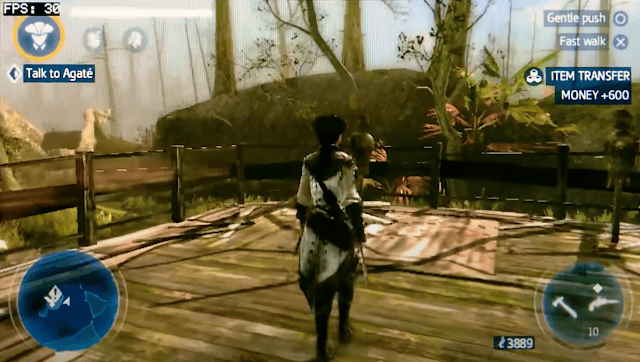
Framecounter is a little plugin that works as an FPS counter. It will show an FPS counter on the top left side of your screen.
Installation
Copy the .suprx file to ux0(ur0):tai/ then write the path to the plugin in the config.txt.
Enable it under *ALL or under *TITLEID for any specific game that you want to use it on (change to ur0 if you store the plugin there)
*ALL
ux0:tai/Framecounter.suprx
Controls
Hold Start for 3 seconds - Enable/Disable fps showing
Screenshots
Changelog
v1.2
- Micro update that adds the possibility to hide framerate by holding for 3 seconds Start since i got asked for such a feature multiple times.
v1.1
- Now it doesn't black screen anymore with homebrews (thanks to davee and xyz for pointing me to the solution).
Credits
Original credits: A huge thanks to everyone who helped me getting into taiHen on #vitasdk.
If you like the author's work and would like to support their efforts, please consider becoming a Patreon.