
Kekatsu DS
More actions
| Kekatsu DS | |
|---|---|
| Error creating thumbnail: Unable to save thumbnail to destination | |
| General | |
| Author | cavv-dev |
| Type | Utilities |
| Version | 1.1.0 |
| License | MIT License |
| Last Updated | 2025/06/18 |
| Links | |
| Download | |
| Website | |
| Source | |

A content downloader that can download files directly on Nintendo DS(i) consoles.
Concept inspired by pkgi-psp and Universal-Updater.
Features
- Multi-platform content download.
- Database loading via URL or file.
- Support for multiple databases.
- ZIP file extraction.
- Automatic updates check.
- Customizable color scheme.
- Localization support.
Installation
Place kekatsu.nds anywhere on the SD card.
Kekatsu expects a databases.txt to load as the list of available database:
root
|-Kekatsu
| |-databases.txt
Each line of the databases.txt file has to contain a name and a value separated by a '=' or ' ' (tab) character.
The name should be the display name of the database. The value must be either:
- an HTTP(S) URL which returns a database in text response
- a path to a database file on the SD card itself
Example databases.txt:
test-db https://example.com/database.txt
test-db2    /databases/db2.txt
If you want to use the UDB-Kekatsu-DS database, copy the following text into databases.txt:
UDB-Kekatsu-DS=https://gist.githubusercontent.com/cavv-dev/3c0cbc1b63ac8ca0c1d9f549403afbf1/raw/
Database creation
- Line 1: Database version - The database version to be used by the parser. Follow the next instructions that match the chosen database version.
- Line 2: Delimiter character - The character to be used to separate fields in the next lines
- Line 3 and above: Fields separated by the delimiter character. They must follow this order:
- Title - Display title of the content
- Platform - Target platform of the content. Should be in lowercase and in its abbreviated form as it will be used as the name of the platform directory. E.g.
ndsinstead ofNintendo DS. - Region - Target region of the content. Could be
NTSC-U,PALand similar for contents which target a specific region orANYfor contents made for any region. - Version - Release version of the content
- Author - Author or publisher of the content
- Download URL - The HTTP(S) URL to download the content. Must be a direct link to the file of the content. This file can be an executable or an archive in ZIP format.
- File name - The name under which the downloaded file will be saved
- Size - The size in bytes of the downloaded file
- Box art URL - The HTTP(S) URL of the displayed box art for the content. A box art is expected to be in PNG format.
- Extract items - The items to be extracted from the downloaded archive in couples of fields separated by the delimiter character. Each couple is composed of:
- In-path - The path of the file or directory in the archive to be extracted. Directories should have
/as the last character. - Out-path - The destination path of the extracted file or directory
- In-path - The path of the file or directory in the archive to be extracted. Directories should have
If no extract items are specified, all the files and directories will be extracted following the structure in the archive. They are not going to be checked if the downloaded file is not an archive.
Example database file
1
,
test-app,nds,ANY,1.0,Author1,https://example.com/test-app-v1.0.nds,test-app.nds,1048576,https://example.com/test-app-boxart.png
test-app2,gba,NTSC-U,1.1,Author2,https://example.com/test-app2.zip,test-app2.zip,2097152,https://example.com/test-app2-boxart.png,release/gba/test-app2-v1.1.gba,test-app2.gba
User guide
Start Kekatsu on your system.
Navigate to the Databases menu by tapping its icon on the navbar. You should see the databases you added in the databases.txt file.
Tap on the database you want to use, and Kekatsu will load it.
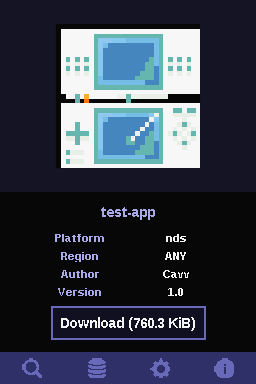
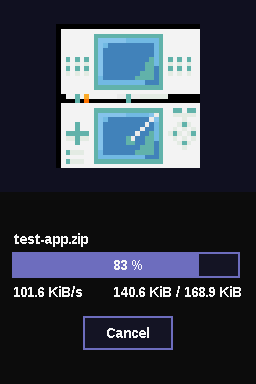
Screenshots
Changelog
v1.1.0 2025/06/18
- Added support for '=' character as a delimiter in
databases.txt. - Added handling of reset action (such as power button being pressed).
- Added Dutch language support by @lennyo09 in #2.
- Fixed a bug which caused a crash when initializing a database.
v1.0.0 2025/03/13
- First release.
Credits
- cavv-dev
- lennyo09