
Shadow Warrior Switch
From GameBrew
More actions
| Shadow Warrior | |
|---|---|
 | |
| General | |
| Author | alexart878 |
| Type | Shooter |
| Version | 1.1-NX |
| License | Mixed |
| Last Updated | 2024/12/05 |
| Links | |
| Download | |
| Website | |
| Source | |
We've got JFSW now on Nintendo Switch! Massive shoutout to Jonathon Fowler for his awesome work on the original SW. Also, a big thanks to two legends who made this project possible:
- Rinnegatamante for fixing the polymost rendering bug in the PS Vita port.
- MrHuu for his inspiring 3DS port that got me rolling on this project.
Key differences
- Switch custom controls reading system, as sdl, for some reason, can't produce input events
- "Hotplug" switch between OG game and WD addon (still need restart game, though)
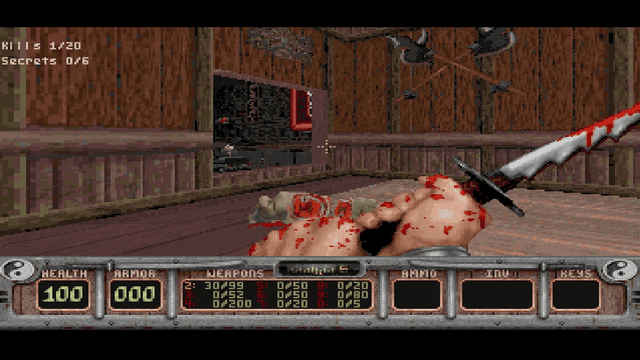
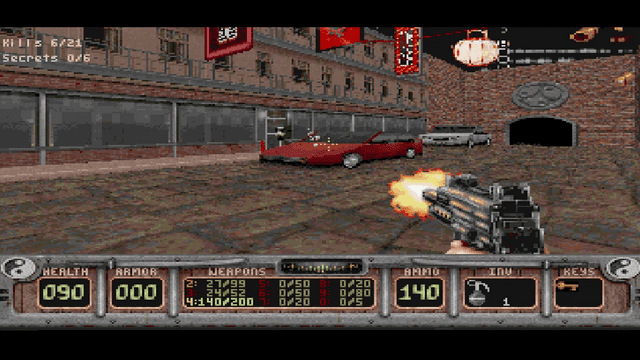
- Support for Polymost and OpenGL rendering (true 3d with option to use classic 8bpp)
- While using SwitchBrew's libnx, keyboard inputs (save) and (un)dock mode supported
- Modified build files and scripts, to bring fluid devkit toolchain integration
Installation
- Go to releases page, and grab latest .nro executable.
- Obtain legal copy of Shadow Warrior (I used Steam version), files in:
"Steam\steamapps\common\Shadow Warrior Classic\gameroot\classic"
Copy
- Create "jfsw" folder somewhere on your SD card (i recommend /switch folder, as default for hb's).
- Place "sw.grp", "wt.grp" and TrackXX.ogg from MUSIC to it.
- Place "jfsw.nro" in that folder, too.
- I recommend to launch game in non-applet mode, because otherwise worked, but not tested.
- OPTIONAL: if you want to create forwarder DO NOT USE video capture - it causes CPU Boost bug after closing app.
Controls
I used most comfortable layout (IMHO, can be remapped through game's controls menu):
- Left stick: moving
- Right stick: camera control
- A: toggle alternative fire
- B: crouch
- X: jump
- Y: interact
- L1/R1: switch weapons
- L2: jump
- R2: fire
- L3: none
- R3: none
- Minus: map
- Plus: game menu
- Dpad up: use inventory item
- Dpad down: holster weapon
- Dpad left/right: switch inventory items
NOTE: axis scale and saturation can be set in game's controller menu
Media
LGR - Shadow Warrior - DOS PC Game Review (LGR)
Screenshots
Changelog
v1.1
- Added alternative fire function.
- Fixed buttons sticking due to joyaxis unfiltered input.
v1.0
- First Release.