
Color Mixer PSP: Difference between revisions
From GameBrew
More actions
| Line 15: | Line 15: | ||
==Installation== | ==Installation== | ||
Copy the colormixer folders in ms0:/PSP/GAME/. | |||
==User guide== | ==User guide== | ||
Revision as of 07:45, 12 October 2022
| Color Mixer | |
|---|---|
 | |
| General | |
| Author | Roland Yonaba (SeanPaul223) |
| Type | Other |
| Version | 0.2 |
| License | Mixed |
| Last Updated | 2008/03/19 |
| Links | |
| Download | |
| Website | |
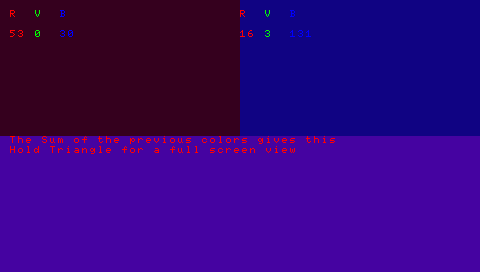
Color Studio is a Lua-encoded Homebrew that allows you to mix colors using RGB color code and create your own colors.
Installation
Copy the colormixer folders in ms0:/PSP/GAME/.
User guide
Use the keys to define a first color by adjusting the Red, Green and Blue values, then a second color in the same way.
The result is a third color which is not exactly a mixture, but rather a sum of the RGB values of the starting colors.
Note: the values R, VB are between 0 and 255.
Controls
Up/Down - RGB value +1
Left/Right - RGB value -1
L - RGB value +10
R - RGB value -10
Home - Quit
Screenshots
External links
- XtreamLua - http://xtreamlua.com/modules.php?name=Forums&file=viewtopic&t=3354 (archived)