
Check NDS: Difference between revisions
From GameBrew
More actions
No edit summary |
m Text replacement - "{{Infobox homebrew" to "{{Infobox DS Homebrews" |
||
| Line 1: | Line 1: | ||
{{Infobox | {{Infobox DS Homebrews | ||
| title = Check NDS | | title = Check NDS | ||
| image = https://dlhb.gamebrew.org/dshomebrew/checknds.jpg | | image = https://dlhb.gamebrew.org/dshomebrew/checknds.jpg | ||
Revision as of 15:05, 16 October 2021
| Check NDS | |
|---|---|
| [[1]] | |
| General | |
| Author | Bong @ HKCC |
| Type | Other |
| Version | 2 |
| Links | |
| Download | |
| Website | |
![[1]](https://dlhb.gamebrew.org/dshomebrew/checknds.jpg%7C300px)
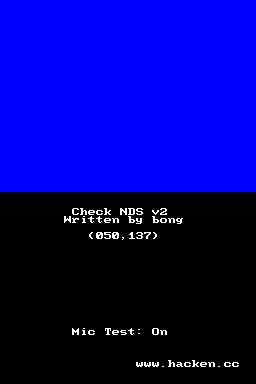
Check NDS is an application that checks your DS hardware. It can be used for DS function testing before purchase.
Features
- Check LCD dead pixels.
- Every buttons.
- Speakers.
- Touch screen.
- Microphone.
Installation
Supercard, M3 and G6L:
Extract and copy file to the root directory of flash card.
EZ4 Lite:
Change file name into .bin or .gba.
Copy file to the root directory of flash card.
G6 Lite:
Select My rom, checknds.nds and New File.
Controls
Touch screen - Shows stylus position (change color)
A/B/X/Y - Test both speakers (change color)
Up/Down/Select - Switch screens
Left/Right - Change color
L - Test left speaker (change color)
R - Test right speaker (change color)
Start - Microphone check
Blow into microphone - Change color continuously
Screenshots
Compatibility
DS-Link is not compatible with Check DS.
Changelog
v2
- Mic switch.
- G6 Lite anti-white screen fixed.