CHeretic: Difference between revisions
From GameBrew
More actions
No edit summary |
No edit summary |
||
| Line 28: | Line 28: | ||
===Cheats=== | ===Cheats=== | ||
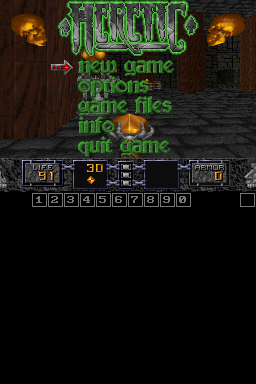
Tap on the box in the top right corner of the touchscreen to toggle the on-screen keyboard, then type in the codes one letter at a time during the game to use. | Tap on the box in the top right corner of the touchscreen to toggle the on-screen keyboard, then type in the codes one letter at a time during the game to use. | ||
* ponce - Fill health. | * ponce - Fill health. | ||
* skel - Gives you all keys. | |||
* quicken - Toggle God mode. | * quicken - Toggle God mode. | ||
* massacre - Kill all monsters. | |||
* rambo - All Weapons, full ammo and 200% armor. | * rambo - All Weapons, full ammo and 200% armor. | ||
* kitty - Toggle no clipping (walk through walls). | |||
* ravmap - Shows entire map (type while in map view), type again to show monsters/items, a third time goes back to normal. | * ravmap - Shows entire map (type while in map view), type again to show monsters/items, a third time goes back to normal. | ||
* cockadoodledoo - Chicken mode (turns player into a chicken). | |||
* shazam - Power mode (doubles power of all weapons). | * shazam - Power mode (doubles power of all weapons). | ||
* engage## - Level warp (first # = episode, second # = level). | * engage## - Level warp (first # = episode, second # = level). | ||
* gimme## - Gives you an item: first # = item [a-j], second # = how many [1-9]. Items for first # are: | * gimme## - Gives you an item: first # = item [a-j], second # = how many [1-9]. Items for first # are: | ||