
DS-Craft 2D: Difference between revisions
From GameBrew
More actions
No edit summary |
No edit summary |
||
| Line 41: | Line 41: | ||
==User guide== | ==User guide== | ||
===FAQ=== | |||
'''Q. How to add blocks in the background?''' | |||
You must hold the crouch key (down) to interact with the background. | |||
Same for destroying background blocks, this is to prevent background blocks from getting accidentally destroyed. | |||
'''Q. How do you make your own texture packs?''' | |||
You can use the [https://github.com/MatthewScholefield/mine-ds/tree/tools Texture Compiler] and follow the instructions to create your own texture pack. | |||
==Controls== | ==Controls== | ||
Revision as of 18:10, 29 September 2021
| Mine-DS | |
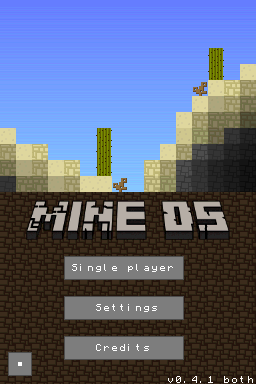 | |
| General | |
|---|---|
| Author(s) | Matthew Scholefield, LukeSilva |
| Type | Simulation |
| Version | 0.4.1 |
| Licence | Mixed |
| Links | |
| [0.4, 0.4.1, texture pack Download] | |
| Website | |
| Source | |
<htmlet>adsense</htmlet>