MemoryDeS: Difference between revisions
From GameBrew
More actions
No edit summary |
No edit summary |
||
| Line 41: | Line 41: | ||
==User guide== | ==User guide== | ||
===Data files=== | ===Data files=== | ||
'''Database files (BMS):''' | '''Database files (BMS):''' | ||
It contains the database, be it vocabulary or anything else. The program comes with a sample database which runs as default (Japanese vocabulary Noken level 4). | |||
You can download databases from the [https://memorydes.blogspot.com/search/label/bases%20de%20datos official site] or create your own (database can be comiled with an excel sheet from the PC). | |||
'''Review list data files (DAT):''' | '''Review list data files (DAT):''' | ||
This is created automatically by the program, which contains data from the user-saved checklists. | |||
'''Statistics files (CMS):''' | '''Statistics files (CMS):''' | ||
Contains data on the progress made from the tests. Also created automatically. | |||
===Screen layout=== | ===Screen layout=== | ||
'''Upper screen:''' | '''Upper screen:''' | ||
It is intended to display the content of the database. | |||
You may notice three or two darker areas, which depends on the fields associated with each entry in the database. | |||
'''Lower screen:''' | '''Lower screen:''' | ||
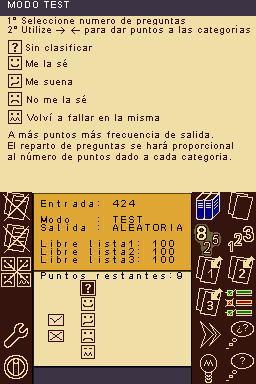
Icons are located on both sides of the screen. The text boxes in the middle will display relative information of your database entries, words you saved in review lists and other temporary messages/information. | |||
==Controls== | ==Controls== | ||