Toggle menu
Toggle preferences menu
Toggle personal menu
Not logged in
Your IP address will be publicly visible if you make any edits.

DSLiveWeather: Difference between revisions

From GameBrew
No edit summary
No edit summary
Line 29: Line 29:


==User guide==
==User guide==
Get weather.com location ID.
Search for your location ID at https://weather.codes.  


Then go to: weather.google.com. And then go to www.weather.com and search for your city/area. Once it's displayed on screen look at the your browser's address bar, your location ID will be displayed at the end of the address (e.g. for the address: http://weather.msn.com/local.aspx?wealocations=wc:UKXX0015 the location ID is UKXX0015).
Type your location there and it will display location ID, choose the one you need (for instance Rome Italy would be ITXX0067).


Start the DSLiveWeather app, enter any name in the profile name (tap the green tick to exit).

Revision as of 05:55, 7 September 2021

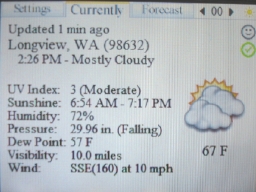
DSLiveWeather
dsliveweather.jpg
General
Author(s)Liick (licklick)
TypeOther
Version12 Jul 2007
LicenceMixed
Links
Download
Website
Advertisements

<htmlet>adsense</htmlet>

Advertising: