Seno DS: Difference between revisions
From GameBrew
More actions
No edit summary |
No edit summary |
||
| Line 31: | Line 31: | ||
==Installation== | ==Installation== | ||
Download and extract file | Download and extract file, then copy .nds file to the memory card. | ||
If you can't load Seno DS on your card try loaders like dsorganise or moonshell or the homebrewmenu loader from devkitpro. | If you can't load Seno DS on your card try loaders like dsorganise or moonshell or the homebrewmenu loader from devkitpro. | ||
==User guide== | ==User guide== | ||
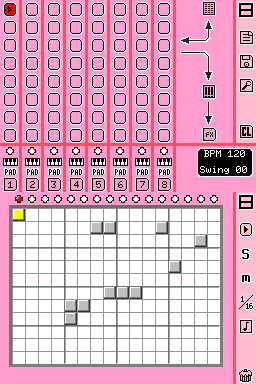
Use any mono wav sample. Put the sounds in a directory with the name of seno1, seno2, seno3 and seno4. These directories could be in a folder /nds/ or on the root of your sd-card. | Use any mono wav sample. Put the sounds in a directory with the name of seno1, seno2, seno3 and seno4. | ||
These directories could be in a folder /nds/ or on the root of your sd-card. | |||
It must not exceed 128 samples for each slot. | It must not exceed 128 samples for each slot. | ||