Ultimate VSH Menu PSP: Difference between revisions
From GameBrew
More actions
No edit summary |
|||
| Line 33: | Line 33: | ||
==User guide== | ==User guide== | ||
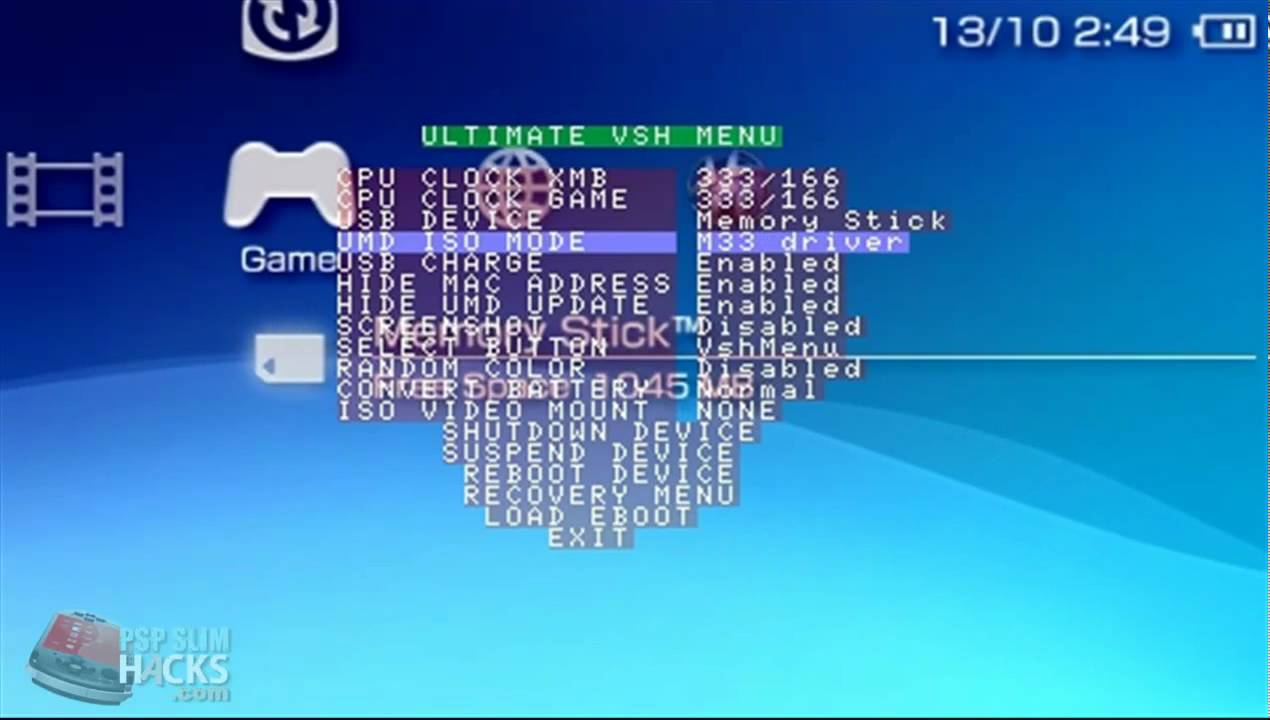
===Menu options=== | |||
{| class="wikitable" | {| class="wikitable" | ||
|- | |- | ||
! | ! scope="row"| CPU Clock XMB | ||
| Choose the processor's speed in XMB. | |||
|- | |- | ||
| CPU Clock | ! scope="row"| CPU Clock GAME | ||
| Choose the processor's speed in GAME. | |||
|- | |- | ||
| | ! scope="row"| USB Device | ||
| Choose between MS, Fo ,F1 F2 F3, and UMD in USB mode. | |||
|- | |- | ||
| | ! scope="row"| UMD ISO Mode | ||
| Choose between diffrrents ISO launching ways (Normal, OE ISOFs, M33 Driver, Sony NP9660) | |||
|- | |- | ||
| | ! scope="row"| USB Charge | ||
| Choose weather or not to charge battery from USB. | |||
|- | |- | ||
| | ! scope="row"| Hide MAC Adress | ||
| Hide or show the PSP MAC Adress. | |||
|- | |- | ||
| Hide | ! scope="row"| Hide UMD Update | ||
| Hide Update Icon from UND. | |||
|- | |- | ||
| | ! scope="row"| Select Button | ||
| Can be used for either Recovery menu, VSH Menu, or nothing. | |||
|- | |- | ||
| | ! scope="row"| Convert Battery | ||
| If the PSP can make it, this option can convert your battery in a pandora one or restore it to a normal one. | |||
|- | |- | ||
| | ! scope="row"| ISO Video Mount | ||
| Mount/ unmount an ISO from UMD Video. | |||
|- | |- | ||
| | ! scope="row"| Shutodwn Device | ||
| Shutdown PSP. | |||
|- | |- | ||
| | ! scope="row"| Suspend Device | ||
| Suspend PSP. | |||
|- | |- | ||
| | ! scope="row"| Reboot device | ||
| Reboot PSP. | |||
|- | |- | ||
! scope="row"| Recovery Menu | |||
| Open the Recovery menu directly from VSH. | |||
| Recovery Menu | |||
|- | |- | ||
|} | |} | ||