
NightClock 3DS: Difference between revisions
From GameBrew
More actions
Created page with "{{Infobox 3DS Homebrews |title=NightClock |image=NightClock3DS.png |description=A relaxing clock app for Nintendo 3DS. |author=Michele-3ds |lastupdated=2026/06/27 |type=Other Apps |version=1.03 |license=MIT |download=https://dlhb.gamebrew.org/3dshomebrews/NightClock3DS.7z |website=https://gbatemp.net/threads/nightclock-a-relaxing-clock-app.682610/ |source=https://github.com/Michele-3ds/NightClock }} NightClock is a pixel-art clock application for Nintendo 3DS (all models..." |
No edit summary |
||
| Line 8: | Line 8: | ||
|version=1.03 | |version=1.03 | ||
|license=MIT | |license=MIT | ||
|download=https:// | |download=https://github.com/Michele-3ds/NightClock/releases | ||
|website=https://gbatemp.net/threads/nightclock-a-relaxing-clock-app.682610/ | |website=https://gbatemp.net/threads/nightclock-a-relaxing-clock-app.682610/ | ||
|source=https://github.com/Michele-3ds/NightClock | |source=https://github.com/Michele-3ds/NightClock | ||
}} | }}<!--NightClock3DS.7z--> | ||
NightClock is a pixel-art clock application for Nintendo 3DS (all models), with a focus on simplicity, atmosphere, and low-light usability. | NightClock is a pixel-art clock application for Nintendo 3DS (all models), with a focus on simplicity, atmosphere, and low-light usability. | ||
Revision as of 13:27, 29 June 2026
| NightClock | |
|---|---|
 | |
| General | |
| Author | Michele-3ds |
| Type | Other Apps |
| Version | 1.03 |
| License | MIT License |
| Last Updated | 2026/06/27 |
| Links | |
| Download | |
| Website | |
| Source | |
NightClock is a pixel-art clock application for Nintendo 3DS (all models), with a focus on simplicity, atmosphere, and low-light usability.
Features
- The night stars sky is randomly generated every time you open the app and the stars blink.
- The sleeping moon gently glows.
- The clouds are randomly generated on a 7-layer system.
- The planes spawn randomly.
- The shooting stars spawn randomly.
- The clock (and date) is synced with the internal clock of the 3ds, to sync the clock with the Internet time please use rosalina: (Open the Rosalina menu by pressing L + Down on the D-Pad + Select. Select Miscellaneous options.Choose Update date and time via NTP, quit Rosalina).
- SELECT key cycle between time+date, only time, blank.
- D-pad left and right cycle between three Hour and Date sizes.
- START key will gently close the app.
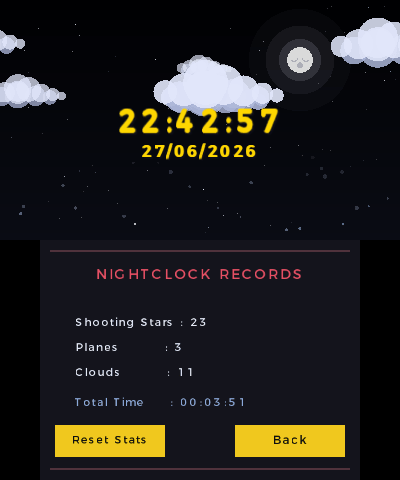
- Every shooting star, plane and cloud is recorded on the Records menu (you can reset the counter).
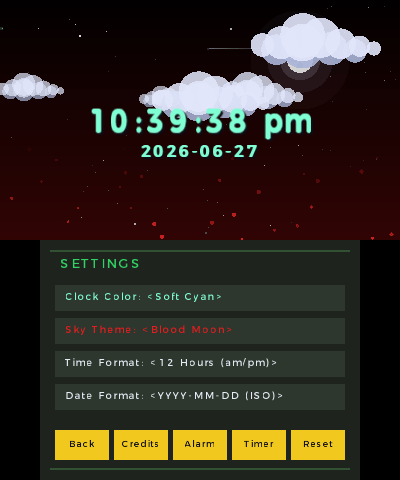
- By the Settings Menu you can change time/date colour, sky theme, clock format, date format.
- On every hour change a "special event" will occur on screen...
- Lower Screen can be switched off to preserve screen and save battery.
- The Rainbow Dream colour mode for clock and date helps preserve the screen from static images ghosting.
- More features to come.
Installation
Install via Universal Updater:
- Open Universal Updater on your 3DS.
- Search for NightClock and install it.
Manual install (.3dsx or .cia):
- 3DSX - Copy .3dsx to /3ds/ on your SD card, then launch via the Homebrew Launcher.
- CIA - Copy .cia to your SD card and install it via FBI.
Screenshots
Compatibility
Tested by the author on Citra and on Nintendo 3DS XL.
Changelog
1.03
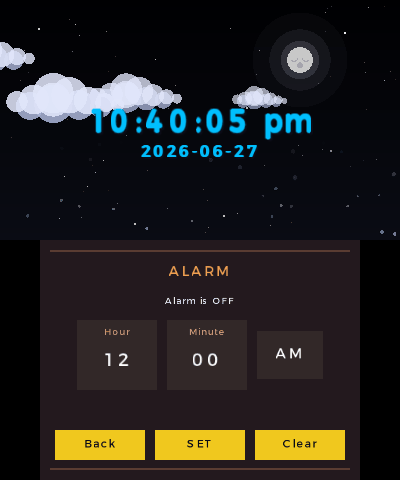
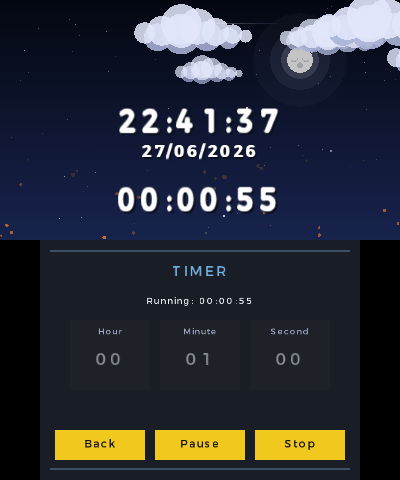
- Added an Alarm Clock and a Timer
- Optimized save data to prevent lags in app usage : now settings are only saved on app exit (pressing Start button)
1.02
- Added ISO format in date settings
1.01
- This is the first version of NightClock.
- It is fully operational and stable, released in 3dsx and cia formats.