
Dark Lands Vita: Difference between revisions
From GameBrew
More actions
Created page with "{{Infobox Vita Homebrews |title=Dark Lands Vita |image=DarkLandsVita.png |description=Port of Dark Lands for PSVita. |author=Rocroverss |lastupdated=2026/06/26 |type=Platform |version=1.0 |license=MIT |download=https://dlhb.gamebrew.org/vitahomebrews/DarkLandsVita.7z |website=https://github.com/Rocroverss/Dark-Lands-psvita |source=https://github.com/Rocroverss/Dark-Lands-psvita |donation= }} {{#seo: |title=Vita Homebrew Games (Platform) - GameBrew |title_mode=append |ima..." |
No edit summary |
||
| Line 2: | Line 2: | ||
|title=Dark Lands Vita | |title=Dark Lands Vita | ||
|image=DarkLandsVita.png | |image=DarkLandsVita.png | ||
|description=Port of Dark Lands for | |description=Port of Dark Lands for PS Vita. | ||
|author=Rocroverss | |author=Rocroverss | ||
|lastupdated=2026/06/26 | |lastupdated=2026/06/26 | ||
| Line 19: | Line 19: | ||
|image_alt=Dark Lands Vita | |image_alt=Dark Lands Vita | ||
}} | }} | ||
This is a wrapper/port of Dark Lands for the PS Vita. | |||
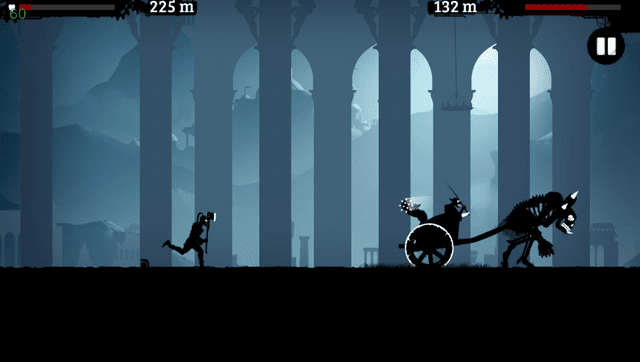
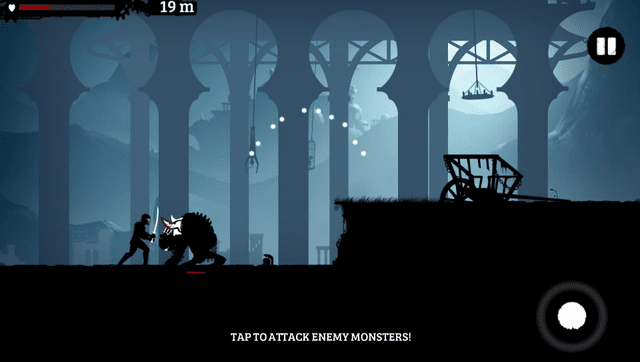
Dark Lands is a 2D action-platformer where players take on the role of an Ancient Greek hero. With reflexes and a sword, they must survive a dark world filled with shadows, deadly obstacles, and relentless foes. | |||
== | == Installation == | ||
'''Requirements:''' | |||
* libshacccg.suprx | |||
* kubridge.skprx | |||
* Android game files | |||
'''Instructions:''' | |||
* Install [[Kubridge Vita|Kubridge]] and [[FdFix Vita|FdFix]] by copying kubridge.skprx and fd_fix.skprx to your taiHEN plugins folder. The folder is commonly <code>ur0:tai</code>, but use <code>ux0:tai</code> if that is how your Vita is configured. Add both plugins under *KERNEL in config.txt: | |||
<pre>*KERNEL | <pre>*KERNEL | ||
ur0:tai/kubridge.skprx | ur0:tai/kubridge.skprx | ||
ur0:tai/fd_fix.skprx</pre> | ur0:tai/fd_fix.skprx</pre> | ||
* (Note: Do not install fd_fix.skprx if you are already using the rePatch plugin.) | |||
* Install libshacccg.suprx to <code>ur0:/data/</code> or <code>ur0:/data/external/</code>. If you do not have it, follow a [https://samilops2.gitbook.io/vita-troubleshooting-guide/shader-compiler/extract-libshacccg.suprx libshacccg extraction guide]. | |||
* The game runs correctly at the default 444 MHz CPU clock. For the best performance, however, it's recommended to install [[PSVshell Vita|PSVshell]] and overclock the Vita to 500 MHz. | |||
* Install dla.vpk via [[VitaShell]]. | |||
* Create this folder on the Vita: <code>ux0:data/dla/</code> | |||
* From your legally obtained Android APK, extract: | |||
** Obtain "dark-lands-1-5-6.apk" (version 1.5.6). | |||
** Verify that the APK matches the expected SHA-256 checksum: | |||
*** Windows (Command Prompt): <code class="language-batchfile">certutil -hashfile dark-lands-1-5-6.apk SHA256</code> | |||
*** Expected output: <code>7ecd7f1c4cd2e9d9066b0515c7bde2af7ce6d0a8b7d79deab652b98e7f3d1b0e</code> | |||
** Run the following command that will create the dla folder that you need to place at <code>ux0:data/</code>: | |||
*** <code> python prepare_dla_folder.py dark-lands-1-5-6.apk</code> | |||
< | |||
The clean final layout should look like this: | |||
<pre>ux0:data/dla/ | <pre>ux0:data/dla/ | ||
|- base.apk | |- base.apk | ||
| Line 55: | Line 55: | ||
|- gxp/ created by the port when shader cache is used | |- gxp/ created by the port when shader cache is used | ||
|- DarkLandsSecurePrefs.bin created by the port after saving | |- DarkLandsSecurePrefs.bin created by the port after saving | ||
|- SharedPreferences.bin created by the port after saving</pre | |- SharedPreferences.bin created by the port after saving</pre> | ||
== Controls == | == Controls == | ||
D-Pad Up - Swipe up, Jump | |||
D-Pad Down - Swipe down, Slide | |||
Circle/Cross - Attack | |||
R/L - Block | |||
Touchscreen - Native game touch input | |||
==Screenshots== | ==Screenshots== | ||
| Line 91: | Line 76: | ||
https://dlhb.gamebrew.org/vitahomebrews/images/DarkLandsVita-04.png | https://dlhb.gamebrew.org/vitahomebrews/images/DarkLandsVita-04.png | ||
==Media== | |||
'''Dark Lands - Official Trailer''' ([https://www.youtube.com/watch?v=CJ2JcQzlOKk BulkyPix]) <br> | |||
<youtube width="640">CJ2JcQzlOKk</youtube> | |||
==Changelog== | ==Changelog== | ||
| Line 103: | Line 92: | ||
== External links == | == External links == | ||
* | * GitHub - https://github.com/Rocroverss/Dark-Lands-psvita | ||
* VitaDB - https://www.rinnegatamante.eu/vitadb/#/info/1425 | * VitaDB - https://www.rinnegatamante.eu/vitadb/#/info/1425 | ||
[[Category:Mobile game ports on Vita]] | |||
[[Category:Vita game ports]] | |||
Latest revision as of 07:12, 28 June 2026
| Dark Lands Vita | |
|---|---|
 | |
| General | |
| Author | Rocroverss |
| Type | Platform |
| Version | 1.0 |
| License | MIT License |
| Last Updated | 2026/06/26 |
| Links | |
| Download | |
| Website | |
| Source | |
This is a wrapper/port of Dark Lands for the PS Vita.
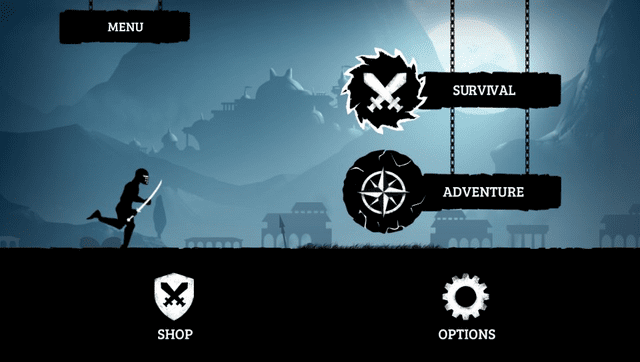
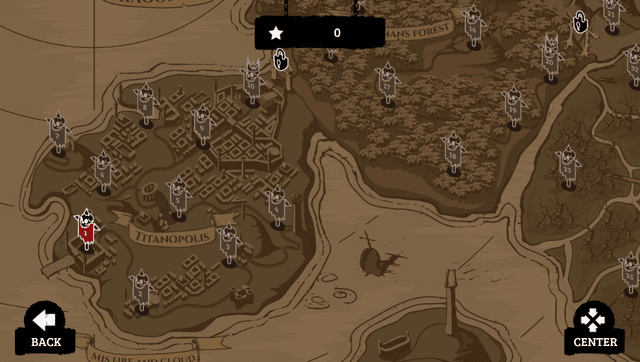
Dark Lands is a 2D action-platformer where players take on the role of an Ancient Greek hero. With reflexes and a sword, they must survive a dark world filled with shadows, deadly obstacles, and relentless foes.
Installation
Requirements:
- libshacccg.suprx
- kubridge.skprx
- Android game files
Instructions:
- Install Kubridge and FdFix by copying kubridge.skprx and fd_fix.skprx to your taiHEN plugins folder. The folder is commonly
ur0:tai, but useux0:taiif that is how your Vita is configured. Add both plugins under *KERNEL in config.txt:
*KERNEL
ur0:tai/kubridge.skprx
ur0:tai/fd_fix.skprx
- (Note: Do not install fd_fix.skprx if you are already using the rePatch plugin.)
- Install libshacccg.suprx to
ur0:/data/orur0:/data/external/. If you do not have it, follow a libshacccg extraction guide. - The game runs correctly at the default 444 MHz CPU clock. For the best performance, however, it's recommended to install PSVshell and overclock the Vita to 500 MHz.
- Install dla.vpk via VitaShell.
- Create this folder on the Vita:
ux0:data/dla/ - From your legally obtained Android APK, extract:
- Obtain "dark-lands-1-5-6.apk" (version 1.5.6).
- Verify that the APK matches the expected SHA-256 checksum:
- Windows (Command Prompt):
certutil -hashfile dark-lands-1-5-6.apk SHA256 - Expected output:
7ecd7f1c4cd2e9d9066b0515c7bde2af7ce6d0a8b7d79deab652b98e7f3d1b0e
- Windows (Command Prompt):
- Run the following command that will create the dla folder that you need to place at
ux0:data/:python prepare_dla_folder.py dark-lands-1-5-6.apk
The clean final layout should look like this:
ux0:data/dla/
|- base.apk
|- libcocos2dcpp.so
|- assets/
|  |- ...
|- gxp/                       created by the port when shader cache is used
|- DarkLandsSecurePrefs.bin   created by the port after saving
|- SharedPreferences.bin      created by the port after saving
Controls
D-Pad Up - Swipe up, Jump
D-Pad Down - Swipe down, Slide
Circle/Cross - Attack
R/L - Block
Touchscreen - Native game touch input
Screenshots
Media
Dark Lands - Official Trailer (BulkyPix)
Changelog
v1.0
- First Release.
Credits
- TheFloW for the original Android
.soloader work. - Rinnegatamante for vitaGL and help with Vita ports.
- gl33ntwine/v-atamanenko for SoLoBoP and Android loader boilerplate work.
- The Vita Nuova community and everyone who helped with testing/debugging.