
A Bite at Freddy's Vita: Difference between revisions
From GameBrew
More actions
Created page with "{{Infobox Vita Homebrews |title=A Bite at Freddy's Vita |image=ABiteatFreddysVita.png |description=Port of A Bite at Freddy's for PSVita. |author=Rocroverss |lastupdated=2026/06/12 |type=Horror |version=1.0 |license=N/A |download=https://dlhb.gamebrew.org/vitahomebrews/ABiteatFreddysVita.7z |website=https://github.com/Rocroverss/A-Bite-at-Freddy-s-psvita |source=https://github.com/Rocroverss/A-Bite-at-Freddy-s-psvita |donation= }} {{#seo: |title=Vita Homebrew Games (Horr..." |
x |
||
| Line 2: | Line 2: | ||
|title=A Bite at Freddy's Vita | |title=A Bite at Freddy's Vita | ||
|image=ABiteatFreddysVita.png | |image=ABiteatFreddysVita.png | ||
|description=Port of A Bite at Freddy's for | |description=Port of A Bite at Freddy's for PS Vita. | ||
|author=Rocroverss | |author=Rocroverss | ||
|lastupdated=2026/06/12 | |lastupdated=2026/06/12 | ||
| Line 19: | Line 19: | ||
|image_alt=A Bite at Freddy's Vita | |image_alt=A Bite at Freddy's Vita | ||
}} | }} | ||
A patch that allows the game A Bite at Freddy's to run on the PlayStation Vita. | |||
A Bite at Freddy's is a bite-sized Five Nights at Freddy's style experience in which Freddy Fazbear's Grill needs help testing and repairing the Freddy Fast-Food Delivery machine. The player works alongside the restaurant manager to ensure food orders can be delivered from the kitchen to the customer without issue, completing orders, repairs, and challenges. | |||
== Installation == | == Installation == | ||
'''1. Download Required Files''' | '''1. Download Required Files''' | ||
* Get the game from [https://gamejolt.com/games/abaf/774513 gamejolt.com] or [https://garrett-mckay.itch.io/a-bite-at-freddys Itch.io]. | * Get the game from [https://gamejolt.com/games/abaf/774513 gamejolt.com] or [https://garrett-mckay.itch.io/a-bite-at-freddys Itch.io]. | ||
* Clone or download the | * Clone or download the [https://github.com/Rocroverss/A-Bite-at-Freddy-s-psvita PSVita patch repository]. | ||
https:// | |||
'''2. Prepare the Game Files''' | '''2. Prepare the Game Files''' | ||
* Locate <code>A Bite At Freddys.exe</code> in the downloaded game folder. | * Locate <code>A Bite At Freddys.exe</code> in the downloaded game folder. | ||
* Place it inside the patch repository folder. | * Place it inside the patch repository folder. | ||
'''3. Run the Patch Script''' | '''3. Run the Patch Script''' | ||
* Using Python 3, execute the following command or double click it to run it: | * Using Python 3, execute the following command or double click it to run it: <code>python pck_patch_gui.py</code> | ||
* Set up the required paths and press "Apply Patch". | |||
* Set up the required paths and press | |||
'''4. Install on Your PSVita''' | '''4. Install on Your PSVita''' | ||
* You have two options: | |||
You have two options: | ** Install via VPK - Use [[VitaShell]] to install the generated <code>game.vpk</code>. | ||
* | ** Manual Install - Download the game from [[VitaDB_Downloader|VitaDB]]. Replace the <code>.pck</code> file in <code>ux0:data/game_data/</code> with your <code>game_merged.pck</code>, renamed to <code>game.pck</code>. | ||
* | |||
==Screenshots== | ==Screenshots== | ||
| Line 60: | Line 50: | ||
https://dlhb.gamebrew.org/vitahomebrews/images/ABiteatFreddysVita-04.png | https://dlhb.gamebrew.org/vitahomebrews/images/ABiteatFreddysVita-04.png | ||
==Known | ==Media== | ||
'''A Bite at Freddy's Trailer''' ([https://www.youtube.com/watch?v=ULa4SE1bzzY Garrett McKay]) <br> | |||
<youtube width="640">ULa4SE1bzzY</youtube> | |||
==Known issues== | |||
This is the first release, so some bugs may occur. | |||
==Changelog== | ==Changelog== | ||
| Line 72: | Line 66: | ||
== External links == | == External links == | ||
* | * GitHub - https://github.com/Rocroverss/A-Bite-at-Freddy-s-psvita | ||
* VitaDB - https://www.rinnegatamante.eu/vitadb/#/info/1413 | * VitaDB - https://www.rinnegatamante.eu/vitadb/#/info/1413 | ||
Revision as of 05:01, 19 June 2026
| A Bite at Freddy's Vita | |
|---|---|
 | |
| General | |
| Author | Rocroverss |
| Type | Horror |
| Version | 1.0 |
| License | N/A |
| Last Updated | 2026/06/12 |
| Links | |
| Download | |
| Website | |
| Source | |
A patch that allows the game A Bite at Freddy's to run on the PlayStation Vita.
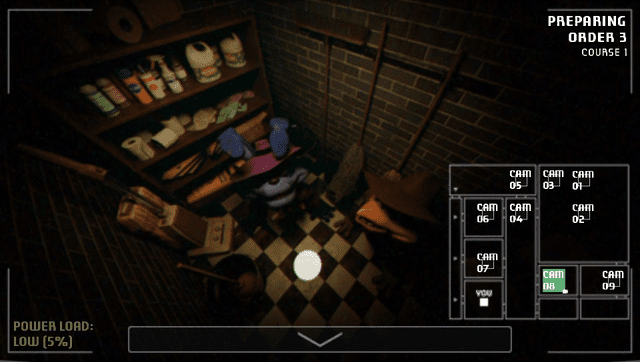
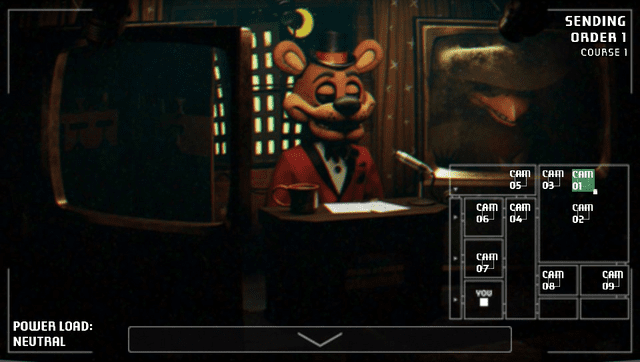
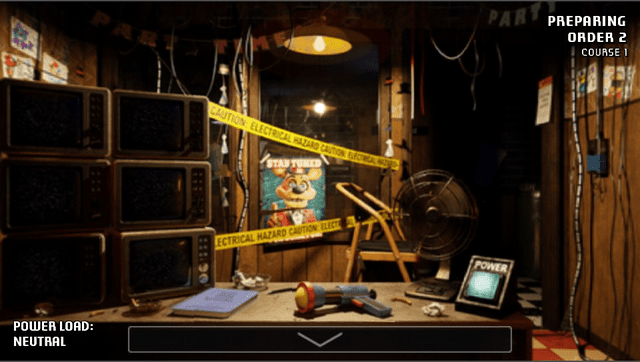
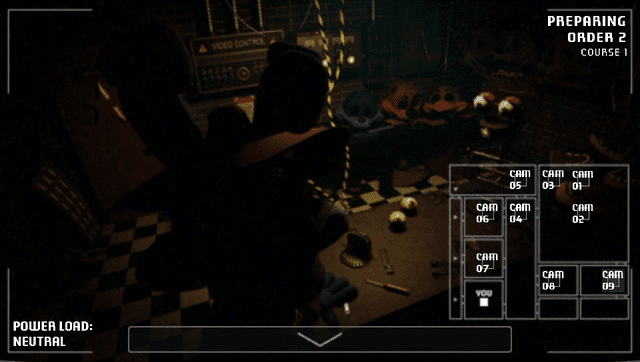
A Bite at Freddy's is a bite-sized Five Nights at Freddy's style experience in which Freddy Fazbear's Grill needs help testing and repairing the Freddy Fast-Food Delivery machine. The player works alongside the restaurant manager to ensure food orders can be delivered from the kitchen to the customer without issue, completing orders, repairs, and challenges.
Installation
1. Download Required Files
- Get the game from gamejolt.com or Itch.io.
- Clone or download the PSVita patch repository.
2. Prepare the Game Files
- Locate
A Bite At Freddys.exein the downloaded game folder. - Place it inside the patch repository folder.
3. Run the Patch Script
- Using Python 3, execute the following command or double click it to run it:
python pck_patch_gui.py - Set up the required paths and press "Apply Patch".
4. Install on Your PSVita
Screenshots
Media
A Bite at Freddy's Trailer (Garrett McKay)
Known issues
This is the first release, so some bugs may occur.
Changelog
v1.0
- First Release.
Credits
- BonQ for help in the porting process and suggesting me this game.
- Wolff for reminding me that this project was a candidate.