
Custom-Yacht-3DS: Difference between revisions
From GameBrew
More actions
Created page with "{{Infobox 3DS Homebrews |title=custom-yacht-3ds |image=customyacht3ds.png |description=A customizable yacht dice game for the 3ds using lovepotion. |author=chalenged |lastupdated=2026/01/02 |type=Board |version=1.0.0 |license=GPL-3.0 |download=https://dlhb.gamebrew.org/3dshomebrews/customyacht3ds.7z |website=https://github.com/chalenged/custom-yacht-3ds |source=https://github.com/chalenged/custom-yacht-3ds }} A customizable yacht dice game for the 3ds using Love_Potion..." |
No edit summary |
||
| Line 13: | Line 13: | ||
}} | }} | ||
A customizable yacht dice game for the 3ds using [[Love_Potion_3DS|lovepotion]]. | A customizable yacht dice game for the 3ds using [[Love_Potion_3DS|lovepotion]]. | ||
== Installation == | |||
Add the 3dsx file to your 3ds folder on your SD card and open it from the Homebrew Launcher. | |||
You can create your own dice sets and scoresheets with a yaml file, place it in the same directory as the game for PC, and in <code>sdmc:/3ds/custom-yacht-3ds</code>. | You can create your own dice sets and scoresheets with a yaml file, place it in the same directory as the game for PC, and in <code>sdmc:/3ds/custom-yacht-3ds</code>. | ||
See the [https://github.com/chalenged/custom-yacht-3ds/blob/main/default.yaml default.yaml] file for an example with comments. | See the [https://github.com/chalenged/custom-yacht-3ds/blob/main/default.yaml default.yaml] file for an example with comments. | ||
== Controls == | == Controls == | ||
Latest revision as of 04:35, 21 March 2026
| custom-yacht-3ds | |
|---|---|
 | |
| General | |
| Author | chalenged |
| Type | Board |
| Version | 1.0.0 |
| License | GPL-3.0 |
| Last Updated | 2026/01/02 |
| Links | |
| Download | |
| Website | |
| Source | |
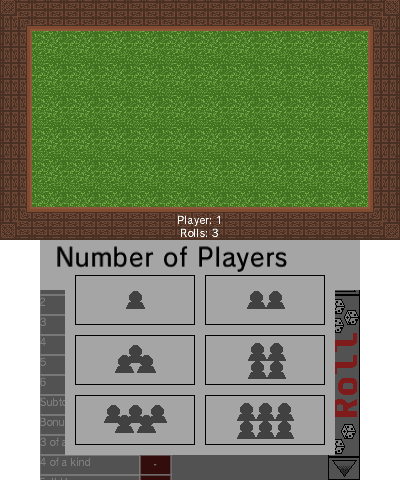
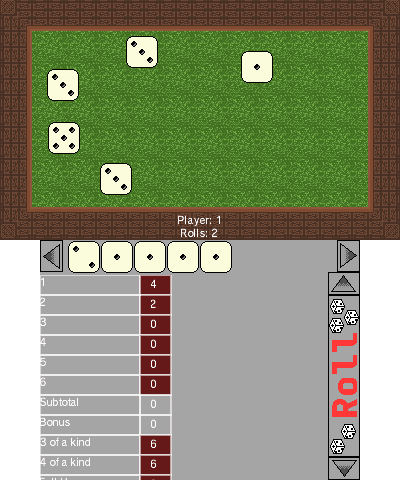
A customizable yacht dice game for the 3ds using lovepotion.
Installation
Add the 3dsx file to your 3ds folder on your SD card and open it from the Homebrew Launcher.
You can create your own dice sets and scoresheets with a yaml file, place it in the same directory as the game for PC, and in sdmc:/3ds/custom-yacht-3ds.
See the default.yaml file for an example with comments.
Controls
Start - Exit the game
Select - Open the dialogue to choose a yaml file to load (Make sure you trust the source!)
yaml selection menu:
D-Pad Up/Down - Select
A - Confirm
Screenshots
Compatibility
Works on real hardware.