
Dodge The Spiked Balls 3DS: Difference between revisions
From GameBrew
More actions
No edit summary |
No edit summary |
||
| Line 24: | Line 24: | ||
Navigate through increasingly difficult waves of obstacles, rack up points by collecting stars, and compete for the ultimate high score in this addictive throwback to golden-age gaming. | Navigate through increasingly difficult waves of obstacles, rack up points by collecting stars, and compete for the ultimate high score in this addictive throwback to golden-age gaming. | ||
==Installation== | |||
* Make sure your 3DS is homebrew-enabled (using [[boot9strap 3DS]] and [[Luma3DS]] or similar). | |||
* Download the ufo_dodge.3dsx file. | |||
* Insert your 3DS SD card into your computer. | |||
* On the SD card, create a folder called 3ds if it doesn’t exist. | |||
* Inside the 3ds folder, create a folder named ufo_dodge. | |||
* Copy the ufo_dodge.3dsx file into the ufo_dodge folder. | |||
Safely eject the SD card and put it back into your 3DS. | |||
* Turn on your 3DS and launch the Homebrew Launcher. | |||
* In the Homebrew Launcher menu, select ufo_dodge. | |||
* The game will start — enjoy playing! | |||
==Screenshots== | ==Screenshots== | ||
Revision as of 03:31, 7 September 2025
| Dodge The Spiked Balls | |
|---|---|
 | |
| General | |
| Author | diamondprince007 |
| Type | Action |
| Version | 2025 |
| License | N/A |
| Last Updated | 2025/07/27 |
| Links | |
| Download | |
| Website | |
| Source | |
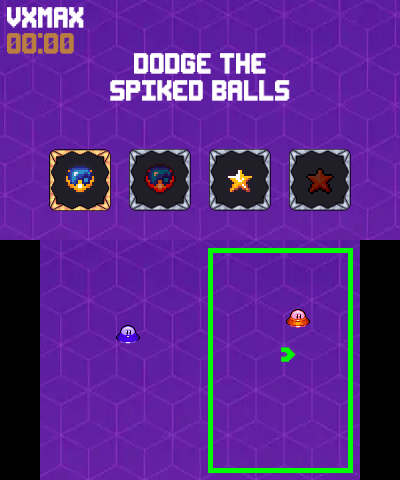
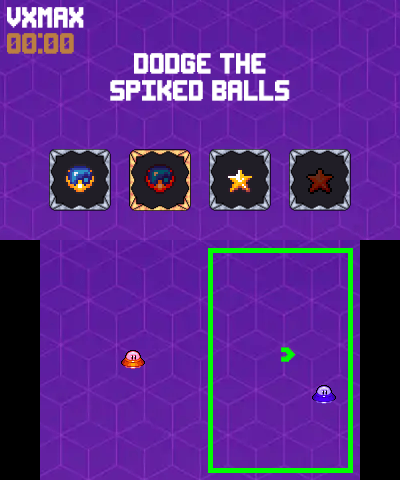
Dodge the Spike Balls is an intense, retro-inspired action game for the Nintendo 3DS that challenges players to pilot one or two UFOs through a barrage of deadly spike balls while collecting gleaming stars.
This fast-paced demake brings the beloved Nintendo Switch 2 Welcome Tour experience to handheld gaming, featuring classic arcade-style gameplay that will test your reflexes to the limit.
Navigate through increasingly difficult waves of obstacles, rack up points by collecting stars, and compete for the ultimate high score in this addictive throwback to golden-age gaming.
Installation
- Make sure your 3DS is homebrew-enabled (using boot9strap 3DS and Luma3DS or similar).
- Download the ufo_dodge.3dsx file.
- Insert your 3DS SD card into your computer.
- On the SD card, create a folder called 3ds if it doesn’t exist.
- Inside the 3ds folder, create a folder named ufo_dodge.
- Copy the ufo_dodge.3dsx file into the ufo_dodge folder.
Safely eject the SD card and put it back into your 3DS.
- Turn on your 3DS and launch the Homebrew Launcher.
- In the Homebrew Launcher menu, select ufo_dodge.
- The game will start — enjoy playing!
Screenshots
Changelog
v2025
- First Release.