
VitaPDF: Difference between revisions
From GameBrew
More actions
Created page with "{{Infobox Vita Homebrews |title=vitaPDF |image=vitaPDF.png |description=Filebrowser for reading documents on PSVita. |author=joel16 |lastupdated=2025/07/24 |type=Other Apps |version=1.0 |license=AGPL-3.0 |download=https://dlhb.gamebrew.org/vitahomebrews/vitaPDF.7z |website=https://joel16dev.itch.io/vitapdf |source=https://github.com/joel16/vitaPDF |donation= }} {{#seo: |title=Vita Homebrew Apps (Other Apps) - GameBrew |title_mode=append |image=vitaPDF.png |image_alt=vita..." |
No edit summary |
||
| Line 41: | Line 41: | ||
==Screenshots== | ==Screenshots== | ||
https://dlhb.gamebrew.org/vitahomebrews/images/vitaPDF-01.png | |||
https://dlhb.gamebrew.org/vitahomebrews/images/vitaPDF-02.png | |||
https://dlhb.gamebrew.org/vitahomebrews/images/vitaPDF-03.png | |||
==Changelog== | ==Changelog== | ||
Revision as of 12:06, 26 July 2025
| vitaPDF | |
|---|---|
 | |
| General | |
| Author | joel16 |
| Type | Other Apps |
| Version | 1.0 |
| License | AGPL-3.0 |
| Last Updated | 2025/07/24 |
| Links | |
| Download | |
| Website | |
| Source | |
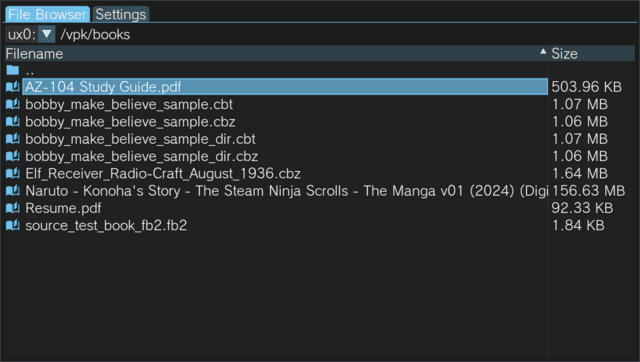
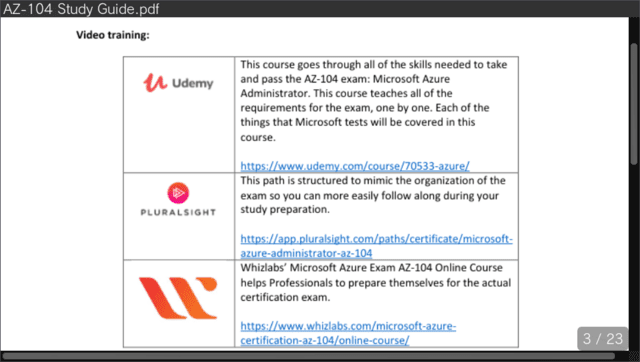
vitaPDF is a lightweight homebrew file browser designed for viewing various documents on the PlayStation VITA. It leverages several libraries to deliver a simple, efficient, and user-friendly experience for navigating and reading supported file types.
Features
- File browser:
- Display folders and supported pdf/book formats only.
- Supports sorting using file name and size.
- Ability to navigate to multiple devices (ux0:/, ur0:/)
- Saves last visited directory.
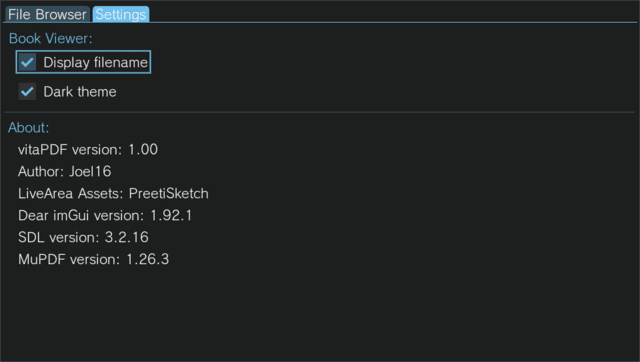
- GUI:
- Supports dark/light theme modes.
- Has a toggle for displaying title bar.
- Automatically saves page state via sqlite database. (Moving the pdf/book to another location will lose it's page state at the moment)
- Supports reading the following formats:
- CBT
- CBZ
- EPUB
- FB2
- MOBI
- XPS
Screenshots
Changelog
v1.0
- First Release.
Credits
- MuPDF
- ocornut and contributors for upstream imgui
- PreetiSketch for the LiveArea assets
- SDL3
- vitasdk
External links
- Itch.io - https://joel16dev.itch.io/vitapdf
- Github - https://github.com/joel16/vitaPDF
- VitaDB - https://www.rinnegatamante.eu/vitadb/#/info/1290