
MH4U Save Editor 3DS: Difference between revisions
More actions
No edit summary |
No edit summary |
||
| Line 19: | Line 19: | ||
|image_alt=MH4U Save Editor | |image_alt=MH4U Save Editor | ||
}} | }} | ||
MH4U Save Editor is a | MH4U Save Editor is a savegame editor for Monster Hunter 4 Ultimate on the 3DS. It also handles the decryption or encryption processes automatically. | ||
== Features == | ==Features== | ||
* | * Item box editor. | ||
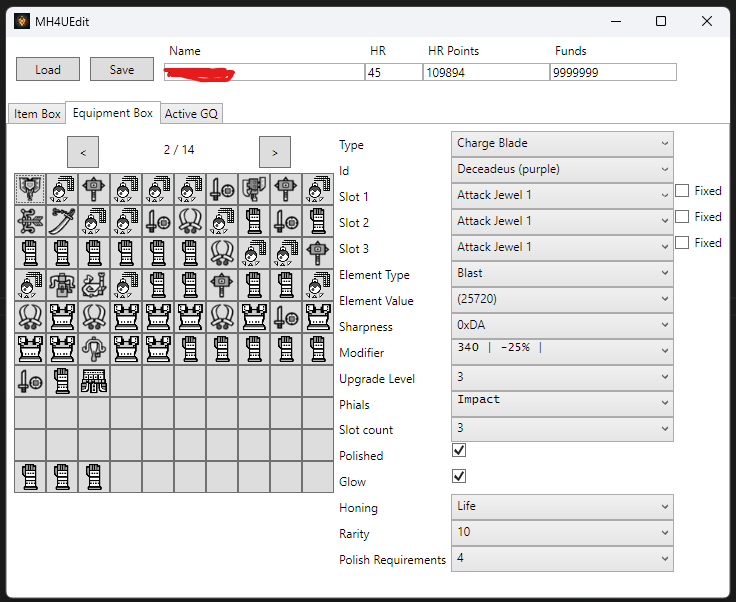
* Equipment box editor. | |||
* | |||
== | ==User guide== | ||
Backup your save with [[Checkpoint 3DS|Checkpoint]] or SaveDataFiler. You will end up with a system-file and either, some or all of user1, user2, user3 files depending on your characters. | |||
Copy a userX-file to the PC (best use ftpd, so you don't need to remove the card) (It's also better to copy the whole save-folder with all files and rename it, so you have a backup in case something goes wrong). | |||
== | Open the userX-file in editor, edit something and hit save. The file will be overwritten. | ||
* | |||
Move the userX-file (or save-folder) back to the 3ds and import with Checkpoint / SaveDataFiler. | |||
Note: If you move/copy one file to a different folder on your 3ds, make sure that you also copy the other files to the same location otherwise you might loose characters or settings. | |||
===Notes=== | |||
* It is advise to only edit existing quests for now. If a quest already has a second monster, you can modify it, but don't add a second monster to it. | |||
* Do not enable relic-specific fields on non-relic armor (depending on the item's it, it may result in invalid item and the game will delete it on next launch). | |||
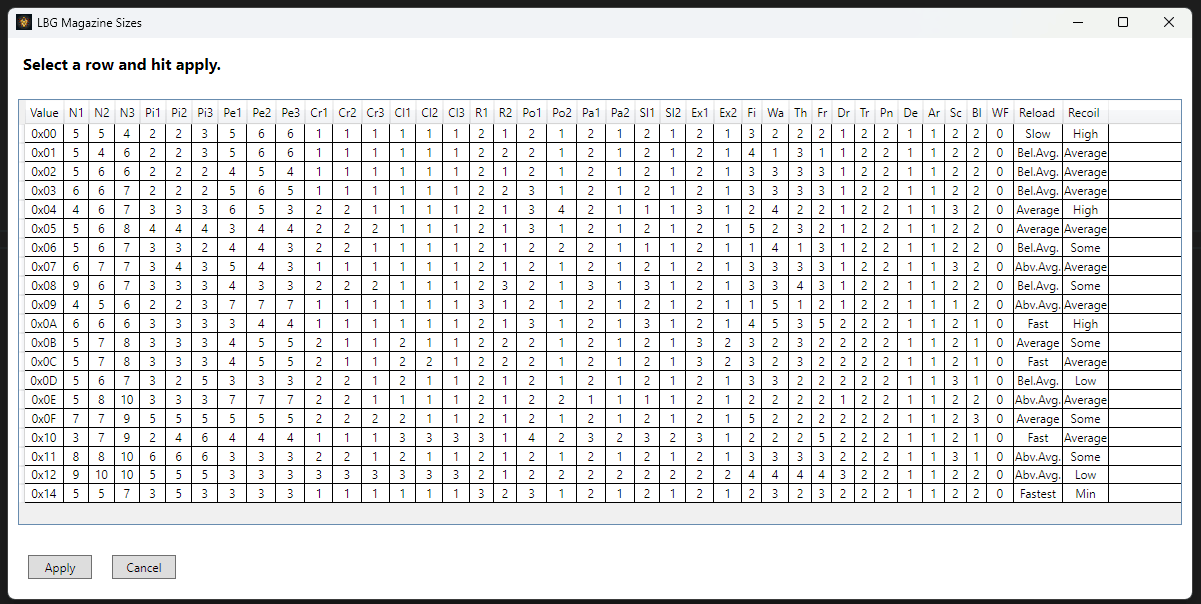
* For weapon, only relic weapons (end-game IDs) have full editing options. Non-relic weapons show limited options to prevent invalid items. | |||
==Screenshots== | ==Screenshots== | ||
| Line 45: | Line 45: | ||
https://dlhb.gamebrew.org/3dshomebrews/images/MH4USaveEditor3DS-02.png | https://dlhb.gamebrew.org/3dshomebrews/images/MH4USaveEditor3DS-02.png | ||
==Known issues== | |||
The waist armor ids are off at some point. | |||
==Changelog== | ==Changelog== | ||
| Line 57: | Line 60: | ||
== External links == | == External links == | ||
* | * GitHub - https://github.com/Rokumaehn/mh4edit | ||
* GBAtemp - https://gbatemp.net/threads/mh4u-save-editor.668710/ | |||
Latest revision as of 03:35, 4 May 2025
| MH4U Save Editor | |
|---|---|
 | |
| General | |
| Author | Rokumaehn |
| Type | Save Editors |
| Version | 1.0.2 |
| License | MIT License |
| Last Updated | 2025/03/24 |
| Links | |
| Download | |
| Website | |
| Source | |
MH4U Save Editor is a savegame editor for Monster Hunter 4 Ultimate on the 3DS. It also handles the decryption or encryption processes automatically.
Features
- Item box editor.
- Equipment box editor.
User guide
Backup your save with Checkpoint or SaveDataFiler. You will end up with a system-file and either, some or all of user1, user2, user3 files depending on your characters.
Copy a userX-file to the PC (best use ftpd, so you don't need to remove the card) (It's also better to copy the whole save-folder with all files and rename it, so you have a backup in case something goes wrong).
Open the userX-file in editor, edit something and hit save. The file will be overwritten.
Move the userX-file (or save-folder) back to the 3ds and import with Checkpoint / SaveDataFiler.
Note: If you move/copy one file to a different folder on your 3ds, make sure that you also copy the other files to the same location otherwise you might loose characters or settings.
Notes
- It is advise to only edit existing quests for now. If a quest already has a second monster, you can modify it, but don't add a second monster to it.
- Do not enable relic-specific fields on non-relic armor (depending on the item's it, it may result in invalid item and the game will delete it on next launch).
- For weapon, only relic weapons (end-game IDs) have full editing options. Non-relic weapons show limited options to prevent invalid items.
Screenshots
Known issues
The waist armor ids are off at some point.
Changelog
v1.0.2
- Fixed bugs.
- Added colored equipment icons.
- Added palico editing.
v1.0.1
- Bugfix version.
v1.0
- First Release.