PhotoKano Kiss English Translation Vita: Difference between revisions
From GameBrew
More actions
No edit summary |
No edit summary |
||
| Line 1: | Line 1: | ||
{{Infobox Vita Homebrews | {{Infobox Vita Homebrews | ||
|title=PhotoKano Kiss | |title=PhotoKano Kiss | ||
|image=photokanokissengvita2.png | |image=photokanokissengvita2.png | ||
|description=PhotoKano Kiss Translation Project (ENG, RUS, DEU). | |description=PhotoKano Kiss Translation Project (ENG, RUS, DEU). | ||
Latest revision as of 12:31, 19 April 2025
| PhotoKano Kiss | |
|---|---|
 | |
| General | |
| Author | miraspectum |
| Type | Translations |
| Version | 2022 |
| License | MIT License |
| Last Updated | 2022/07/22 |
| Links | |
| English Patch Download | |
| Website | |
| Source | |
| Support Author | |
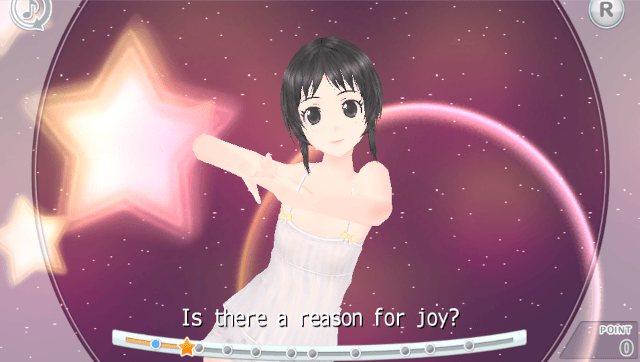
This is a project to translate the game PhotoKano Kiss (フォトカノ Kiss) from Japanese into English.
Translated ~90% of dialogs using Argos Translate. Available languages: English, Russian and Deutsch.
Installation
Requirements:
- Modded Vita.
- Installed game (PCSG00139).
- VitaShell.
- rePatch plugin.
- xdelta UI.
Decrypt game assets (Vita):
- Go to VitaShell and head unto ux0:app/PCSG00139.
- Press Triangle > Open decrypted.
- Open media folder and head unto 00_GMV.cpk. Press Triangle > Copy.
- Go to ux0 press Triangle > Paste.
- Again head unto ux0:app/PCSG00139.
- Press Triangle > Open decrypted.
- Head unto eboot.bin. Press Triangle > Copy.
- Go to ux0 press Triangle > Paste.
- Connect your Vita to PC with VitaShell.
Apply the patch (PC):
- Copy both 00_GMV.cpk and eboot.bin in any folder.
- Download patches from the repo (Folder: release/{lang}).
- Using xdelta UI patch these files.
- Create folder PCSG00139 on PC.
- Move patched eboot.bin into PCSG00139.
- Move patched 00_GMV.cpk into PCSG00139/media.
- Move this folder PCSG00139 into Vita ux0:rePatch/.
Screenshot