
Unsighted Vita: Difference between revisions
From GameBrew
More actions
No edit summary |
|||
| Line 2: | Line 2: | ||
|title=Unsighted Vita | |title=Unsighted Vita | ||
|image=UnsightedVita.png | |image=UnsightedVita.png | ||
|description=Port of Unsighted for | |description=Port of Unsighted for PS Vita. | ||
|author=PatnosDD | |author=PatnosDD | ||
|lastupdated=2025/03/09 | |lastupdated=2025/03/09 | ||
| Line 19: | Line 19: | ||
|image_alt=Unsighted Vita | |image_alt=Unsighted Vita | ||
}} | }} | ||
Unsighted for | Port of the PC game Unsighted by Studio Pixel Punk for PS Vita. | ||
==Recommended | You must own either the Steam or GOG version to use this patch. | ||
==Installation== | |||
=== Recommended plugins for optimal performance === | |||
* [[ioPlus Vita|ioplus.skprx]] with full CPU overclocking (500MHz) | * [[ioPlus Vita|ioplus.skprx]] with full CPU overclocking (500MHz) | ||
* [[IOStaging Vita|iostaging.skprx]] | * [[IOStaging Vita|iostaging.skprx]] | ||
==Setup | === Setup instructions === | ||
* Install the Unsighted . | * Install the Unsighted .vpk file using [[VitaShell]]. | ||
* Do not launch the game immediately after installation, as it will crash without the necessary files. | * Do not launch the game immediately after installation, as it will crash without the necessary files. | ||
* Overclocking is necessary to run the game properly. | * Overclocking is necessary to run the game properly. | ||
'''Steam version:''' | |||
* Download UnsightedVitaSTEAM.zip from [https://github.com/PatnosDD/Unsighted-Ps-Vita/releases/latest Releases]. | |||
* Extract the downloaded zip to a folder on your PC. | |||
* Copy the Steam game folder into the extracted folder. Your "UnsightedVitaSTEAM" folder should look like this: | |||
<pre> └── UnsightedVitaPatchSteam/ | <pre> └── UnsightedVitaPatchSteam/ | ||
├── Unsighted/ <- ../steamapps/common/Unsighted | ├── Unsighted/ <- ../steamapps/common/Unsighted | ||
| Line 43: | Line 43: | ||
├── deterministic.exe | ├── deterministic.exe | ||
└── xdelta3-x.x.x-x86_64.exe</pre> | └── xdelta3-x.x.x-x86_64.exe</pre> | ||
* Run <code>APPLYPATCH.bat</code> and wait for the process to complete (this can take 15–25 minutes depending on your system). | |||
* Once completed, you will see a file named UnsightedVITA.zip. | |||
* Using [[VitaShell]], connect your PS Vita to your PC and copy the extracted contents of UnsightedVITA.zip (zip file should be around 380-450MB) to ux0:app/UNSI22233/. Your "UNSI22233" folder on your Vita should look like this: | |||
<pre> └── UNSI22233/ | <pre> └── UNSI22233/ | ||
├── Media/ | ├── Media/ | ||
| Line 52: | Line 51: | ||
├── sce_sys/ | ├── sce_sys/ | ||
└── eboot.bin</pre> | └── eboot.bin</pre> | ||
* When prompted, select "Replace the files in destination". | |||
* if you encounter any issues take a look at the Troubleshooting section. | |||
'''GOG version:''' | |||
* Download UnsightedVitaSTEAM.zip from [https://github.com/PatnosDD/Unsighted-Ps-Vita/releases/latest Releases]. | |||
* Extract the downloaded zip to a folder on your PC. | |||
* Copy the GOG game folder into the extracted folder. Your "UnsightedVitaGOG" folder should look like this: | |||
<pre> └── UnsightedVitaPatchSteam/ | <pre> └── UnsightedVitaPatchSteam/ | ||
├── Unsighted_Data/ <- ../GOG/Unsighted/Unsighted_Data | ├── Unsighted_Data/ <- ../GOG/Unsighted/Unsighted_Data | ||
| Line 69: | Line 64: | ||
├── deterministic.exe | ├── deterministic.exe | ||
└── xdelta3-x.x.x-x86_64.exe</pre> | └── xdelta3-x.x.x-x86_64.exe</pre> | ||
* Run <code>APPLYPATCH.bat</code> and wait for the process to complete (this can take 15–25 minutes depending on your system). | |||
* Once completed, you will see a file named UnsightedVITA.zip. | |||
* Using [[VitaShell]], connect your PS Vita to your PC and copy the extracted contents of UnsightedVITA.zip (zip file should be around 380-450MB) to ux0:app/UNSI22233/. Your "UNSI22233" folder on your Vita should look like this: | |||
<pre> └── UNSI22233/ | <pre> └── UNSI22233/ | ||
├── Media/ | ├── Media/ | ||
| Line 78: | Line 72: | ||
├── sce_sys/ | ├── sce_sys/ | ||
└── eboot.bin</pre> | └── eboot.bin</pre> | ||
# When prompted, select | # When prompted, select "Replace the files in destination". | ||
# if you encounter any issues take a look at | # if you encounter any issues take a look at the Troubleshooting section. | ||
=== Troubleshooting === | |||
* Ensure that your PS Vita is properly overclocked. | |||
* Verify that you have the correct game version (Steam or GOG) and have followed the steps for your version. | |||
* If ux0:app does not appear in File Explorer, make sure you have visibility of hidden directories enabled. | |||
== Controls == | |||
D-Pad Up - Aim Lock | |||
D-Pad Left - Heal | |||
D-Pad Right - Reload | |||
Left Analog - Move | |||
Right Analog - Aim | |||
L - Weapon 1 | |||
R - Weapon 2 | |||
Square - Run | |||
Triangle - Interact | |||
Circle - Block | |||
Cross - Jump | |||
Select - Map | |||
Start - Pause | |||
==Screenshots== | ==Screenshots== | ||
| Line 140: | Line 115: | ||
https://dlhb.gamebrew.org/vitahomebrews/images/UnsightedVita-04.png | https://dlhb.gamebrew.org/vitahomebrews/images/UnsightedVita-04.png | ||
==Known Issues== | ==Known Issues== | ||
| Line 149: | Line 120: | ||
* Reduced frames per second (FPS) in areas with a high number of enemies. | * Reduced frames per second (FPS) in areas with a high number of enemies. | ||
=== | ==Media== | ||
'''A NEW Hack & Slash Game on the PsVita // Unsighted Port''' ([https://www.youtube.com/watch?v=EFgNd7ExyvY Dr Brute]) <br> | |||
<youtube width='640'>EFgNd7ExyvY</youtube> | |||
==Changelog== | |||
'''v1.0''' | |||
* First Release. | |||
== External links == | == External links == | ||
* | * GitHub - https://github.com/PatnosDD/Unsighted-Ps-Vita | ||
* VitaDB - https://www.rinnegatamante.eu/vitadb/#/info/1262 | * VitaDB - https://www.rinnegatamante.eu/vitadb/#/info/1262 | ||
Revision as of 07:28, 23 March 2025
| Unsighted Vita | |
|---|---|
 | |
| General | |
| Author | PatnosDD |
| Type | Adventure |
| Version | 0.3 |
| License | Mixed |
| Last Updated | 2025/03/09 |
| Links | |
| Download | |
| Website | |
| Support Author | |
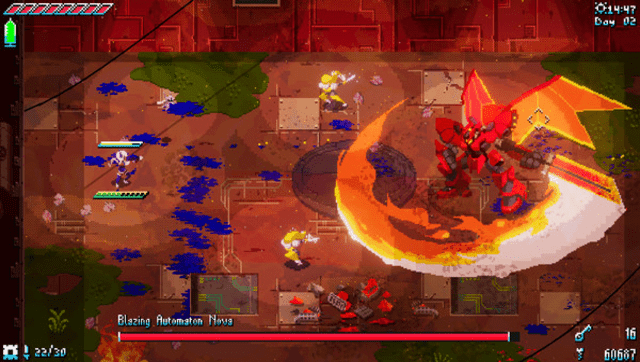
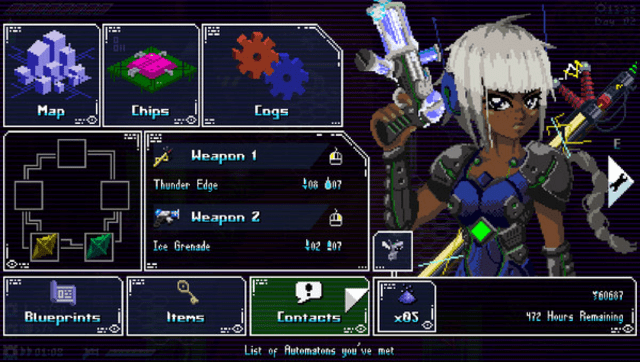
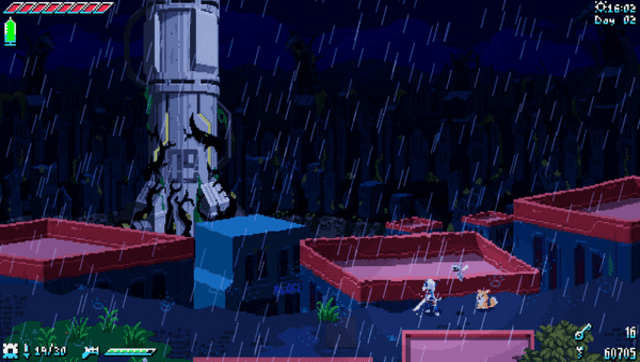
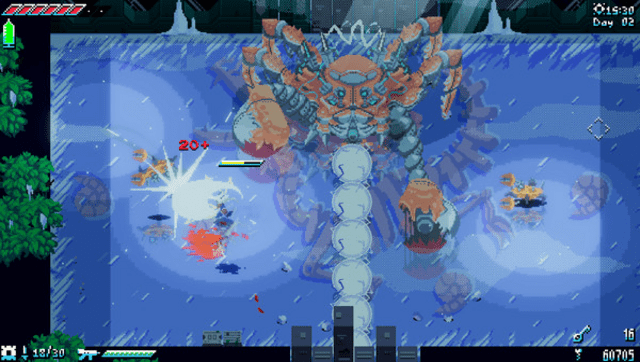
Port of the PC game Unsighted by Studio Pixel Punk for PS Vita.
You must own either the Steam or GOG version to use this patch.
Installation
Recommended plugins for optimal performance
- ioplus.skprx with full CPU overclocking (500MHz)
- iostaging.skprx
Setup instructions
- Install the Unsighted .vpk file using VitaShell.
- Do not launch the game immediately after installation, as it will crash without the necessary files.
- Overclocking is necessary to run the game properly.
Steam version:
- Download UnsightedVitaSTEAM.zip from Releases.
- Extract the downloaded zip to a folder on your PC.
- Copy the Steam game folder into the extracted folder. Your "UnsightedVitaSTEAM" folder should look like this:
   └── UnsightedVitaPatchSteam/
    ├── Unsighted/  <- ../steamapps/common/Unsighted
    ├── vcdiff/
    ├── APPLYPATCH.bat
    ├── deterministic.exe
    └── xdelta3-x.x.x-x86_64.exe
- Run
APPLYPATCH.batand wait for the process to complete (this can take 15–25 minutes depending on your system). - Once completed, you will see a file named UnsightedVITA.zip.
- Using VitaShell, connect your PS Vita to your PC and copy the extracted contents of UnsightedVITA.zip (zip file should be around 380-450MB) to ux0:app/UNSI22233/. Your "UNSI22233" folder on your Vita should look like this:
   └── UNSI22233/
    ├── Media/
    ├── sce_module/
    ├── sce_sys/
    └── eboot.bin
- When prompted, select "Replace the files in destination".
- if you encounter any issues take a look at the Troubleshooting section.
GOG version:
- Download UnsightedVitaSTEAM.zip from Releases.
- Extract the downloaded zip to a folder on your PC.
- Copy the GOG game folder into the extracted folder. Your "UnsightedVitaGOG" folder should look like this:
   └── UnsightedVitaPatchSteam/
    ├── Unsighted_Data/  <- ../GOG/Unsighted/Unsighted_Data
    ├── vcdiff/
    ├── APPLYPATCH.bat
    ├── deterministic.exe
    └── xdelta3-x.x.x-x86_64.exe
- Run
APPLYPATCH.batand wait for the process to complete (this can take 15–25 minutes depending on your system). - Once completed, you will see a file named UnsightedVITA.zip.
- Using VitaShell, connect your PS Vita to your PC and copy the extracted contents of UnsightedVITA.zip (zip file should be around 380-450MB) to ux0:app/UNSI22233/. Your "UNSI22233" folder on your Vita should look like this:
   └── UNSI22233/
    ├── Media/
    ├── sce_module/
    ├── sce_sys/
    └── eboot.bin
- When prompted, select "Replace the files in destination".
- if you encounter any issues take a look at the Troubleshooting section.
Troubleshooting
- Ensure that your PS Vita is properly overclocked.
- Verify that you have the correct game version (Steam or GOG) and have followed the steps for your version.
- If ux0:app does not appear in File Explorer, make sure you have visibility of hidden directories enabled.
Controls
D-Pad Up - Aim Lock
D-Pad Left - Heal
D-Pad Right - Reload
Left Analog - Move
Right Analog - Aim
L - Weapon 1
R - Weapon 2
Square - Run
Triangle - Interact
Circle - Block
Cross - Jump
Select - Map
Start - Pause
Screenshots
Known Issues
- Incorrect controller button glyphs.
- Reduced frames per second (FPS) in areas with a high number of enemies.
Media
A NEW Hack & Slash Game on the PsVita // Unsighted Port (Dr Brute)
Changelog
v1.0
- First Release.