
VSHTime PSP: Difference between revisions
From GameBrew
More actions
Created page with "{{Infobox PSP Homebrews |title=VSHTime |image=vshtimepsp.png |description=A new look at time in the XMB. |author=A_Noob (A_Nub) |lastupdated=2008/03/03 |type=Plugins |format= |version=2008 |license=Mixed |download=https://dlhb.gamebrew.org/psphomebrew/VSHTime.zip |website=http://forums.qj.net/f-psp-development-forum-11/t-release-vshtime-136283.html |source= }} A plugin that gives you a new look at time in the XMB. == Installation == Copy VSHTime.prx to ms0:/seplugins/...." |
|||
| Line 28: | Line 28: | ||
== Screenshots == | == Screenshots == | ||
https://dlhb.gamebrew.org/psphomebrew/images/vshtimepsp.png | https://dlhb.gamebrew.org/psphomebrew/images/vshtimepsp.png | ||
https://dlhb.gamebrew.org/psphomebrew/images/vshtimepsp3.png | https://dlhb.gamebrew.org/psphomebrew/images/vshtimepsp3.png | ||
Latest revision as of 06:56, 4 February 2025
| VSHTime | |
|---|---|
 | |
| General | |
| Author | A_Noob (A_Nub) |
| Type | Plugins |
| Version | 2008 |
| License | Mixed |
| Last Updated | 2008/03/03 |
| Links | |
| Download | |
| Website | |
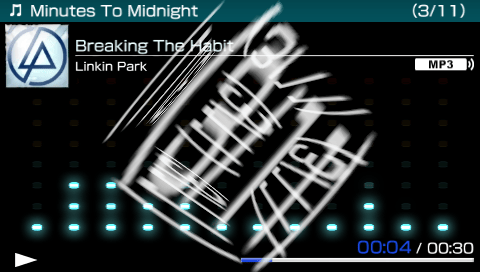
A plugin that gives you a new look at time in the XMB.
Installation
Copy VSHTime.prx to ms0:/seplugins/.
Open up vsh.txt in the same seplugins folder and add the following line
ms0:/seplugins/VSHTime.prx 1
Go to Recovery Menu and reset VSH.
Controls
L+R - Show/Hide time
Screenshots

Compatibility
Tested on:
3.40 OE-A
6.60 PROMOD-C2p
Known issues
Will crash the web browser, please disable the plugin before using the web browser.