
MemoryStick-Tool PSP: Difference between revisions
From GameBrew
More actions
No edit summary |
No edit summary |
||
| Line 5: | Line 5: | ||
|author=Gunner54 | |author=Gunner54 | ||
|lastupdated=2008/08/08 | |lastupdated=2008/08/08 | ||
|type= | |type=System Tools | ||
|format= | |format= | ||
|version=1.5 | |version=1.5 | ||
Latest revision as of 04:59, 4 February 2025
| MemoryStick-Tool | |
|---|---|
 | |
| General | |
| Author | Gunner54 |
| Type | System Tools |
| Version | 1.5 |
| License | Mixed |
| Last Updated | 2008/08/08 |
| Links | |
| Download | |
| Website | |
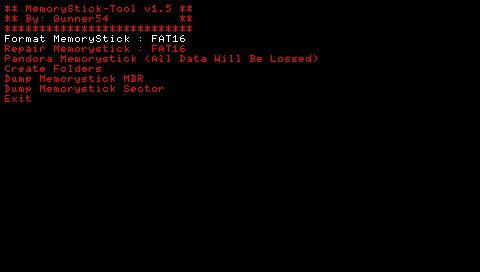
This homebrew application aims to revive corrupted Memory Stick's. It also has a few other tools like dumping the MBR of the Memory Stick etc.
Note: Please use with caution. FAT32 Formatting is still under construction so please avoid using it.
User guide
To fix a corrupted Memory Stick you need a working Memory Stick.
To do so, load up the application on the PSP. Go on "Repair Memorystick : FAT16" and press Cross, It should ask you to insert the corrupted Memory Stick. Do that now. Then press Cross again.
If everything worked, you should have a working Memory Stick. This application doesn't always work as their could be physical faults with the stick itself.
Screenshots
Credits
Credit goes to Hellcat for helping with the Formatting Function.