
Tetris 3DS: Difference between revisions
More actions
Update for version 1.4 |
The known issues section is no longer required |
||
| Line 21: | Line 21: | ||
Create folder Tetris_3DS in the root of your SD card. Then, add as many songs as you want with the name Song_XX.mp3. The game iterates over all songs until there is a missing number, which will restart the loop. You can also add a song called Menu.mp3, which will play in a loop while in the main menu. | Create folder Tetris_3DS in the root of your SD card. Then, add as many songs as you want with the name Song_XX.mp3. The game iterates over all songs until there is a missing number, which will restart the loop. You can also add a song called Menu.mp3, which will play in a loop while in the main menu. | ||
Since version 1.4 the game can also run in DSi mode, so it can also find the files in the internal SD card of the DSi, not just in a flashcard. | Since version 1.4 the game can also run in DSi mode, so it can also find the files in the internal SD card of the DSi, not just in a flashcard. If you're running the game from a regular DS, remember to patch your rom with DLDI (if your loader doesn't do it automatically). | ||
SD root | SD root | ||
| Line 97: | Line 97: | ||
{{DS Control Settings}} | {{DS Control Settings}} | ||
<!--END Online Emulator Section--> | <!--END Online Emulator Section--> | ||
==Credits== | ==Credits== | ||
Revision as of 17:38, 10 January 2025
| Tetris 3DS | |
|---|---|
 | |
| General | |
| Author | AntonioND |
| Type | Puzzle |
| Version | 1.4 |
| License | Mixed |
| Last Updated | 2025/01/07 |
| Links | |
| Download | |
| Website | |
| Source | |
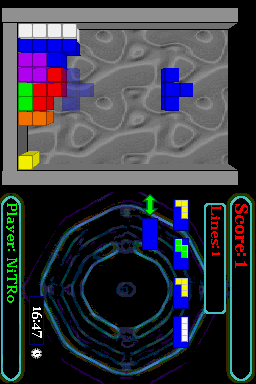
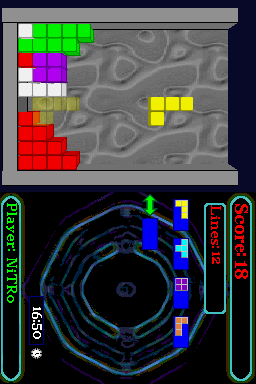
This is a 3D tetris game for Nintendo DS and DSi that lets you listen to your own MP3 songs while you play.
This was submitted to the Scenery Beta 2008 (NDS Games, 1st place).
User guide
Create folder Tetris_3DS in the root of your SD card. Then, add as many songs as you want with the name Song_XX.mp3. The game iterates over all songs until there is a missing number, which will restart the loop. You can also add a song called Menu.mp3, which will play in a loop while in the main menu.
Since version 1.4 the game can also run in DSi mode, so it can also find the files in the internal SD card of the DSi, not just in a flashcard. If you're running the game from a regular DS, remember to patch your rom with DLDI (if your loader doesn't do it automatically).
SD root
|
|-Tetris_3DS
  |
  |-Tetris_3DS.nds (It can be here or somewhere else!)
  |-Menu.mp3
  |-Song_00.mp3
  |-Song_XX.mp3 (From 01 to 99)
  |-Tetris3DS_Config.dat (Created automatically by the game.)
The game will create a file called Error_Log.txt if there is a decoding error so that you can check which files are problematic.
There is a JUKEBOX option that allows you to listen to the music without having to play the game.
Controls
L+R+Select+Start - Switch off DS in main menu
Classic mode:
Can be controlled with Stylus or Keypad.
Up/Down - Left/Right
Left - Down speed increased
Right - Automatically go down
A or Double tap - Rotate
X - Reserve
Start - Pause
Multiplayer:
Select+Start - Enter Versus CPU mode
Start - Pause
| Player 1 | Player 2 | Effect |
|---|---|---|
| Up | X | Reserve. |
| Left/Right | Y/A | Move. |
| Down | B | Down speed increased. |
| L | R | Rotate. |
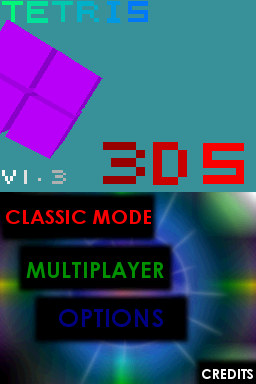
Screenshots
Online emulator
| Nintendo DS | Keyboard |
|---|---|

|

|

|

|

|

|

|

|

|

|

|

|

|

|

|

|

|

|
Credits
Joat, Dovoto and WinterMute for libnds.
Chishm for libfat.
Mollusk for PAlib.
Noda for ASlib.
External links
- Author's website - https://github.com/AntonioND/tetris-3ds
- Author's old website - http://www.skylyrac.net/old-site/nds.html
- SceneBeta - https://nds.scenebeta.com/noticia/tetris-3ds