
Find My Coordinates PSP: Difference between revisions
From GameBrew
More actions
No edit summary |
No edit summary |
||
| Line 50: | Line 50: | ||
== External links == | == External links == | ||
* XtreamLua - [https://web.archive.org/web/20080330183020/http://xtreamlua.com/modules.php?name=Forums& | * XtreamLua - [https://web.archive.org/web/20080330183020/http://xtreamlua.com/modules.php?name=Forums&file=viewtopic&t=3388 http://xtreamlua.com/modules.php?name=Forums&file=viewtopic&t=3388] (archived) | ||
[[Category:Lua applications on PSP]] | [[Category:Lua applications on PSP]] | ||
Latest revision as of 04:07, 9 December 2024
| Find My Coordinates | |
|---|---|
 | |
| General | |
| Author | R. Yonaba (SeanPaul223) |
| Type | Other |
| Version | 2008 |
| License | Mixed |
| Last Updated | 2008/03/21 |
| Links | |
| Download | |
| Website | |
| Source | |
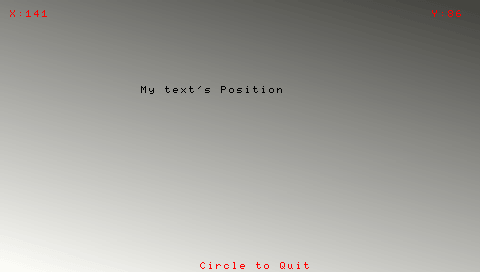
Find my coordinates is a Lua homebrew application that intends to help Lua Coders to define their text position on the screen.
Features
- Compatible with PSP Fat and PSP Slim (thanks to Lua PlayerHm v4.0 by Homemister).
- Menu screen.
- Help screen.
User guide
All you have to do is to move the text block and read the X and Y values.
You can also save them in two files named X.txt and Y.txt located in the Data folder of the homebrew.
Controls
Menu:
Cross - Help
Square - Quit
Start - Start the homebrew
General:
D-Pad - Move your text
Cross - Export Coordinates
Circle - Back to Menu
Screenshots
Credits
Thanks to XtreamLua.
External links
- XtreamLua - http://xtreamlua.com/modules.php?name=Forums&file=viewtopic&t=3388 (archived)