
3DS-Pico8: Difference between revisions
More actions
m Text replacement - "Category:Homebrew computer emulators on 3DS" to "" |
m Text replacement - "Category:3DS homebrew emulators" to "" |
||
| Line 65: | Line 65: | ||
* GitHub - https://github.com/Pixel-Pop/3DS-Pico8 | * GitHub - https://github.com/Pixel-Pop/3DS-Pico8 | ||
* Reddit - https://www.reddit.com/r/3dshacks/comments/hcr65h/when_grabbing_emulators_and_roms_for_your_system | * Reddit - https://www.reddit.com/r/3dshacks/comments/hcr65h/when_grabbing_emulators_and_roms_for_your_system | ||
Latest revision as of 05:59, 6 May 2024
| 3DS-Pico8 | |
|---|---|
 | |
| General | |
| Author | Pixel-Pop |
| Type | Computer |
| Version | 0.3 |
| License | Mixed |
| Last Updated | 2020/06/09 |
| Links | |
| Download | |
| Website | |
| Source | |
PICO-8 is a virtual machine and game engine created by Lexaloffle Games. It is designed to be a fantasy video game console that mimics the limited graphical and sound capabilities of 8-bit systems of the 1980s.
3DS-Pico8 is a work-in-progress homebrew application that allows you to play PICO-8 cartridges on your 3DS. Currently supports 3 cartridges and sound has not yet been implemented.
Installation
Version 0.3 supports the following cartridges, however it must be renamed to celeste.p8.png:
- Hello World by zep.
- Rainy Day Friends by Electric Gryphon.
- Celete by Matt Thorson and Noel Berry.
Open the webpage. In the Pico8 webplayer, click Cart (in the bottom left corner) and save the image.
Rename it to celeste.p8.png, create a folder named Pico8Carts on the root of your SD card and place the cartridge there.
Place the 3DS-Pico8.3dsx in your 3ds folder, then run from the Homebrew Launcher.
Controls
D-Pad - Left, Right, Up, Down
A - Pico-8 C/Z
B - Pico-8 X
Start - Exit the application
Screenshots
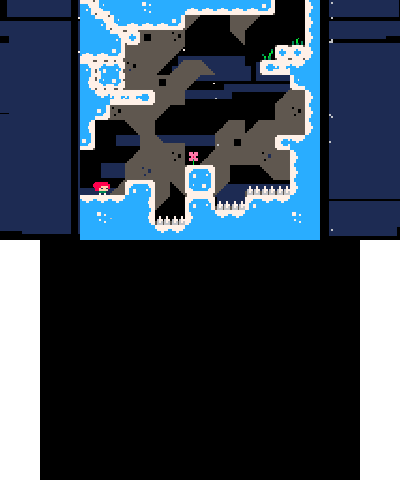
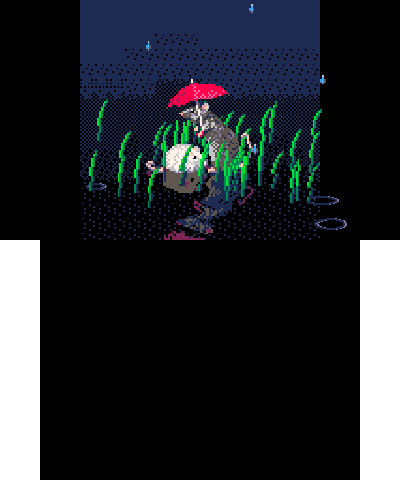
Known issues
Only support 3 cartridges. No sound.
Changelog
v0.3
- Is able to play celeste.p8.png with minor graphical differences. Compatible with previous release carts (and potentially new carts) if they're renamed.
v0.2
- Plays rainyday.p8.png.
v0.1
- Only supports playing the Hello World cartridge.
Credits
- Lua.
- Pico-8.
- LodePNG.
- z8lua - A lua version that supports features present in Pico-8, like compound assignment operators.
- Nintendo Homebrew Community.
- Pico-8 Community.