
Frog's World DS: Difference between revisions
From GameBrew
More actions
m Text replacement - "EJS_gameUrl = 'https://dlhb.gamebrew.org/dshomebrew/" to "EJS_gameUrl = 'https://dlhb.gamebrew.org/onlineemulators/nds/" |
m Text replacement - "EJS_core = 'nds';" to "EJS_core = 'desmume2015';" |
||
| Line 41: | Line 41: | ||
<script type='text/javascript'> | <script type='text/javascript'> | ||
{{DS EmulatorJS Settings}} | {{DS EmulatorJS Settings}} | ||
EJS_core = ' | EJS_core = 'desmume2015'; | ||
EJS_gameName = "Frog's World DS"; | EJS_gameName = "Frog's World DS"; | ||
EJS_gameUrl = 'https://dlhb.gamebrew.org/onlineemulators/nds/frogsworldds.7z'; | EJS_gameUrl = 'https://dlhb.gamebrew.org/onlineemulators/nds/frogsworldds.7z'; | ||
Revision as of 11:35, 28 November 2023
| Frog's World DS | |
|---|---|
 | |
| General | |
| Author | King Dodongo |
| Type | Arcade Games |
| Version | 1.0 |
| License | Mixed |
| Last Updated | 2012/01/23 |
| Links | |
| Download | |
| Website | |
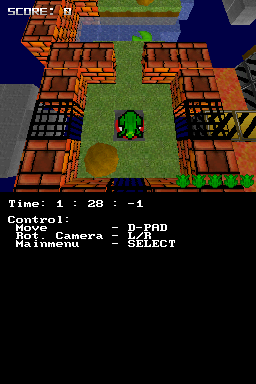
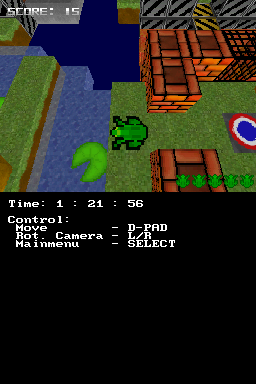
Frog's World DS is a 3D Frogger clone for the NDS. It has 4 levels and a level editor.
Installation
Download and extract file.
DLDI patch .nds file and copy it to the root directory of the card.
Copy the fr3d_lvl folder at the root of flashcard, and place the level file lvl_X.f3l in this folder.
User guide
Collect all 5 Frogs in a level to win, but there are many enemies to avoid.
Currently the game has 4 levels, but you can create your own levels with the Leveleditor (Editor.html), in the Editor folder (developer note that the feature is still WIP).
Controls
D-Pad - Move
L/R - Rotate camera
Select - Main menu, Load levels
Screenshots
Online Emulator
| Nintendo DS | Keyboard |
|---|---|

|

|

|

|

|

|

|

|

|

|

|

|

|

|

|

|

|

|
Changelog
1.0
- First release.