Pong-3DSX: Difference between revisions
From GameBrew
More actions
Created page with "{{Infobox 3DS Homebrews |title=Pong-3DSX |image=pong3dsx.png |description=A Nintendo 3DS version of Pong. |author=Zamacian |lastupdated=2023/05/25 |type=Arcade Games |version=1.0 |license=Mixed |download=https://dlhb.gamebrew.org/3dshomebrews/pong3dsx.7z |website=https://github.com/Zamacian/Pong-3DSX |source=https://github.com/Zamacian/Pong-3DSX |discussion= }} {{#seo: |title= (Arcade Games) - GameBrew |title_mode=append |image=pong3dsx.png |image_alt=Pong-3DSX }} Pong-3..." |
No edit summary |
||
| Line 22: | Line 22: | ||
==Controls== | ==Controls== | ||
Up/Down - Move the left paddle | |||
X/B - Move the right paddle | |||
Select - Exit | |||
Start - Start the game | |||
== | ==Screenshots== | ||
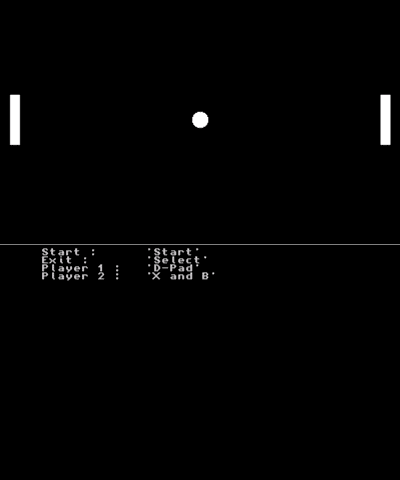
https://dlhb.gamebrew.org/3dshomebrews/pong3dsx.png | |||
== External links == | == External links == | ||
* Github - https://github.com/Zamacian/Pong-3DSX | * Github - https://github.com/Zamacian/Pong-3DSX | ||
Revision as of 13:42, 9 July 2023
| Pong-3DSX | |
|---|---|
 | |
| General | |
| Author | Zamacian |
| Type | Arcade Games |
| Version | 1.0 |
| License | Mixed |
| Last Updated | 2023/05/25 |
| Links | |
| Download | |
| Website | |
| Source | |
Pong-3DSX is a simple version of the game Pong specifically designed for the Nintendo 3DS. The game was created using Citro2D from devkitPro and written in the C programming language. The same game was also made for the Nintendo Switch as well.
Controls
Up/Down - Move the left paddle
X/B - Move the right paddle
Select - Exit
Start - Start the game
Screenshots