
VitaHexenII: Difference between revisions
From GameBrew
More actions
No edit summary |
No edit summary |
||
| Line 17: | Line 17: | ||
|website=https://wololo.net/talk/viewtopic.php?f=116&t=46740&p=425865#p425865 | |website=https://wololo.net/talk/viewtopic.php?f=116&t=46740&p=425865#p425865 | ||
|source=https://github.com/Rinnegatamante/vitaHexenII | |source=https://github.com/Rinnegatamante/vitaHexenII | ||
|discussion=https://www.patreon.com/Rinnegatamante | |||
}} | }} | ||
vitaHexenII is a port for PS Vita of Hexen II, a popular dark-fantasy FPS created by Raven Software using a modified version of Quake Engine. | vitaHexenII is a port for PS Vita of Hexen II, a popular dark-fantasy FPS created by Raven Software using a modified version of Quake Engine. | ||
| Line 85: | Line 86: | ||
* Disabled FPU exceptions traps (Will make app less incline to crashes). | * Disabled FPU exceptions traps (Will make app less incline to crashes). | ||
* vitaHexenII version will now be shown on main menu background. | * vitaHexenII version will now be shown on main menu background. | ||
==External links== | ==External links== | ||
Revision as of 03:39, 3 February 2023
| vitaHexenII | |
|---|---|
 | |
| General | |
| Author | Rinnegatamante |
| Type | Shooter |
| Version | 2.3 |
| License | GPL-3.0 |
| Last Updated | 2020/03/26 |
| Links | |
| Download | |
| Website | |
| Source | |
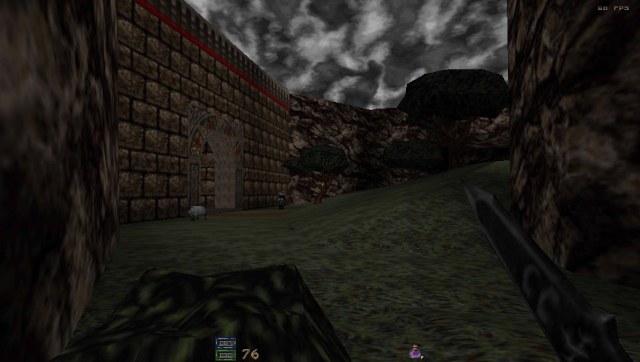
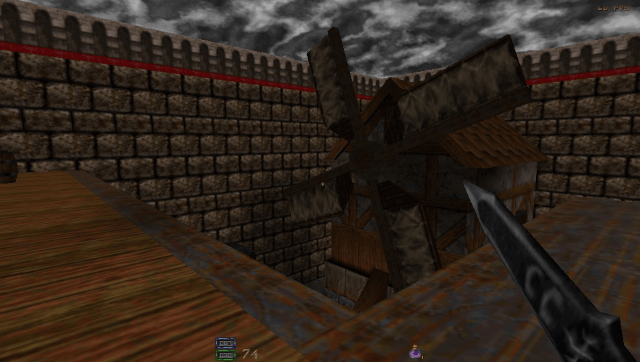
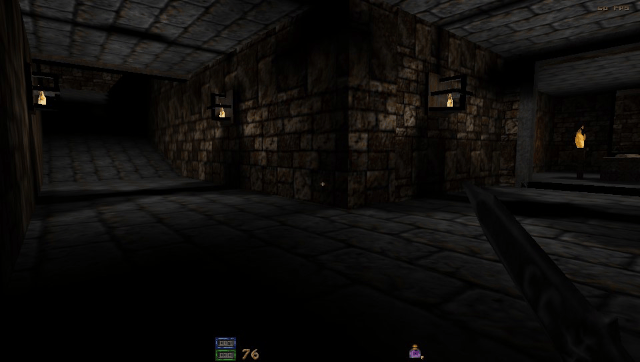
vitaHexenII is a port for PS Vita of Hexen II, a popular dark-fantasy FPS created by Raven Software using a modified version of Quake Engine.
It's based on vitaQuake core and it shares a lot of features with it.
Features
- Support to both standard game and Portal of Praveus expansion.
- Support to both analogs for comfortable aiming and player movement.
- Native support to 960x544 resolution.
- Rescaler in options menu for FPS enthusiasts.
- Different hidden features unlocked in the Options Menu (Like FOV).
- Support to dualshock rumbling when player get hit (PSTV only).
- Sounds and CDAudio (Soundtrack) support.
- Software GPU Rendering.
- Support to savestates.
Installation
How to install:
- Place the data folder in ux0: and place your data1 folder from your Hexen II purchased installation in ux0:/data/Hexen II.
- If you want to install also Portal of Praveus, copy also the portals folder to ux0:/data/Hexen II.
- If you have the Steam version of Hexen II, refer to this post.
How to use soundtrack:
- Soundtrack is supported in MIDI, OGG and MP3 formats.
- Files must be placed in ux0:/data/Hexen II/cdtracks and must be named for example as track00.ogg, track01.ogg, etc (case-sensitive).
- If you are extracting tracks from your Hexen II cd, this is the correspondence between track name and track filename:
- track02 -> casa1
- track08 -> egyp3
- track14 -> roma3
- track03 -> casa2
- track09 -> meso1
- track15 -> casb1
- track04 -> casa3
- track10 -> meso2
- track16 -> casb2
- track05 -> casa4
- track11 -> meso3
- track17 -> casb3
- track06 -> egyp1
- track12 -> roma1
- track07 -> egyp2
- track13 -> roma2
Custom Crosshair:
- Starting with vitaHexenII v.2.3, it will be possible to use a completely custom crosshair with the game.
- To do so, you should create a file named xhair.bin and place it in ux0:data/Hexen II/GAMEFOLDER folder (GAMEFOLDER will be data1 for main Hexen II for example).
- This file must contains 64 bytes that will define the 8x8 crosshair glyph. A byte set at 0xFE will mean a visible pixel. A byte set at 0xFF will mean an invisible pixel.
- The custom crosshair usage can be enabled in Options menu. If no xhair.bin is provided, when Custom crosshair will be set, QuakeWorld crosshair2 will be used.
- You can also alter crosshair color by setting these three values in config.cfg - crosshaircolor_r, crosshaircolor_g, crosshaircolor_b.
- By default these three values are set at 255, 255, 0.
Screenshots
Known issues
When attempting to change map, sound is not properly paused.
Changelog
v2.3
- Drastic performance boost thanks to ARM NEON usage and vitaGL fixes.
- Added Anaglyph 3D support (red-cyan glasses only).
- Added support for custom crosshairs. (See below).
- Disabled FPU exceptions traps (Will make app less incline to crashes).
- vitaHexenII version will now be shown on main menu background.
External links
- Twitter - https://twitter.com/Rinnegatamante/status/1243124107056726016
- GitHub - https://github.com/Rinnegatamante/vitaHexenII
- VitaDB - https://vitadb.rinnegatamante.it/#/info/196
- Wololo - https://wololo.net/talk/viewtopic.php?f=116&t=46740&p=425865#p425865
- GBAtemp - https://gbatemp.net/threads/release-vitahexenii-hexen-ii-port-for-psvita.439064/