Tamaboy DS: Difference between revisions
More actions
| Line 24: | Line 24: | ||
Make sure to set the clock or your egg will never hatch. There should be animated arrows on the clock screen. | Make sure to set the clock or your egg will never hatch. There should be animated arrows on the clock screen. | ||
Press the Save & Exit button to save. If you're using hardware, it should turn off automatically. Still, you should be greeted by a message confirming to shut off the NintendoDS. | |||
Loading saved Tamagotchi happens automatically on boot. Sometimes it can take up to 10~ minutes or even more, please wait - it will load. A drumming intro will play when the pet has loaded. | |||
==Controls== | ==Controls== | ||
Revision as of 04:05, 19 September 2022
| tamaboy DS | |
|---|---|
| Error creating thumbnail: Unable to save thumbnail to destination | |
| General | |
| Author | Coto88 |
| Type | Handheld |
| Version | TGDS1.65 |
| License | Mixed |
| Last Updated | 2022/09/13 |
| Links | |
| Download | |
| Website | |
| Source | |

tamaboy is a Tamagotchi v1 emulator for Nintendo DS/DSi/3DS based on TamaLIB.
This is a port of Jeffrey Aylesworth's tamaboy for GBA.
Installation
NTR mode - Copy arm7dldi-ntr/ndstamaboy.nds and release/drumSample.ima to SD root/base path.
TWL mode - Copy arm7dldi-twl/ndstamaboy.srl and release/drumSample.ima to SD root/base path.
User guide
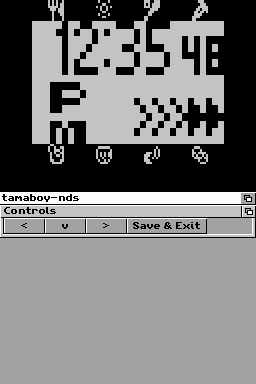
Make sure to set the clock or your egg will never hatch. There should be animated arrows on the clock screen.
Press the Save & Exit button to save. If you're using hardware, it should turn off automatically. Still, you should be greeted by a message confirming to shut off the NintendoDS.
Loading saved Tamagotchi happens automatically on boot. Sometimes it can take up to 10~ minutes or even more, please wait - it will load. A drumming intro will play when the pet has loaded.
Controls
Down, then Left+Right - Enter clock and update the time
Left/UpDown/Right or Select/A/B - Tamagochi's Left/Middle/Right buttons
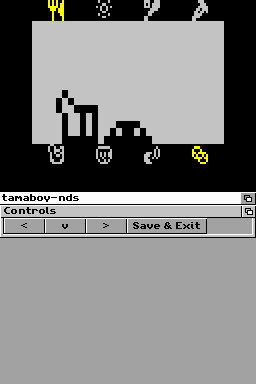
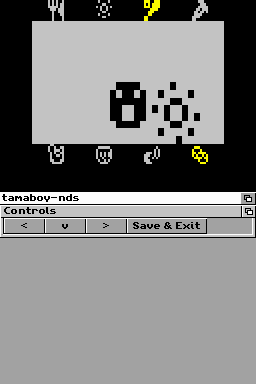
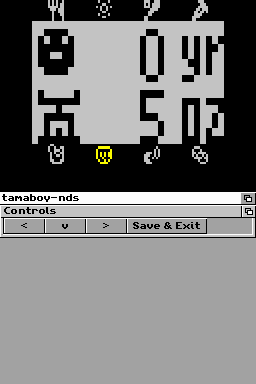
Screenshots