
DSudoku - CM: Difference between revisions
From GameBrew
More actions
No edit summary |
No edit summary |
||
| Line 28: | Line 28: | ||
https://dlhb.gamebrew.org/dshomebrew/dsudokucre2.png | https://dlhb.gamebrew.org/dshomebrew/dsudokucre2.png | ||
https://dlhb.gamebrew.org/dshomebrew/dsudokucre3.png | https://dlhb.gamebrew.org/dshomebrew/dsudokucre3.png | ||
<!--BEGIN Online Emulator Section--> | |||
==Online Emulator== | |||
{{#tag:html| | |||
<div style='width:520px;height:390px;max-width:100%'><div id='game'></div></div> | |||
<script type='text/javascript'> | |||
{{DS EmulatorJS Settings}} | |||
EJS_core = 'nds'; | |||
EJS_gameName = "DSudoku"; | |||
EJS_gameUrl = 'https://dlhb.gamebrew.org/dshomebrew/dsudokucre.7z'; | |||
</script> | |||
{{EmulatorJS Loader}} | |||
}} | |||
{{DS Control Settings}} | |||
<!--END Online Emulator Section--> | |||
==Known issues== | ==Known issues== | ||
Does not work on emulators. | Does not work on emulators. | ||
Revision as of 00:49, 21 November 2023
| DSudoku | |
|---|---|
 | |
| General | |
| Author | Crescent Moon (CM) |
| Type | Puzzle |
| Version | 2007 |
| License | Mixed |
| Last Updated | 2007/01/04 |
| Links | |
| Download | |
| Website | |
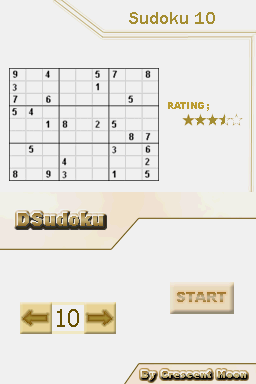
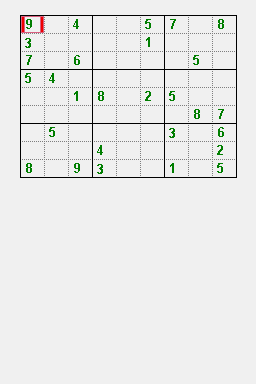
DSudoku is a port of the puzzle game Sudoku to the NDS.
User guide
Fill a 9×9 grid with digits so that each column, each row, and each of the nine 3×3 sub-grids that compose the grid (also called boxes, blocks, regions or sub-squares) contains all of the digits from 1 to 9.
Controls
D-Pad - Select box
Touch screen - Draw numbers
L/A - Delete number from the box
Start - Pause game, Back to menu
Screenshots
Online Emulator
| Nintendo DS | Keyboard |
|---|---|

|

|

|

|

|

|

|

|

|

|

|

|

|

|

|

|

|

|
Known issues
Does not work on emulators.