
Explore Hyrule: Difference between revisions
From GameBrew
More actions
No edit summary |
No edit summary |
||
| Line 33: | Line 33: | ||
https://dlhb.gamebrew.org/dshomebrew/explorehyrule2.png | https://dlhb.gamebrew.org/dshomebrew/explorehyrule2.png | ||
https://dlhb.gamebrew.org/dshomebrew/explorehyrule3.png | https://dlhb.gamebrew.org/dshomebrew/explorehyrule3.png | ||
<!--BEGIN Online Emulator Section--> | |||
==Online Emulator== | |||
{{#tag:html| | |||
<div style='width:520px;height:390px;max-width:100%'><div id='game'></div></div> | |||
<script type='text/javascript'> | |||
{{DS EmulatorJS Settings}} | |||
EJS_core = 'nds'; | |||
EJS_gameName = "Explore Hyrule"; | |||
EJS_gameUrl = 'https://dlhb.gamebrew.org/dshomebrew/explorehyrule.7z'; | |||
</script> | |||
{{EmulatorJS Loader}} | |||
}} | |||
{{DS Control Settings}} | |||
<!--END Online Emulator Section--> | |||
==Compatibility== | ==Compatibility== | ||
Tested on DSTT/TTDS (firmware 1.17a12). | Tested on DSTT/TTDS (firmware 1.17a12). | ||
Revision as of 05:52, 20 November 2023
| Explore Hyrule | |
|---|---|
 | |
| General | |
| Author | Kazuki |
| Type | Adventure |
| Version | 2012 |
| License | Mixed |
| Last Updated | 2012/02/17 |
| Links | |
| Download | |
| Website | |
| Source | |
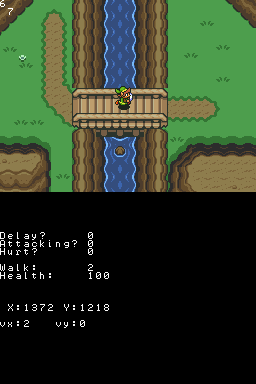
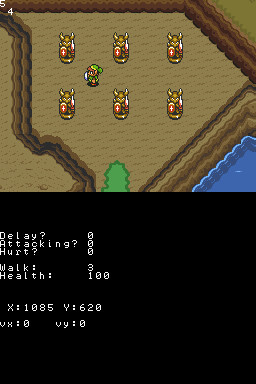
Explore Hyrule is a Zelda fan game, provides a journey through and explore the Legend of Zelda Overworld. No collision map other than the first screen as it is a recreation of the LoZ map with sprites from A Link to the Past.
It is programmed with DS Game Maker.
User guide
Explore the map and attack with three different types of sword (white, red and yellow).
Controls
D-Pad - Move
A - Return to starting position
B - Attack
R/L - Change sword
Start - Pause
Screenshots
Online Emulator
| Nintendo DS | Keyboard |
|---|---|

|

|

|

|

|

|

|

|

|

|

|

|

|

|

|

|

|

|
Compatibility
Tested on DSTT/TTDS (firmware 1.17a12).
Changelog
2012/01/01
- Updated with a full collision map.
- Can now go slower when walking up and down stairs/ladders.
2011/12/29
- First released.
External links
- Author's website - http://dsgamemaker.com/dsgmforum/viewtopic.php?f=8&t=2541 (archived)