Lights Off!: Difference between revisions
From GameBrew
More actions
No edit summary |
No edit summary |
||
| Line 16: | Line 16: | ||
==User guide== | ==User guide== | ||
===How to play=== | |||
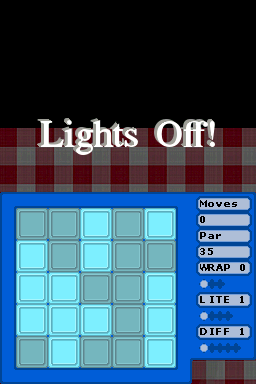
You can change variants by using the sliders to the right of the game board and play the game by trying to turn off all of the lights. | You can change variants by using the sliders to the right of the game board and play the game by trying to turn off all of the lights. | ||
Click on a button to toggle between its different light settings (in the most basic mode, this is a simple on/off action, but in the more advanced variants there are multiple light states) | Click on a button to toggle between its different light settings (in the most basic mode, this is a simple on/off action, but in the more advanced variants there are multiple light states). | ||
In the most basic mode a simple strategy is to click directly below the lights that are on, starting at the top and moving to the bottom. Repeat as necessary until you solve the puzzle. You may have to click on random buttons up at the top of the screen if you run out of lights using this strategy. | Not only that, but the lights to either side of it as well as above and below it toggle as well. | ||
===Basic strategy=== | |||
In the most basic mode a simple strategy is to click directly below the lights that are on, starting at the top and moving to the bottom. Repeat as necessary until you solve the puzzle. | |||
You may have to click on random buttons up at the top of the screen if you run out of lights using this strategy. | |||
==Screenshots== | ==Screenshots== | ||