
Dodge The Spiked Balls 3DS: Difference between revisions
From GameBrew
More actions
No edit summary |
No edit summary |
||
| Line 8: | Line 8: | ||
|version=2025 | |version=2025 | ||
|license=N/A | |license=N/A | ||
| | |downloadraw=[https://diamondprince007.itch.io/ufo-dodge Download on itch.io] | ||
|website=https://diamondprince007.itch.io/ufo-dodge | |website=https://diamondprince007.itch.io/ufo-dodge | ||
|source=https:// | |source=https://diamondprince007.itch.io/ufo-dodge | ||
|donation= | |donation= | ||
}} | }} | ||
| Line 18: | Line 18: | ||
|image=DodgeTheSpikedBalls3DS.png | |image=DodgeTheSpikedBalls3DS.png | ||
|image_alt=Dodge The Spiked Balls | |image_alt=Dodge The Spiked Balls | ||
}} | }}<!--https://dlhb.gamebrew.org/3dshomebrews/DodgeTheSpikedBalls3DS.7z--> | ||
Dodge the Spike Balls is | Dodge the Spike Balls is a retro-inspired demake of the Dodge the Spike Balls from the Nintendo Switch 2 Welcome Tour. | ||
==Installation== | |||
Make sure your 3DS is homebrew-enabled (using [[boot9strap 3DS|boot9strap]] and [[Luma3DS]] or similar). | |||
Copy the ufo_dodge.3dsx file to sdmc:/3ds/ufo_dodge. | |||
Launch the game fome the Homebrew Launcher. | |||
==User guide== | |||
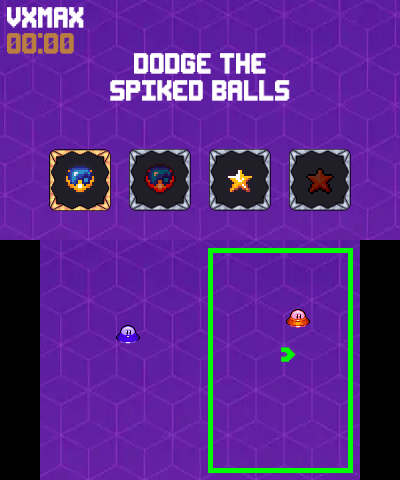
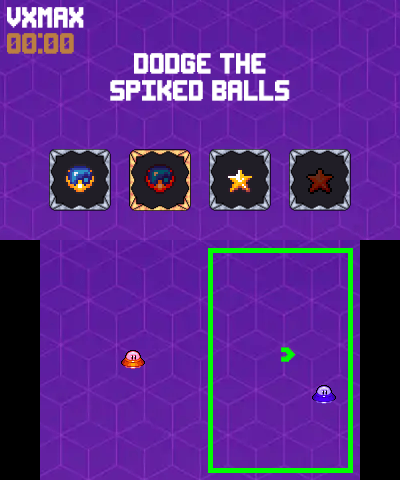
In this game, you must pilot one or two UFOs through a barrage of deadly spike balls while collecting gleaming stars. | |||
Challenge your reflexes and aim for your highest score! | |||
==Screenshots== | ==Screenshots== | ||
| Line 49: | Line 43: | ||
== External links == | == External links == | ||
* | * itch.io - https://diamondprince007.itch.io/ufo-dodge | ||
Revision as of 04:51, 7 September 2025
| Dodge The Spiked Balls | |
|---|---|
 | |
| General | |
| Author | diamondprince007 |
| Type | Action |
| Version | 2025 |
| License | N/A |
| Last Updated | 2025/07/27 |
| Links | |
| Download on itch.io | |
| Website | |
| Source | |
Dodge the Spike Balls is a retro-inspired demake of the Dodge the Spike Balls from the Nintendo Switch 2 Welcome Tour.
Installation
Make sure your 3DS is homebrew-enabled (using boot9strap and Luma3DS or similar).
Copy the ufo_dodge.3dsx file to sdmc:/3ds/ufo_dodge.
Launch the game fome the Homebrew Launcher.
User guide
In this game, you must pilot one or two UFOs through a barrage of deadly spike balls while collecting gleaming stars.
Challenge your reflexes and aim for your highest score!
Screenshots
Changelog
v2025
- First Release.