
Ultimate Spiderman: Total Mayhem Vita: Difference between revisions
More actions
Created page with "{{Infobox Vita Homebrews |title=Ultimate Spiderman: Total Mayhem Vita |image=UltimateSpidermanTotalMayhemVita.png |description=Port of Ultimate Spider-Man: Total Mayhem for PSVITA. |author=Rinnegatamante & TheFloW |lastupdated=2025/02/26 |type=Action |version=1.1 |license=MIT |download=https://dlhb.gamebrew.org/vitahomebrews/UltimateSpidermanTotalMayhemVita.7z |website=https://www.rinnegatamante.eu/vitadb/#/info/1255 |source=https://github.com/Rinnegatamante/spiderman_vi..." |
No edit summary |
||
| Line 2: | Line 2: | ||
|title=Ultimate Spiderman: Total Mayhem Vita | |title=Ultimate Spiderman: Total Mayhem Vita | ||
|image=UltimateSpidermanTotalMayhemVita.png | |image=UltimateSpidermanTotalMayhemVita.png | ||
|description=Port of Ultimate Spider-Man: Total Mayhem for | |description=Port of Ultimate Spider-Man: Total Mayhem for Vita. | ||
|author=Rinnegatamante | |author=Rinnegatamante, TheFloW | ||
|lastupdated=2025/02/26 | |lastupdated=2025/02/26 | ||
|type=Action | |type=Action | ||
| Line 19: | Line 19: | ||
|image_alt=Ultimate Spiderman: Total Mayhem Vita | |image_alt=Ultimate Spiderman: Total Mayhem Vita | ||
}} | }} | ||
This is a wrapper/port | This is a wrapper/port of Ultimate Spider-Man: Total Mayhem for the PS Vita. | ||
'''Note:''' This port works with both the Android and Xperia build of the game. In order to achieve the best result, it's highly recommended to use the Xperia build of the game (v.1.00) since it has native physical buttons support. Android build will also have physical buttons support though limited since implemented via fake touch inputs. It is also suggested to follow the extra paragraph on how to use HD assets from the Android build on the Xperia build. | |||
== | ==Installation== | ||
===Requirements=== | |||
==Requirements== | |||
* libshacccg.suprx | * libshacccg.suprx | ||
* kubridge.skprx | * kubridge.skprx | ||
* | * Android/Xperia Play data files | ||
== Install instructions== | |||
Install the plugins: | |||
* Install [[Kubridge Vita|kubridge]] and [[FdFix Vita|FdFix]] by copying kubridge.skprx and fd_fix.skprx to your taiHEN plugins folder (usually ux0:tai) and adding two entries to your config.txt under *KERNEL: | |||
<pre>*KERNEL | <pre>*KERNEL | ||
ux0:tai/kubridge.skprx | ux0:tai/kubridge.skprx | ||
ux0:tai/fd_fix.skprx</pre> | ux0:tai/fd_fix.skprx</pre> | ||
* Note: Don't install fd_fix.skprx if you're using rePatch plugin | |||
* (Optional) Install [[PSVshell Vita|PSVshell]] to overclock your device to 500Mhz. | |||
* Install libshacccg.suprx, if you don't have it already, by following [https://samilops2.gitbook.io/vita-troubleshooting-guide/shader-compiler/extract-libshacccg.suprx this guide]. | |||
For the game: | |||
* Download the [https://github.com/Rinnegatamante/spiderman_vita/releases/latest latest release] and install the .vpk file with [[VitaShell]]. | |||
* Obtain your copy of Ultimate Spider-Man: Total Mayhem legally for Android or Sony Xperia Play in form of an .apk file and an .obb file. [https://stackoverflow.com/questions/11012976/how-do-i-get-the-apk-of-an-installed-app-without-root-access You can get all the required files directly from your phone] or by using an apk extractor you can find in the play store. | |||
* Open the apk with your zip explorer and extract the file "libspiderman.so" from the "lib/armeabi-v7a" or "lib/armeabi" folder to ux0:data/spiderman. | |||
* Open the obb with your zip explorer and extract the gameloft folder inside it in ux0:data/spiderman. | |||
* | === Using HD assets on Xperia build === | ||
* | Extract the following files from the Android .obb file (located in gameloft/games/GloftSMHP): | ||
* | * entities.pack | ||
* | * levelnew_01.pack | ||
* | * levelnew_02.pack | ||
* levelnew_03.pack | |||
* levelnew_04.pack | |||
* levelnew_05.pack | |||
* levelnew_06.pack | |||
* levelnew_07.pack | |||
* levelnew_08.pack | |||
* levelnew_09.pack | |||
* levelnew_10.pack | |||
* levelnew_11.pack | |||
* levelnew_12.pack | |||
to ux0:data/spiderman/gameloft/games/spiderman and confirm when asked to replace files. | |||
== How to get intro video to properly play == | === How to get intro video to properly play === | ||
* It is suggested to transcode the video with Handbrake: https://handbrake.fr/ | * It is suggested to transcode the video with Handbrake: https://handbrake.fr/ | ||
* Import <code>ux0:data/spiderman/gameloft/games/spiderman/logo.mp4</code> into Handbrake. | * Import <code>ux0:data/spiderman/gameloft/games/spiderman/logo.mp4</code> into Handbrake. | ||
* Set | * Set "Preset:" to Fast 480p30. | ||
* Under | * Under "Summary" tab set "Format" to MP4. | ||
* Under | * Under "Video" tab, set "Framerate" to 30 and Constant Framerate. | ||
* In | * In "Save As" field, set file extension to .mp4. | ||
* Click | * Click "Start Encode" to proceed. | ||
* Replace the original file with the newly transcoded one. | * Replace the original file with the newly transcoded one. | ||
==Screenshots== | ==Screenshots== | ||
| Line 72: | Line 81: | ||
https://dlhb.gamebrew.org/vitahomebrews/images/UltimateSpidermanTotalMayhemVita-04.png | https://dlhb.gamebrew.org/vitahomebrews/images/UltimateSpidermanTotalMayhemVita-04.png | ||
==Media== | |||
'''Ultimate Spider-Man Total Mayhem PS Vita Port Guide 2025!''' ([https://www.youtube.com/watch?v=r1jusALucYQ Robles Junior]) <br> | |||
<youtube width='640'>r1jusALucYQ</youtube> | |||
==Changelog== | ==Changelog== | ||
| Line 89: | Line 102: | ||
== External links == | == External links == | ||
* | * GitHub - https://github.com/Rinnegatamante/spiderman_vita | ||
* VitaDB - https://www.rinnegatamante.eu/vitadb/#/info/1255 | * VitaDB - https://www.rinnegatamante.eu/vitadb/#/info/1255 | ||
[[Category:Mobile game ports on Vita]] | |||
[[Category:Vita game ports]] | |||
Revision as of 03:44, 23 February 2025
| Ultimate Spiderman: Total Mayhem Vita | |
|---|---|
 | |
| General | |
| Author | Rinnegatamante, TheFloW |
| Type | Action |
| Version | 1.1 |
| License | MIT License |
| Last Updated | 2025/02/26 |
| Links | |
| Download | |
| Website | |
| Source | |
| Support Author | |
This is a wrapper/port of Ultimate Spider-Man: Total Mayhem for the PS Vita.
Note: This port works with both the Android and Xperia build of the game. In order to achieve the best result, it's highly recommended to use the Xperia build of the game (v.1.00) since it has native physical buttons support. Android build will also have physical buttons support though limited since implemented via fake touch inputs. It is also suggested to follow the extra paragraph on how to use HD assets from the Android build on the Xperia build.
Installation
Requirements
- libshacccg.suprx
- kubridge.skprx
- Android/Xperia Play data files
Install instructions
Install the plugins:
- Install kubridge and FdFix by copying kubridge.skprx and fd_fix.skprx to your taiHEN plugins folder (usually ux0:tai) and adding two entries to your config.txt under *KERNEL:
*KERNEL
  ux0:tai/kubridge.skprx
  ux0:tai/fd_fix.skprx
- Note: Don't install fd_fix.skprx if you're using rePatch plugin
- (Optional) Install PSVshell to overclock your device to 500Mhz.
- Install libshacccg.suprx, if you don't have it already, by following this guide.
For the game:
- Download the latest release and install the .vpk file with VitaShell.
- Obtain your copy of Ultimate Spider-Man: Total Mayhem legally for Android or Sony Xperia Play in form of an .apk file and an .obb file. You can get all the required files directly from your phone or by using an apk extractor you can find in the play store.
- Open the apk with your zip explorer and extract the file "libspiderman.so" from the "lib/armeabi-v7a" or "lib/armeabi" folder to ux0:data/spiderman.
- Open the obb with your zip explorer and extract the gameloft folder inside it in ux0:data/spiderman.
Using HD assets on Xperia build
Extract the following files from the Android .obb file (located in gameloft/games/GloftSMHP):
- entities.pack
- levelnew_01.pack
- levelnew_02.pack
- levelnew_03.pack
- levelnew_04.pack
- levelnew_05.pack
- levelnew_06.pack
- levelnew_07.pack
- levelnew_08.pack
- levelnew_09.pack
- levelnew_10.pack
- levelnew_11.pack
- levelnew_12.pack
to ux0:data/spiderman/gameloft/games/spiderman and confirm when asked to replace files.
How to get intro video to properly play
- It is suggested to transcode the video with Handbrake: https://handbrake.fr/
- Import
ux0:data/spiderman/gameloft/games/spiderman/logo.mp4into Handbrake. - Set "Preset:" to Fast 480p30.
- Under "Summary" tab set "Format" to MP4.
- Under "Video" tab, set "Framerate" to 30 and Constant Framerate.
- In "Save As" field, set file extension to .mp4.
- Click "Start Encode" to proceed.
- Replace the original file with the newly transcoded one.
Screenshots
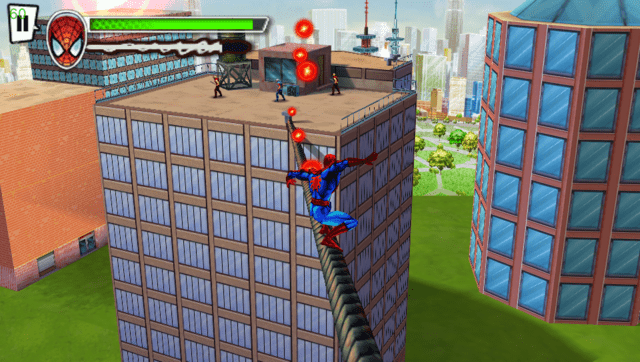
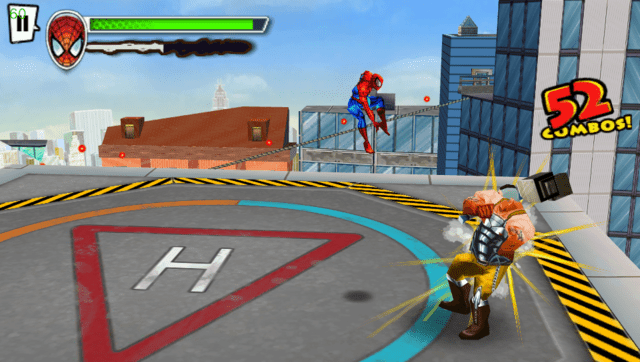
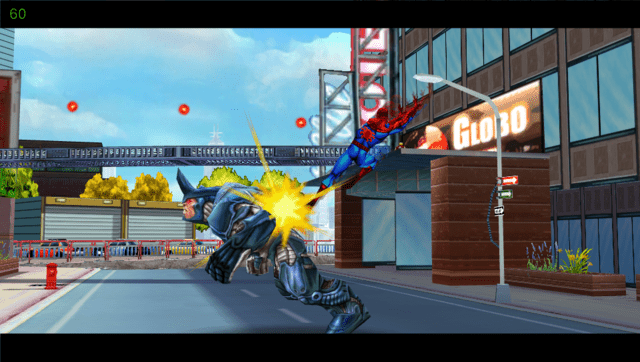
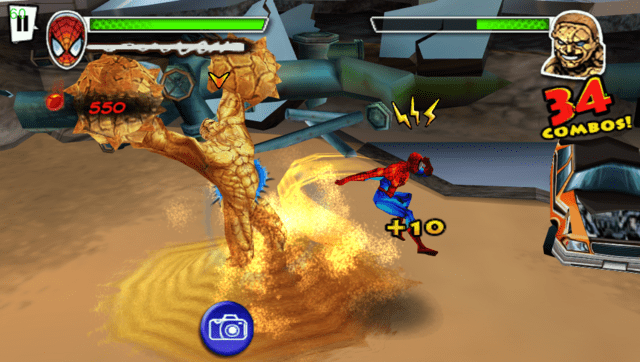
Media
Ultimate Spider-Man Total Mayhem PS Vita Port Guide 2025! (Robles Junior)
Changelog
v1.1
- Fixed wrong mapping for SELECT and START that were swapped.
- Improved input code logic.
- Improved audio code logic.
- Untied framerate (now game logic will run at 60 FPS instead of 30).
- Disabled debug mode in the video player.
v1.0
- First Release.
Credits
- TheFloW for the original .so loader and initial port of the game.
- hatoving for the Livearea assets.
- CatoTheYounger for testing the homebrew and providing screenshots.