
Minecraft: New Nintendo 3DS Edition Texture Modifications: Difference between revisions
From GameBrew
More actions
m HydeWing moved page Minecraft - New Nintendo 3DS Edition Texture Modifications to Minecraft: New Nintendo 3DS Edition Texture Modifications without leaving a redirect |
No edit summary |
||
| Line 1: | Line 1: | ||
{{Infobox 3DS Homebrews | {{Infobox 3DS Homebrews | ||
|title=Minecraft | |title=Minecraft: New Nintendo 3DS Edition Texture Modifications | ||
|image=Mcnn3dsetextures9.png | |image=Mcnn3dsetextures9.png | ||
|description=Texture packs for Minecraft: New Nintendo 3DS Edition. | |description=Texture packs for Minecraft: New Nintendo 3DS Edition. | ||
| Line 11: | Line 11: | ||
|website=https://gbatemp.net/threads/minecraft-new-nintendo-3ds-edition-texture-modifications.575597 | |website=https://gbatemp.net/threads/minecraft-new-nintendo-3ds-edition-texture-modifications.575597 | ||
}} | }} | ||
This is a collection of custom texture packs for Minecraft | This is a collection of custom texture packs for Minecraft: New Nintendo 3DS Edition. | ||
'''Note:''' This is a work in progress project, which means graphical related issues and what not may occur when using these packs during gameplay. | '''Note:''' This is a work in progress project, which means graphical related issues and what not may occur when using these packs during gameplay. | ||
Latest revision as of 02:59, 5 February 2025
| Minecraft: New Nintendo 3DS Edition Texture Modifications | |
|---|---|
 | |
| General | |
| Author | DeadSkullzJr |
| Type | Game Hacks |
| Version | 2023 |
| License | Mixed |
| Last Updated | 2023/01/11 |
| Links | |
| Download | |
| Website | |
This is a collection of custom texture packs for Minecraft: New Nintendo 3DS Edition.
Note: This is a work in progress project, which means graphical related issues and what not may occur when using these packs during gameplay.
Installation
All textures are compatible with the last update version 1.9.19 of the game:
- Vanilla (v1.10.X) and Vanila with Better Grass (v1.17.x).
- Minetroid (r16).
- Faithful (v1.17).
- Bare Bones (v1.1.1).
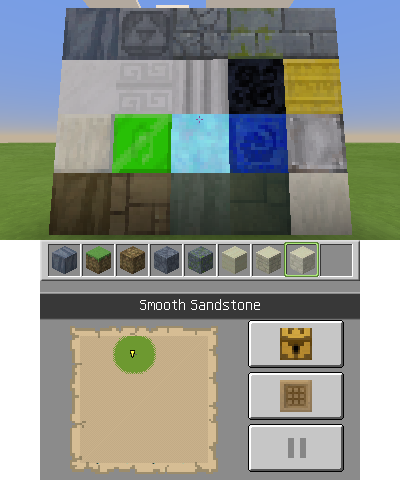
- The Wind Waker Edition (v1.17.X).
To apply the texture pack:
- Open the luma folder on your SD card, create a folder called titles inside, skip this step if you already have a folder with this name present.
- Stick the contents provided into the titles folder. The end result should be the following:
- USA - SD:/luma/titles/00040000001B8700
- Europe - SD:/luma/titles/000400000017CA00
- Japan - SD:/luma/titles/000400000017FD00
- Press and hold Select, power the system on while still holding Select to access the Luma3DS configuration menu.
- In here you will want to make sure that Enable Game Patching is set to enabled (indicated with [x]).
- Press Start to save the configuration settings.
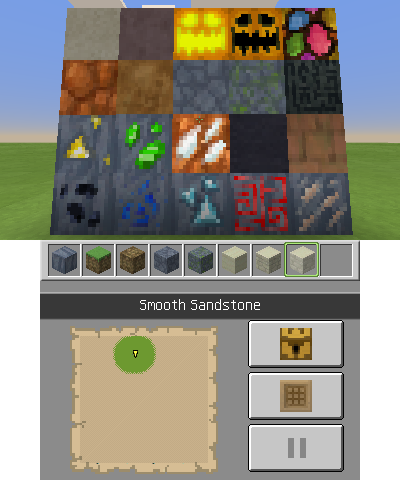
Screenshots
Vanilla
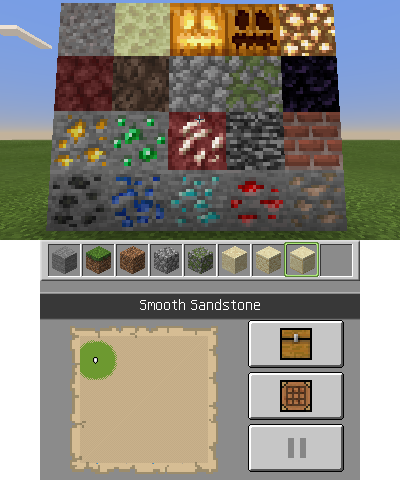
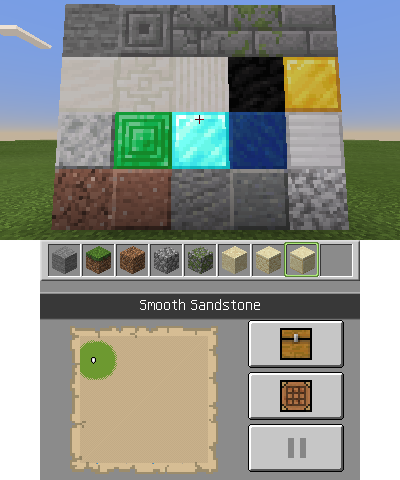
Minetroid
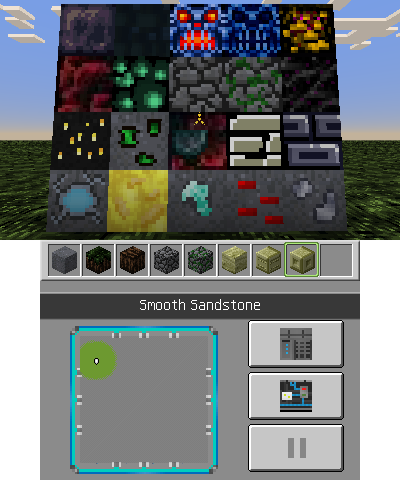
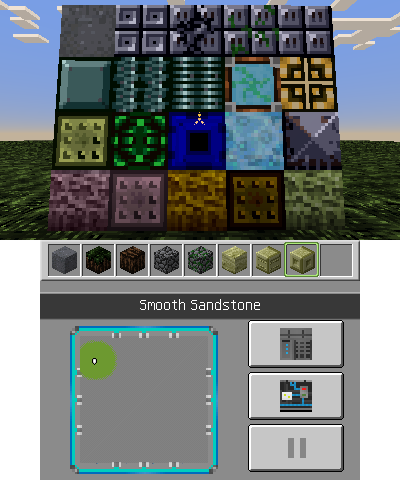
Bare Bones
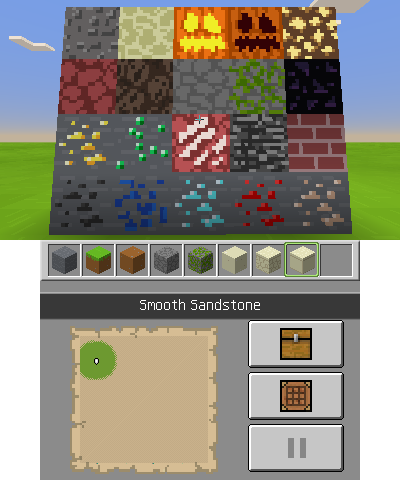
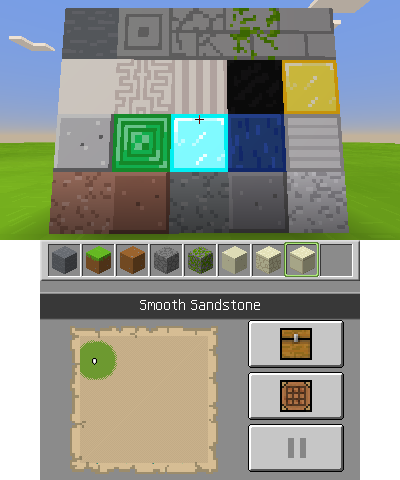
Faithful
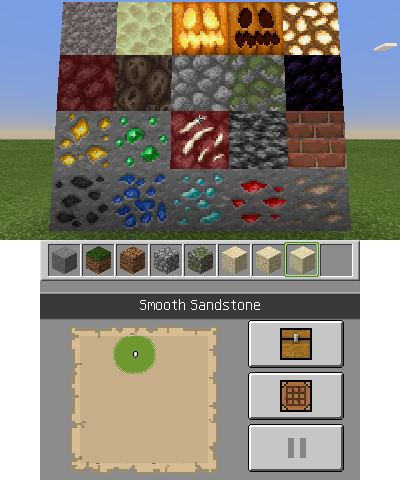
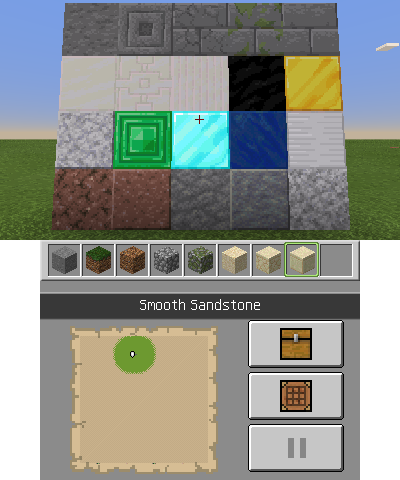
The Wind Waker Edition
Credits
Vanilla and Vanilla with Better Grass:
- Port - DeadSkullzJr.
- Original Textures - Mojang.
The Wind Waker Edition:
- Port, Modify and Extra Textures - DeadSkullzJr.
- Original Textures - Pavlovs_Walrus.
Minetroid:
- Port, Modify and Extra Textures - DeadSkullzJr.
- Original Textures - Dr_Tizzle.
Faithful:
- Port, Modify and Extra Textures - DeadSkullzJr.
- Original Textures - Alexey Krainev.
Bare Bones:
- Port, Modify and Extra Textures - DeadSkullzJr.
- Original Textures - RobotPantaloons.