
TheXTech 3DS: Difference between revisions
More actions
Created page with "{{Infobox 3DS Homebrews |title=TheXTech |image=thextech3ds.png |description=Port of the TheXTech (Super Mario Bros X) for 3DS. |author=WohlSoft |lastupdated=2024/09/24 |type=Platform |format= |version=1.3.6.6 |license=Mixed |download=https://dlhb.gamebrew.org/3dshomebrews/thextech3ds.7z |website=https://wohlsoft.ru/projects/TheXTech/ |source=https://github.com/TheXTech/TheXTech/ }} This is a port of the TheXTech (Super Mario Bros X) for 3DS. (experimental) TheXTech is a..." |
No edit summary |
||
| Line 23: | Line 23: | ||
Download both [https://wohlsoft.ru/projects/TheXTech/ 3DSX] and [https://github.com/TheXTech/TheXTech/wiki/Game-assets-packages Assets packages]. | Download both [https://wohlsoft.ru/projects/TheXTech/ 3DSX] and [https://github.com/TheXTech/TheXTech/wiki/Game-assets-packages Assets packages]. | ||
At root of your SD card, create | At root of your SD card, create the /3ds/TheXTech/ directory. | ||
Depending on the type of assets (generic or romfs package with content optimized for 3DS), installation methods are different: | Depending on the type of assets (generic or romfs package with content optimized for 3DS), installation methods are different: | ||
* If it's a non-converted assets, unpack the content | * If it's a non-converted assets, unpack the content of <code>Assets</code>Â archive into a subdirectory of <code>/3ds/TheXTech/assets/</code>. | ||
* If it's a romfs package, rename it to <code>assets.romfs</code> and place into the <code>/3ds/TheXTech/</code> directory. | * If it's a romfs package, rename it to <code>assets.romfs</code> and place into the <code>/3ds/TheXTech/</code> directory. | ||
Revision as of 08:07, 19 January 2025
| TheXTech | |
|---|---|
 | |
| General | |
| Author | WohlSoft |
| Type | Platform |
| Version | 1.3.6.6 |
| License | Mixed |
| Last Updated | 2024/09/24 |
| Links | |
| Download | |
| Website | |
| Source | |
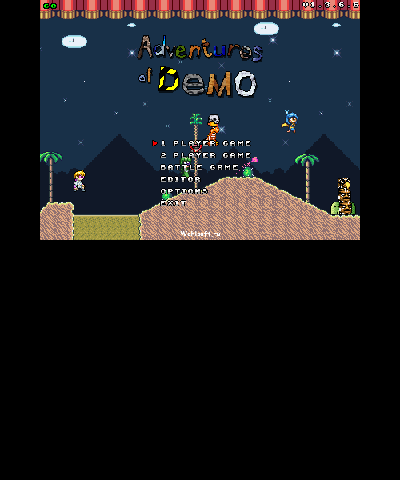
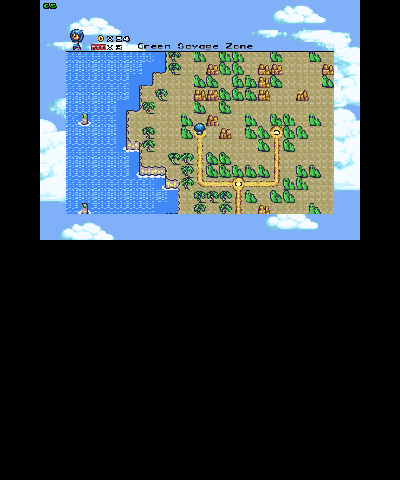
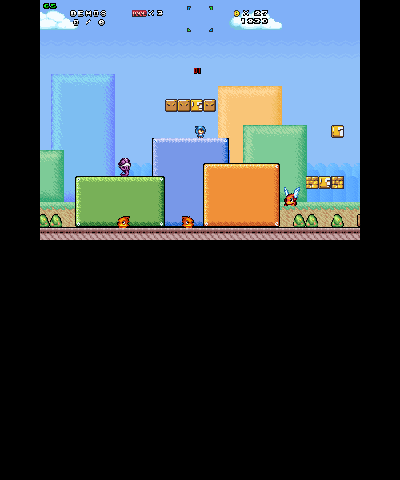
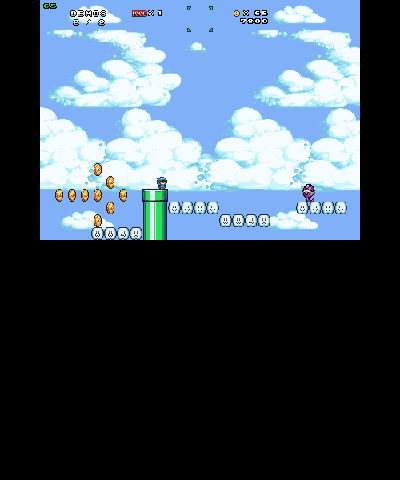
This is a port of the TheXTech (Super Mario Bros X) for 3DS. (experimental)
TheXTech is a port of an old VB6 engine, purely written in C++. It completely reproduces the old SMBX 1.3 engine (aside from it's Editor), includes many of its logical bugs (critical bugs that lead the game to crash or freeze got fixed).
SMBX (Super Mario Bros. X) is a platformer game originally published in 2009. The game is a fan game based on the Mario series. Game mechanics combines such games of the series as: Super Mario Bros., Super Mario Bros. 2, Super Mario Bros. 3 and Super Mario World. There are also in SMBX elements from new games in the series and from other games like Metroid and Legend of Zelda.
Installation
Hardware
Download both 3DSX and Assets packages.
At root of your SD card, create the /3ds/TheXTech/ directory.
Depending on the type of assets (generic or romfs package with content optimized for 3DS), installation methods are different:
- If it's a non-converted assets, unpack the content of
Assets archive into a subdirectory of/3ds/TheXTech/assets/. - If it's a romfs package, rename it to
assets.romfsand place into the/3ds/TheXTech/directory.
Place the 3DSX file into the 3ds directory at your SD card root.
Try to run the game via the Homebrew Launcher.
Emulators
Download both 3DSX and Assets packages.
At the directory linked as an SD card, create the /3ds/TheXTech/ directory.
Depending on the type of assets (generic or romfs package with content optimized for 3DS), installation methods are different:
- If it's a non-converted assets, unpack the content of
Assetsarchive into a subdirectory of/3ds/TheXTech/assets/. - If it's a romfs package, rename it to
assets.romfsand place into the/3ds/TheXTech/directory.
Place the 3DSX file into any convenient directory.
Try to open the 3DSX file via the emulator.
User guide
Converting game assets
In order to improve the general performance on 3DS, you are required to convert the game assets package (and custom episodes) into the optimized format that 3DS could load quickly.
You can follow this manual on how to convert the game assets package into optimized format. You are required to download the TheXTech source code package as it contains necessary helper scripts for the process.
Extra directories
During use of the game, the following directories under /3ds/TheXTech/ will be created:
- logs - Debug logs of the game. Once you get any troubles with the game, please attach one of these log files to the bug report.
- settings - Settings of the game:
- settings/thextech.ini - Setup of the game. You should not need to edit it directly on 3DS.
- settings/controls.ini - Setup of game controls: all key bindings and game controller buttons setup were saved here.
- settings/gamesaves - The storage of game saves: all saved games appears here. However, if you moved an old episode with game save files presented (such as
save1.sav,save2.sav,save3.sav), they will be imported by the game, however, updated gamesaves will appear at the new storage at the settings/gamesave directory, keeping the episode directory clear.
- gameplay-records - Recorded gameplays demos: when you enable the recording of gameplay in the settings, every attempt to play a level will create a new replay file that you can open by the game and see the full playthrough. In some cases, these replays can help to reproduce various bugs that happen very rare.
- worlds - A location to install custom episodes. Separated by asset pack.
- battle - A location to store custom battle levels. Separated by asset pack.
Controls
Menu:
B - Select
X/Y - Go back
In game:
Left/Right - Movement
Up - Interact
A/B - Jump
Start - Pause
Select - Drop item
Screenshots
Known issues
1.3.6.6:
- 3DS and Wii ports do not run at the native system resolution.
- Audio may be choppy on Old 3DS.
Changelog
1.3.6.6
- Fix vanilla bug where vehicle could be vulnerable if player entered it during AltJump (requires frame perfect down press), guarded by compat flag "fix-vehicle-altjump-bug" (@ds-sloth).
- Fix vanilla bug where vehicle could not be exited if player entered it while holding AltJump key, guarded by compat flag "fix-vehicle-altjump-lock" (@ds-sloth).
- Fixed the problem when a touch screen is not detected on some Android devices (@Wohlstand).
- Fix minor bug that caused certain configurations on macOS to crash on startup (@ds-sloth).
- Fix Wii U bug where resizing the game screen could cause the game to crash (@ds-sloth).
- Fix TheXTech 1.3.6.1 crash caused when a pet mount is eating the last NPC in the level and the eaten NPC is killed (@ds-sloth).
- Fixed Wii U bug where game quits into the black screen instead of the Wii U's main menu when game started from the Aroma (@Wohlstand).
- Fix TheXTech 1.3.6.1 inaccuracy allowing the player to dismount a vehicle when blocked by an NPC (@ds-sloth).
- Fix TheXTech 1.3.6.1 bug where conveyor belts would sometimes not activate correctly (@ds-sloth).
- Fix TheXTech 1.3.6.1 OpenGL bug where the shadow effect interacted inaccurately with bitmasked textures (@ds-sloth).
- Fix TheXTech 1.3.6 bug where it was impossible to unpause while holding an item (@ds-sloth, thanks to SimplyMav for the report).
- Fix TheXTech 1.3.6.1 bug where GIF masks for sizable block 261 were not loaded (@ds-sloth).
- Fix TheXTech 1.3.6.1 bug where SMBX level version autodetection did not work for platforms (note that this logic will be fully removed in 1.3.7) (@ds-sloth).
- Fix TheXTech 1.3.6.1 bug where NPCs on hidden layers were incorrectly allowed to chain-activate. (The bug affected the outro scene of Dynamite Grotto in SRW2.) (@ds-sloth).
- Add workaround for TheXTech 1.3.6.1 Modern Mode inaccuracy where NPC clipping did not match SMBX 1.3. (This bug affected the same scene.) (@ds-sloth).
- Fix vanilla bug where player can get softlocked if hit by a grabbable NPC while digging dirt, guarded by compat flag "fix-player-stuck-on-dirt" (Classic Mode) (@ds-sloth).
External links
Official website - https://wohlsoft.ru/projects/TheXTech/ GitHub - https://github.com/TheXTech/TheXTech/