
Notepad for PSP: Difference between revisions
More actions
Created page with "{{Infobox PSP Homebrews |title=Notepad for PSP |image=notepadforpsp.png |description=Lua text editor based on ema’s ttlde with Simplified Chinese input. |author=ema, kris |lastupdated=2006/01/10 |type=Utilities |format= |version=1.0 |license=Mixed |download=https://dlhb.gamebrew.org/psphomebrew/notepadforpsp.7z |website=http://pspupdates.qj.net/2006/01/notepad-for-psp-now-with-chinese-input.html |source=https://dlhb.gamebrew.org/psphomebrew/notepadforpsp.7z }} This app..." |
No edit summary |
||
| Line 3: | Line 3: | ||
|image=notepadforpsp.png | |image=notepadforpsp.png | ||
|description=Lua text editor based on ema’s ttlde with Simplified Chinese input. | |description=Lua text editor based on ema’s ttlde with Simplified Chinese input. | ||
|author=ema, kris | |author=ema, kris (kriswu) | ||
|lastupdated=2006/01/10 | |lastupdated=2006/01/10 | ||
|type=Utilities | |type=Utilities | ||
Revision as of 00:27, 8 February 2025
| Notepad for PSP | |
|---|---|
 | |
| General | |
| Author | ema, kris (kriswu) |
| Type | Utilities |
| Version | 1.0 |
| License | Mixed |
| Last Updated | 2006/01/10 |
| Links | |
| Download | |
| Website | |
| Source | |
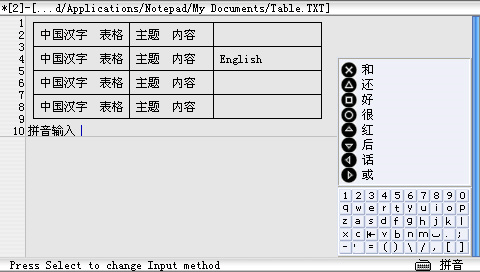
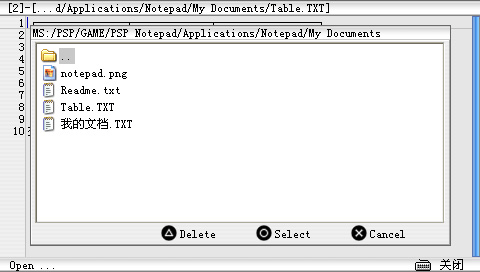
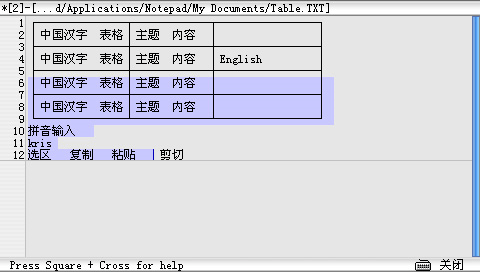
This application is a Lua text editor with Chinese input method (Simplified), Windows style interface & Windows style OpenFile, more functions.
The program is rewritten based on ema's TwinTail LDE (ttlde).
Controls
General
Analog - Move Cursor(Fast)
D-Pad - Move Cursor
Start - File Menu
Select - Edit Menu
R - OSK On / Off
Select+D-Pad - Switch Buffer
L+D-Pad - Selection
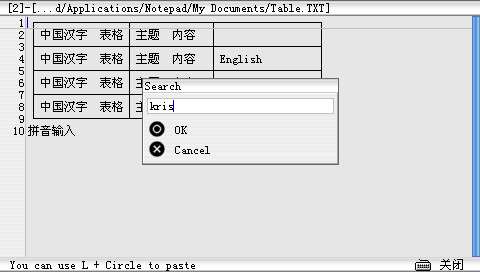
Circle+D-Pad - Search, Replace (Previous/Next)
Square+D-Pad - Home/End
Cross+D-Pad/Analog - Fast Move
Square+Cross - Help
Text editing
Triangle (Hold)+D-Pad - Word Selector (From Dictionary)
Triangle (Push, Release) - Symbol Selector
L+Triangle - Cut
L+Square - Copy
L+Circle - Paste
L+Cross - Undo
MultiLine Selection+Space - Indent
MultiLine Selection+Tab - Unindent
Test input
OSK+Select - Switch Input method (EN/CH)
OSK+L (Hold)+R/Cross - Enter
OSK+L (Hold)+Down - Tab
OSK+Cross - Space
OSK+Down - BackSpace
OSK+L (Hold) - Shift
Chinese Input+L/R - Scroll
Chinese Input+Start - Cancel
Screenshots
External links
- PSPUpdates - http://pspupdates.qj.net/2006/01/notepad-for-psp-now-with-chinese-input.html (archived)