
TwinTail Lesson PSP: Difference between revisions
From GameBrew
More actions
Created page with "{{Infobox PSP Homebrews |title=TwinTail Lesson |image=ttlessonpsp.png |description=A program that teaches you how to use TwinTail LDE. |author=ema |lastupdated=2005/12/13 |type=Other |format= |version=0.1 |license=Mixed |download=https://dlhb.gamebrew.org/psphomebrew/ttlessonpsp.7z |website=https://www.geocities.ws/lua_ema/ |source=https://dlhb.gamebrew.org/psphomebrew/ttlessonpsp.7z }} This program teaches you how to use the TwinTail LDE (editor wri..." |
No edit summary |
||
| Line 30: | Line 30: | ||
== External links == | == External links == | ||
* Author's website - https://www.geocities.ws/lua_ema/ | * Author's website - https://www.geocities.ws/lua_ema/ | ||
[[Category:Lua applications on PSP]] | |||
Latest revision as of 08:56, 6 December 2024
| TwinTail Lesson | |
|---|---|
 | |
| General | |
| Author | ema |
| Type | Other |
| Version | 0.1 |
| License | Mixed |
| Last Updated | 2005/12/13 |
| Links | |
| Download | |
| Website | |
| Source | |
This program teaches you how to use the TwinTail LDE (editor written in Lua by ema) in a proper way.
User guide
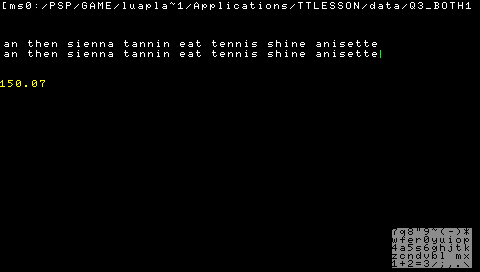
Select a typing exercise and re-type the sentence exactly as displayed.
The counter displayed below will track your progress in real-time.
Controls
D-Pad - Scroll
Circle - Select option
Screenshots
External links
- Author's website - https://www.geocities.ws/lua_ema/