
Miro Lua PSP: Difference between revisions
From GameBrew
More actions
Created page with "{{Infobox PSP Homebrews |title=Miro Lua |image=miroluapsp.png |description=IDE for Lua. |author=omerjks |lastupdated=2008/11/22 |type=PC Utilities |format= |version=2.6 |license=Mixed |download=https://dlhb.gamebrew.org/psphomebrew/miroluapsp.7z |website=http://www.psplandia.it/modules.php?name=Forums&file=viewtopic&t=21817 |source= }} Miro Lua is an IDE for Lua programming language. This Lua Ide is oriented to PSP developer. Requires Microsoft Framework 2.0 to run. ==..." |
No edit summary |
||
| Line 3: | Line 3: | ||
|image=miroluapsp.png | |image=miroluapsp.png | ||
|description=IDE for Lua. | |description=IDE for Lua. | ||
|author= | |author=Miro Mannino | ||
|lastupdated=2008/11/22 | |lastupdated=2008/11/22 | ||
|type=PC Utilities | |type=PC Utilities | ||
Revision as of 02:37, 16 January 2025
| Miro Lua | |
|---|---|
 | |
| General | |
| Author | Miro Mannino |
| Type | PC Utilities |
| Version | 2.6 |
| License | Mixed |
| Last Updated | 2008/11/22 |
| Links | |
| Download | |
| Website | |
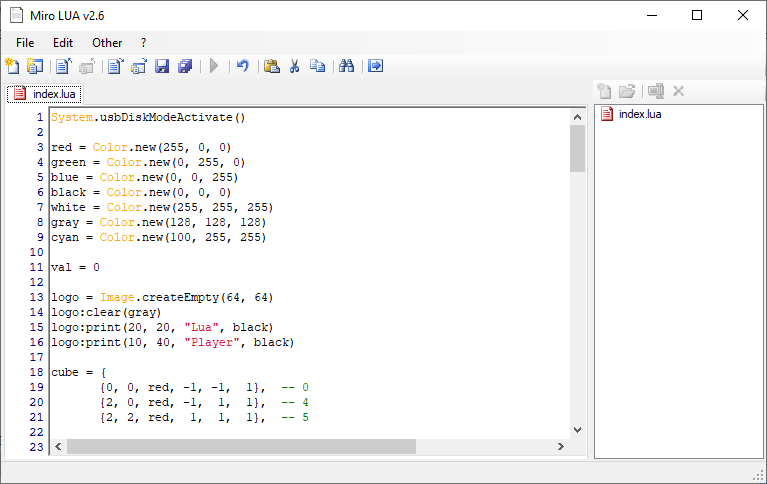
Miro Lua is an IDE for Lua programming language. This Lua Ide is oriented to PSP developer.
Requires Microsoft Framework 2.0 to run.
Features
- The interface has been improved and it looks like the Microsoft’s IDEs like Visual Studio.
- You’ll be able to manage your project that may have scripts, images and other.
- Syntax Highlighting.
- Near your code a list of number help you to find the a line.
- With a Tabs Interface you can open many script at the same time.
- A spelling corrector help you to place in the correct position the capital letters and the small letters.
- A small window like Visual Studio will appear near the text you are writing suggesting the allowed words.
- A small tool help you to find easy the coordinated of your PSP. In this version you can import in the virtual screen an image for made more easy the search.
- You can execute your project with the Lua Player for Windows.
- You can export the project like an Homebrew in your computer or directly in your PSP.
- To have a good result of the exportation, to import in the project all files needed to run correctly the script.
- You can set the language [ English - Italian ]
- You can find words or substitute words.
Screenshots
Changelog
2.6
- Added the Lua Player HM8.
- Added the new features of the Lua Player HM8 for code completion.
- Fixed some bugs.
2.4
- Fixed bugs for the association lua files during installation and uninstallation.
- improved 70% of speed about the code for the colour of the text (which for large files blocking the program).
- Change the mode of painting the text (enabled or disabled menu options:
- Colour text colours only keywords.
- Advanced Colour text colors the generic lua language classes and functions of the player.
- After the spell that is not used to nothing compared to the time he missed.
- Window of the suggestions set on not visible by default.
- Possibility to export as homebrew with the new player HM6 (for setting export 3.XX CF).
2.3
- Fixed execution error: "error: can not open script.lua: No such file or directory".
- Adding export opportunities with the new LUA HM5 Player for PSP with Kernel 3.xx.
- Added features LUA Player HM5 to the dictionary functions available.
2.1
- Added a small guide to the program.
- Added a small tutorial for the beginner.
- Added a guide of the PSP Lua functions.
- Exporting bug fixed.
- Language bug fixed.
- Undo and Redo functions fixed.
- Management of the single script changed.
- The button: "Save with name..." was removed.
- Added the Debug Embedded.