
Scrabble Helper PSP: Difference between revisions
From GameBrew
More actions
No edit summary |
No edit summary |
||
| Line 18: | Line 18: | ||
The program will find all possible words you can create from a given set of letters. | The program will find all possible words you can create from a given set of letters. | ||
Say you have a set of letters "JTRA", it would return: ART, JAR, RAJ, RAT, TAR | Say you have a set of letters "JTRA", it would return: ART, JAR, RAJ, RAT, TAR. | ||
A wild card in Scrabble Help is "_" (underscore). That means it will substitute any letter in the alphabet to try and make a word. Words that are found with the underscore have that letter displayed in lower case. | The program also supports wild cards. A wild card in Scrabble Help is "_" (underscore). That means it will substitute any letter in the alphabet to try and make a word. Words that are found with the underscore have that letter displayed in lower case. | ||
For example if you have "JTR_", the program will return: aRT, cRT, JaR, JeT, JoT, JuT, RaJ, RaT, ReT, RoT, RuT, TaR, ToR, TRw, TRy. | For example if you have "JTR_", the program will return: aRT, cRT, JaR, JeT, JoT, JuT, RaJ, RaT, ReT, RoT, RuT, TaR, ToR, TRw, TRy. | ||
Revision as of 13:39, 20 October 2024
| Scrabble Helper | |
|---|---|
 | |
| General | |
| Author | gibbocool |
| Type | Other |
| Version | 0.1 |
| License | Mixed |
| Last Updated | 2007/04/22 |
| Links | |
| Download | |
| Website | |
Scrabble Help is a homebrew that will help you in the good old game of Scrabble.
User guide
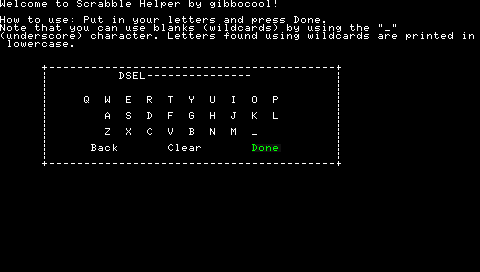
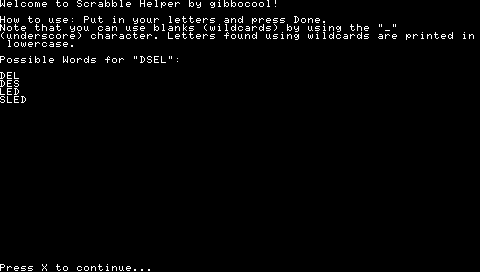
The program will find all possible words you can create from a given set of letters.
Say you have a set of letters "JTRA", it would return: ART, JAR, RAJ, RAT, TAR.
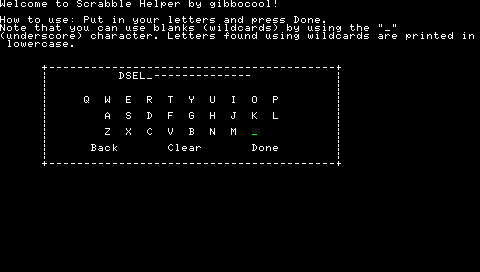
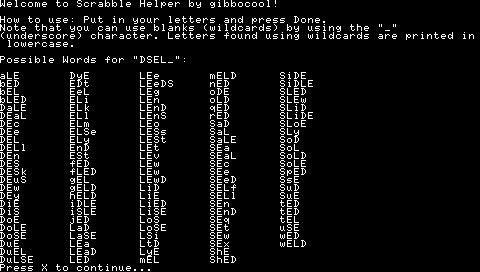
The program also supports wild cards. A wild card in Scrabble Help is "_" (underscore). That means it will substitute any letter in the alphabet to try and make a word. Words that are found with the underscore have that letter displayed in lower case.
For example if you have "JTR_", the program will return: aRT, cRT, JaR, JeT, JoT, JuT, RaJ, RaT, ReT, RoT, RuT, TaR, ToR, TRw, TRy.
Controls
D-Pad - Navigate keyboard
Cross - Select the key
Screenshots
External links
- PSP-Programming.com Forums - http://www.psp-programming.com/forums/index.php?topic=2254.0