
NDS Sports: Difference between revisions
From GameBrew
More actions
m Text replacement - "↵Category:Other Games on DS" to "" |
No edit summary |
||
| Line 37: | Line 37: | ||
https://dlhb.gamebrew.org/dshomebrew/ndssports5.png | https://dlhb.gamebrew.org/dshomebrew/ndssports5.png | ||
<!--BEGIN Online Emulator Section--> | <!--BEGIN Online Emulator Section--> | ||
==Online | ==Online emulator== | ||
{{ | {{EmulatorJS Main | ||
|width=515px | |||
|height=384px | |||
|EJS_backgroundImage=https://www.gamebrew.org/images/0/03/Ndssports2.png | |||
EJS_core = | |EJS_core=desmume2015 | ||
EJS_gameName = | |EJS_gameName=NDS Sports | ||
EJS_gameUrl = | |EJS_gameUrl=https://dlhb.gamebrew.org/onlineemulators/nds/ndssports.7z | ||
}} | }} | ||
{{DS Control Settings}} | {{DS Control Settings}} | ||
Revision as of 09:41, 14 August 2024
| NDS Sports | |
|---|---|
 | |
| General | |
| Author | Davgav |
| Type | Other Games |
| Version | 2007 |
| License | Mixed |
| Last Updated | 2007/03/20 |
| Links | |
| Download | |
| Website | |
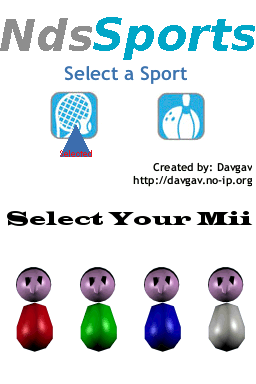
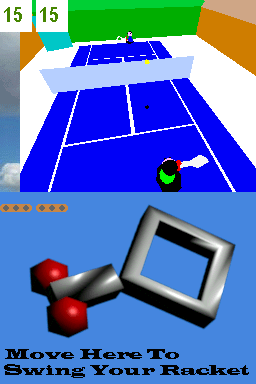
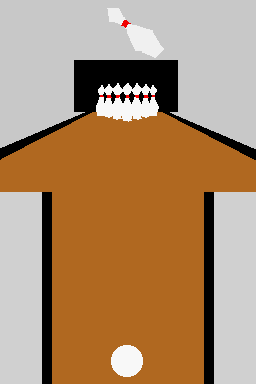
NDS Sports is a tribute to Wii Sports, a game where you move the racket and bowling with all your body. This version include two sports: Tennis and Bowling.
It was participated in the NEO Spring Coding Compo 2007 (GBA/NDS Game).
User guide
First select a Sport. Then select a Mii.
Tennis
- Move the pen slowly to move the racket. If you want to swing the racket move it faster or click in the screen.
- Your Mii will move automatic to the ball, so swing in time.
- You have to do three full points to win.
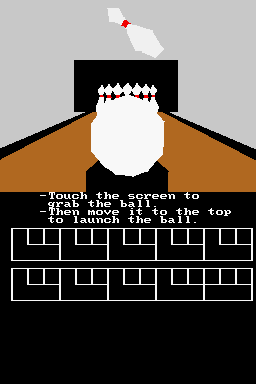
Bowling
- First grab the ball touching the touchscreen whit the pen.
- Then move it to the top screen to launch it. When it says how much pins get down you can launch the ball.
Controls
Operate with Stylus.
Screenshots
Online emulator
| Nintendo DS | Keyboard |
|---|---|

|

|

|

|

|

|

|

|

|

|

|

|

|

|

|

|

|

|
Compatibility
Tested on No$gba.
External links
- SceneBeta - http://nds.scenebeta.com/noticia/nds-sports