
EasyRPG Player Vita: Difference between revisions
From GameBrew
More actions
No edit summary |
No edit summary |
||
| Line 21: | Line 21: | ||
EasyRPG Player is a program that allows to play games created with RPG Maker 2000 and 2003. | EasyRPG Player is a program that allows to play games created with RPG Maker 2000 and 2003. | ||
It aims to be a free (as in freedom) cross-platform RPG Maker 2000/2003 interpreter. The main goal is to play all games created with them as the original game interpreter (RPG_RT) does. | It aims to be a free (as in freedom) cross-platform RPG Maker 2000/2003 interpreter. Which means it can play games on various systems such as GNU/Linux, Windows, macOS, [[EasyRPG Player Switch|Switch]], [[EasyRPG Player Vita|Vita]], [[EasyRPG Player 3DS|3DS]], [[EasyRPG Player Wii|Wii]] and mobile phones. The main goal is to play all games created with them as the original game interpreter (RPG_RT) does. | ||
==Installation== | ==Installation== | ||
Revision as of 01:16, 30 April 2023
| EasyRPG Player | |
|---|---|
 | |
| General | |
| Author | EasyRPG Team, Rinnegatamante |
| Type | Game engine |
| Version | 0.8.0 |
| License | GPL-3.0 |
| Last Updated | 2023/04/29 |
| Links | |
| [0.8.0 and Nightly Download] | |
| Website | |
| Source | |
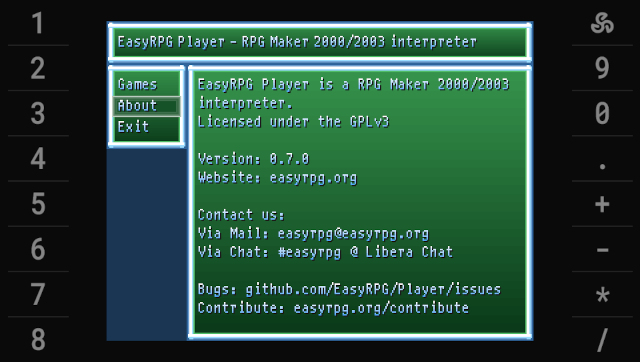
EasyRPG Player is a program that allows to play games created with RPG Maker 2000 and 2003.
It aims to be a free (as in freedom) cross-platform RPG Maker 2000/2003 interpreter. Which means it can play games on various systems such as GNU/Linux, Windows, macOS, Switch, Vita, 3DS, Wii and mobile phones. The main goal is to play all games created with them as the original game interpreter (RPG_RT) does.
Installation
How to setup:
- Install the VPK file, then create a folder in ux0:/data and name it easyrpg-player.
- ux0:/data/easyrpg-player/ - Place RPG Maker 2000/2003 games here (the folder with the RPG_RT.ldb).
- ux0:/data/easyrpg-player/rtp/2000 - Location for RPG Maker 2000 Runtime Package.
- ux0:/data/easyrpg-player/rtp/2003 - Location for RPG Maker 2003 Runtime Package.
Notes:
- If the game fails to recognize the file names (e.g. Japanese games), you can try changing the system locale and then transfer the game files to your Vita.
- For some translated games, you may have to edit the RPG_RT.ini (see Supported Encodings and this post). Example:
[EasyRPG]
Encoding=932
User guide
RPG maker games
- Games in English - rpgmaker.net.
- Games in Spanish - Hellsoft.net.
- Games in Polish - Tsukuru Archive: RPG Maker.
- Games in German - rm2kast.de.
Controls
Cross - Button 1
Circle - Button 2
Square - Shift
Select - Back to title (F12)
Start - Button 2
D-Pad/Left Analog - Curosr
L - Show framerate
R - Change video mode (Normal, Zoomed, Fullscreen)
Right Analog - Extra buttons needed in several games
Screenshots
Media
[HENkaku]EasyRPG Player Demo: Ib (Gnm Software 2012)
Changelog
v0.8.0
- Full Changelog: https://blog.easyrpg.org/2023/04/easyrpg-player-0-8-paralyze/
v0.7.0
- Full Changelog: https://blog.easyrpg.org/2021/10/easyrpg-player-0-7-0-sword/
External links
- Official website - https://easyrpg.org/
- Documentation - https://wiki.easyrpg.org
- EasyRPG Blog - https://blog.easyrpg.org/2016/08/easyrpg-player-for-ps-vita/
- GitHub - https://github.com/EasyRPG/Player
- GitHub - https://github.com/Rinnegatamante/easyrpg-player-vita
- VitaDB - https://vitadb.rinnegatamante.it/#/info/5
- Wololo - https://wololo.net/talk/viewtopic.php?t=46360&start=10
- GBAtemp - https://gbatemp.net/threads/release-easyrpg-vita-rpg-maker-2000-2003-player-for-psvita.437040/