Luma3DS - Rosalina Screenshot Tool 3DS: Difference between revisions
From GameBrew
More actions
No edit summary |
No edit summary |
||
| Line 5: | Line 5: | ||
|author=GizmoTheGreen | |author=GizmoTheGreen | ||
|lastupdated=2017/06/05 | |lastupdated=2017/06/05 | ||
|type= | |type=PC Utilities | ||
|version=1 | |version=1 | ||
|license=Mixed | |license=Mixed | ||
Revision as of 11:49, 27 August 2023
| Rosalina Screenshot Tool | |
|---|---|
 | |
| General | |
| Author | GizmoTheGreen |
| Type | PC Utilities |
| Version | 1 |
| License | Mixed |
| Last Updated | 2017/06/05 |
| Links | |
| Download | |
| Website | |
| Source | |
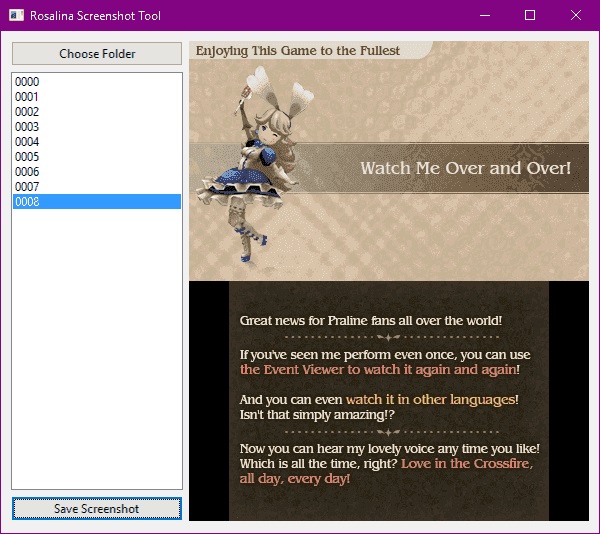
This is a program that merges the screenshots taken from Luma3DS Rosalina, it saves one image per screen.
User guide
Transfer your screenshot folder to PC.
Start this program and browse for the folder.
Then choose from the numbered list, it will let you see the preview which you can save it.
Screenshots