VITA-NoAutoAvls: Difference between revisions
From GameBrew
More actions
No edit summary |
m Text replacement - "https://vitadb.rinnegatamante.it/" to "https://www.rinnegatamante.eu/vitadb/" |
||
| (6 intermediate revisions by the same user not shown) | |||
| Line 1: | Line 1: | ||
{{#seo: | {{#seo: | ||
|title=Vita Homebrew Apps (Utilities) - GameBrew | |title=Vita Homebrew Apps (Utilities) - GameBrew | ||
|title_mode=append | |title_mode=append | ||
|image= | |image=vitanoautoavls2.png | ||
|image_alt=VITA-NoAutoAvls | |image_alt=VITA-NoAutoAvls | ||
}} | }} | ||
{{Infobox Vita Homebrews | {{Infobox Vita Homebrews | ||
|title=VITA-NoAutoAvls | |title=VITA-NoAutoAvls | ||
|image= | |image=vitanoautoavls2.png | ||
|description=Disable Auto AVLS feature. | |description=Disable Auto AVLS feature. | ||
|author=SKGleba | |author=SKGleba | ||
| Line 15: | Line 15: | ||
|license=Mixed | |license=Mixed | ||
|download=https://dlhb.gamebrew.org/vitahomebrews/vitanoautoavlsvita.7z | |download=https://dlhb.gamebrew.org/vitahomebrews/vitanoautoavlsvita.7z | ||
|website= | |website=https://github.com/SKGleba/VITA-NoAutoAvls | ||
|source=https://github.com/SKGleba/VITA-NoAutoAvls | |source=https://github.com/SKGleba/VITA-NoAutoAvls | ||
}} | }} | ||
VITA NoAutoAvls is small utility to permanently enable/disable the Auto AVLS feature on Playstation Vita. | |||
[https://playstationdev.wiki/psvitadevwiki/index.php/AVLS AVLS], also known as Automatic Volume Limiter System, is an option that limits the maximum volume level on your headphones. It was a system meant to protect the speakers and/or your ears. | |||
== | ==User guide== | ||
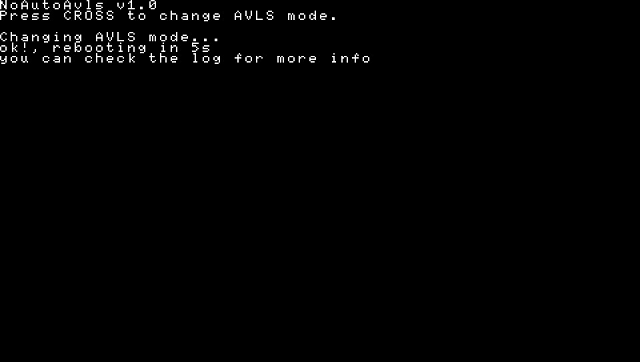
After installing the VPK, run the new app called switch avls mode. | |||
*It will either enable or disable the auto-avls flag found in idstorage. | |||
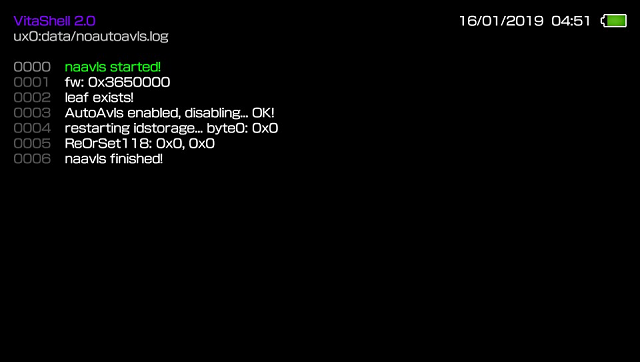
*It will create a log in ux0:tai/noautoavls.log and reboot. | |||
'''Note:''' You may need to run it two times when enabling on a never-auto-avls-ed Vita. | |||
''' | |||
== External links == | ==Screenshots== | ||
* | https://dlhb.gamebrew.org/vitahomebrews/vitanoautoavls3.png | ||
* VitaDB - https:// | |||
https://dlhb.gamebrew.org/vitahomebrews/vitanoautoavls4.png | |||
==External links== | |||
* GitHub - https://github.com/SKGleba/VITA-NoAutoAvls | |||
* Twitter - https://twitter.com/skgleba/status/1189572561048395776 | |||
* VitaDB - https://www.rinnegatamante.eu/vitadb/#/info/515 | |||
Latest revision as of 04:38, 5 January 2025
| VITA-NoAutoAvls | |
|---|---|
 | |
| General | |
| Author | SKGleba |
| Type | Utilities |
| Version | 1.0 |
| License | Mixed |
| Last Updated | 2019/10/30 |
| Links | |
| Download | |
| Website | |
| Source | |
VITA NoAutoAvls is small utility to permanently enable/disable the Auto AVLS feature on Playstation Vita.
AVLS, also known as Automatic Volume Limiter System, is an option that limits the maximum volume level on your headphones. It was a system meant to protect the speakers and/or your ears.
User guide
After installing the VPK, run the new app called switch avls mode.
- It will either enable or disable the auto-avls flag found in idstorage.
- It will create a log in ux0:tai/noautoavls.log and reboot.
Note: You may need to run it two times when enabling on a never-auto-avls-ed Vita.
Screenshots