
EasyRPG Player Vita: Difference between revisions
More actions
Created page with "{{#seo: |title=Vita Homebrew Games (Game engine) - GameBrew! |title_mode=append |image=easyrpgplayervita.jpg |image_alt=EasyRPG Player }} {{Infobox Vita Homebrews |title=EasyR..." |
No edit summary |
||
| (21 intermediate revisions by 2 users not shown) | |||
| Line 1: | Line 1: | ||
{{Infobox Vita Homebrews | {{Infobox Vita Homebrews | ||
|title=EasyRPG Player | |title=EasyRPG Player | ||
|image= | |image=easyrpgplayervita2.jpg | ||
|description=RPG Maker 2k/2k3 player. | |description=RPG Maker 2k/2k3 player. | ||
|author=EasyRPG Team | |author=EasyRPG Team, Rinnegatamante | ||
|lastupdated= | |lastupdated=2025/06/02 | ||
|type=Game | |type=Game Engine | ||
|version=0. | |version=0.8.1.1 | ||
|license=GPL-3.0 | |license=GPL-3.0 | ||
| | |downloadraw=[https://dlhb.gamebrew.org/vitahomebrews/easyrpgplayervita.7z 0.8.1.1 Download]<br>[https://ci.easyrpg.org/job/player-vita/ Nightly Download] | ||
|website=https://easyrpg.org/ | |website=https://easyrpg.org/ | ||
|source=https://github.com/EasyRPG/Player | |source=https://github.com/EasyRPG/Player | ||
|donation=https://www.patreon.com/Rinnegatamante | |||
}} | }} | ||
RPG Maker | {{#seo: | ||
|title=Vita Homebrew Games (Game engine) - GameBrew | |||
|title_mode=append | |||
|image=easyrpgplayervita2.jpg | |||
|image_alt=EasyRPG Player | |||
}} | |||
EasyRPG Player is a program that allows to play games created with RPG Maker 2000 and 2003. | |||
It aims to be a free (as in freedom) cross-platform RPG Maker 2000/2003 interpreter. Which means it can play games on various systems such as GNU/Linux, Windows, macOS, [[EasyRPG Player Switch|Switch]], [[EasyRPG Player Vita|Vita]], [[EasyRPG Player 3DS|3DS]], [[EasyRPG Player Wii|Wii]], [[EasyRPG Player Wii U|Wii U]] and mobile phones. The main goal is to play all games created with them as the original game interpreter (RPG_RT) does. | |||
==Installation== | |||
How to setup: | |||
*Install the VPK file, then create a folder in ux0:/data and name it easyrpg-player. | |||
*ux0:/data/easyrpg-player/ - Place RPG Maker 2000/2003 games here (the folder with the RPG_RT.ldb). | |||
*ux0:/data/easyrpg-player/rtp/2000 - Location for [https://wiki.easyrpg.org/user/player/rtp RPG Maker 2000 Runtime Package]. | |||
*ux0:/data/easyrpg-player/rtp/2003 - Location for [https://wiki.easyrpg.org/user/player/rtp RPG Maker 2003 Runtime Package]. | |||
= | For some translated games, you may have to edit the RPG_RT.ini (see [https://wiki.easyrpg.org/development/encoding-list Supported Encodings] and [https://community.easyrpg.org/t/flow-have-some-rooms-missing-sprites-on-easy-rpg-pc-version/950 this post]). Example: | ||
[EasyRPG] | |||
Encoding=932 | |||
==User guide== | |||
===RPG maker games=== | |||
* Games in English - [https://rpgmaker.net/games/ rpgmaker.net]. | |||
* Games in Spanish - [https://www.hellsoft.net/H5/ Hellsoft.net]. | |||
* Games in Polish - [http://tsukuru.pl/index.php?link=gry Tsukuru Archive: RPG Maker]. | |||
* Games in German - [https://www.rmarchiv.de/makers rm2kast.de]. | |||
==Controls== | |||
Cross - Button 1 | |||
Circle - Button 2 | |||
Square - Shift | |||
Select - Back to title (F12) | |||
Start - Button 2 | |||
D-Pad/Left Analog - Curosr | |||
L - Show framerate | |||
R - Change video mode (Normal, Zoomed, Fullscreen) | |||
Right Analog - Extra buttons needed in several games | |||
== | ==Screenshots== | ||
https://dlhb.gamebrew.org/vitahomebrews/easyrpgplayervita3.jpg | |||
https://dlhb.gamebrew.org/vitahomebrews/easyrpgplayervita4.jpg | |||
https://dlhb.gamebrew.org/vitahomebrews/easyrpgplayervita5.jpg | |||
https://dlhb.gamebrew.org/vitahomebrews/easyrpgplayervita6.jpg | |||
==Media== | |||
'''[HENkaku]EasyRPG Player Demo: Ib''' ([https://www.youtube.com/watch?v=GBAaV7z1XaA Gnm Software 2012]) <br> | |||
<youtube>GBAaV7z1XaA</youtube> | <youtube>GBAaV7z1XaA</youtube> | ||
https:// | ==Changelog== | ||
'''v0.8.1.1''' | |||
* Full Changelog: https://blog.easyrpg.org/2025/06/easyrpg-player-0-8-1-1-stun-patch-1/ | |||
'''v0.8.1''' | |||
* Full Changelog: https://blog.easyrpg.org/2025/04/easyrpg-player-0-8-1-stun/ | |||
'''v0.8.0''' | |||
* Full Changelog: https://blog.easyrpg.org/2023/04/easyrpg-player-0-8-paralyze/ | |||
'''v0.7.0''' | |||
* Full Changelog: https://blog.easyrpg.org/2021/10/easyrpg-player-0-7-0-sword/ | |||
== | ==External links== | ||
https:// | * Official website - https://easyrpg.org/ | ||
https:// | * Documentation - https://wiki.easyrpg.org | ||
https:// | * EasyRPG Blog - https://blog.easyrpg.org/2016/08/easyrpg-player-for-ps-vita/ | ||
https:// | * GitHub - https://github.com/EasyRPG/Player | ||
https:// | * GitHub - https://github.com/Rinnegatamante/easyrpg-player-vita | ||
https:// | * VitaDB - https://www.rinnegatamante.eu/vitadb/#/info/5 | ||
https:// | * Wololo - https://wololo.net/talk/viewtopic.php?t=46360&start=10 | ||
https:// | * GBAtemp - https://gbatemp.net/threads/release-easyrpg-vita-rpg-maker-2000-2003-player-for-psvita.437040/ | ||
Latest revision as of 03:57, 8 June 2025
| EasyRPG Player | |
|---|---|
 | |
| General | |
| Author | EasyRPG Team, Rinnegatamante |
| Type | Game Engine |
| Version | 0.8.1.1 |
| License | GPL-3.0 |
| Last Updated | 2025/06/02 |
| Links | |
| 0.8.1.1 Download Nightly Download | |
| Website | |
| Source | |
| Support Author | |
EasyRPG Player is a program that allows to play games created with RPG Maker 2000 and 2003.
It aims to be a free (as in freedom) cross-platform RPG Maker 2000/2003 interpreter. Which means it can play games on various systems such as GNU/Linux, Windows, macOS, Switch, Vita, 3DS, Wii, Wii U and mobile phones. The main goal is to play all games created with them as the original game interpreter (RPG_RT) does.
Installation
How to setup:
- Install the VPK file, then create a folder in ux0:/data and name it easyrpg-player.
- ux0:/data/easyrpg-player/ - Place RPG Maker 2000/2003 games here (the folder with the RPG_RT.ldb).
- ux0:/data/easyrpg-player/rtp/2000 - Location for RPG Maker 2000 Runtime Package.
- ux0:/data/easyrpg-player/rtp/2003 - Location for RPG Maker 2003 Runtime Package.
For some translated games, you may have to edit the RPG_RT.ini (see Supported Encodings and this post). Example:
[EasyRPG]
Encoding=932
User guide
RPG maker games
- Games in English - rpgmaker.net.
- Games in Spanish - Hellsoft.net.
- Games in Polish - Tsukuru Archive: RPG Maker.
- Games in German - rm2kast.de.
Controls
Cross - Button 1
Circle - Button 2
Square - Shift
Select - Back to title (F12)
Start - Button 2
D-Pad/Left Analog - Curosr
L - Show framerate
R - Change video mode (Normal, Zoomed, Fullscreen)
Right Analog - Extra buttons needed in several games
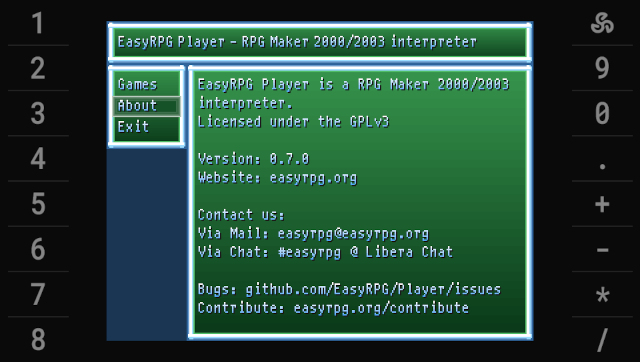
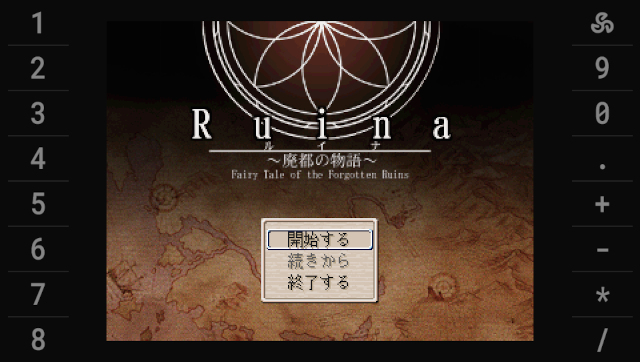
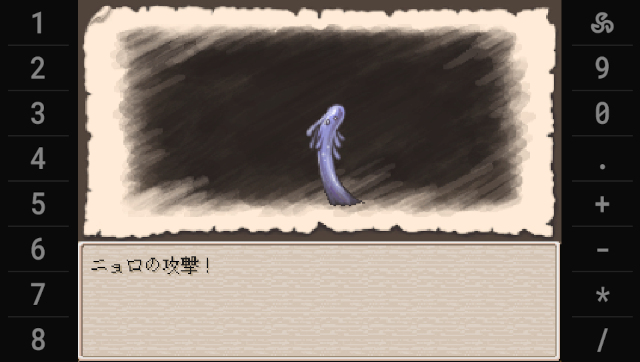
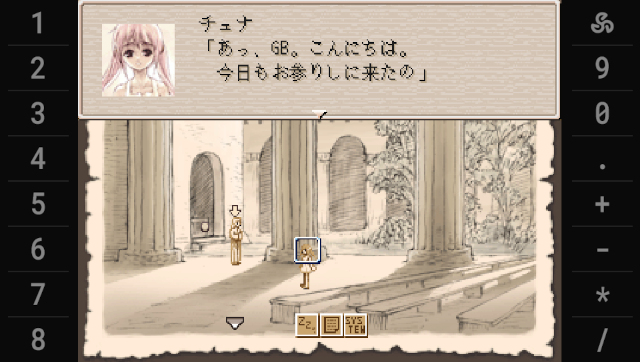
Screenshots
Media
[HENkaku]EasyRPG Player Demo: Ib (Gnm Software 2012)
Changelog
v0.8.1.1
v0.8.1
- Full Changelog: https://blog.easyrpg.org/2025/04/easyrpg-player-0-8-1-stun/
v0.8.0
- Full Changelog: https://blog.easyrpg.org/2023/04/easyrpg-player-0-8-paralyze/
v0.7.0
- Full Changelog: https://blog.easyrpg.org/2021/10/easyrpg-player-0-7-0-sword/
External links
- Official website - https://easyrpg.org/
- Documentation - https://wiki.easyrpg.org
- EasyRPG Blog - https://blog.easyrpg.org/2016/08/easyrpg-player-for-ps-vita/
- GitHub - https://github.com/EasyRPG/Player
- GitHub - https://github.com/Rinnegatamante/easyrpg-player-vita
- VitaDB - https://www.rinnegatamante.eu/vitadb/#/info/5
- Wololo - https://wololo.net/talk/viewtopic.php?t=46360&start=10
- GBAtemp - https://gbatemp.net/threads/release-easyrpg-vita-rpg-maker-2000-2003-player-for-psvita.437040/