
G-S-C to VC Save Converter 3DS: Difference between revisions
From GameBrew
More actions
Created page with "{{Infobox 3DS Homebrews}} {{Infobox 3DS Homebrews |title=G/S/C to VC Save Converter |image= |description=Online tool to convert your Pokemon Gold/Silver/Crystal (and most l..." |
m Text replacement - "Category:PC utilities for 3DS homebrew" to "" |
||
| (4 intermediate revisions by the same user not shown) | |||
| Line 1: | Line 1: | ||
{{Infobox 3DS Homebrews | {{Infobox 3DS Homebrews | ||
|title=G/S/C to VC Save Converter | |title=G/S/C to VC Save Converter | ||
|image= | |image=Gsctovcsaveconverter2.png | ||
|description=Online tool to convert your Pokemon Gold/Silver/Crystal (and most likely ROM hacks of those games) save to a Virtual Console save. | |description=Online tool to convert your Pokemon Gold/Silver/Crystal (and most likely ROM hacks of those games) save to a Virtual Console save. | ||
|author=FM1337 (Allen) | |author=FM1337 (Allen) | ||
| Line 11: | Line 10: | ||
|download=https://inject.fm1337.com/vc-save | |download=https://inject.fm1337.com/vc-save | ||
|website=https://inject.fm1337.com/vc-save | |website=https://inject.fm1337.com/vc-save | ||
}} | }} | ||
This is an online tool | This is an online tool that can convert your Pokemon Gold/Silver/Crystal (and most likely ROM hacks of those games) save to a Virtual Console save. | ||
==User guide== | ==User guide== | ||
| Line 26: | Line 24: | ||
* Official website - https://inject.fm1337.com/vc-save | * Official website - https://inject.fm1337.com/vc-save | ||
* Author's Twitter - https://twitter.com/FMC0RE | * Author's Twitter - https://twitter.com/FMC0RE | ||
Latest revision as of 04:32, 6 May 2024
| G/S/C to VC Save Converter | |
|---|---|
 | |
| General | |
| Author | FM1337 (Allen) |
| Type | Save and Game Managers |
| Version | 2022 |
| License | Mixed |
| Last Updated | 2022/06/26 |
| Links | |
| Download | |
| Website | |
This is an online tool that can convert your Pokemon Gold/Silver/Crystal (and most likely ROM hacks of those games) save to a Virtual Console save.
User guide
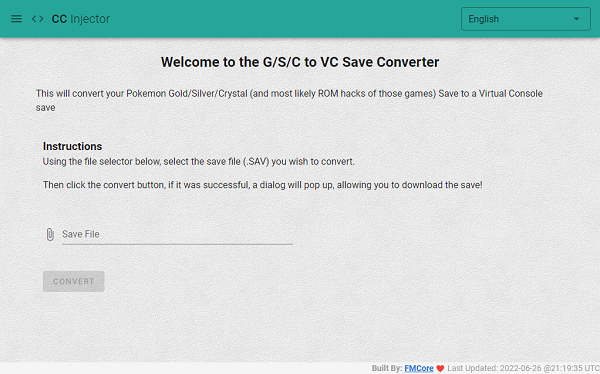
Using the file selector below, select the save file (.SAV) you wish to convert.
Then click the convert button, if it was successful, a dialog will pop up, allowing you to download the save.
Screenshots
External links
- Official website - https://inject.fm1337.com/vc-save
- Author's Twitter - https://twitter.com/FMC0RE