
DOSBox 3DS: Difference between revisions
More actions
m Text replacement - "Category:3DS homebrew emulators" to "" |
|||
| (4 intermediate revisions by the same user not shown) | |||
| Line 4: | Line 4: | ||
|description=Port of DOSBox-SVN for Nintendo 3DS. | |description=Port of DOSBox-SVN for Nintendo 3DS. | ||
|author=MrHuu | |author=MrHuu | ||
|lastupdated= | |lastupdated=2023/05/11 | ||
|type=Computer | |type=Computer | ||
|version=0.0. | |version=0.0.3 | ||
|license=Mixed | |license=Mixed | ||
|download=https://dlhb.gamebrew.org/3dshomebrews/dosbox3ds.7z | |download=https://dlhb.gamebrew.org/3dshomebrews/dosbox3ds.7z | ||
| Line 18: | Line 18: | ||
==Installation== | ==Installation== | ||
Create sdmc:/3ds/dosbox/. | Create sdmc:/3ds/dosbox/. | ||
Copy the 3dsx file in the dosbox directory, alternatively, copy the cia file on the SD card (e.g. sdmc:/cias/) and install with [[FBI 3DS|FBI]]. | |||
Place your own .conf files in sdmc:/3ds/dosbox/config/ to show the selection menu on launch. Dosbox starts normally when no .conf is found. | |||
Or you can run dosbox-3ds once to generate dosbox-SVN.conf. | |||
Edit dosbox-SVN.conf, find and edit [autoexec]. Example: | Edit dosbox-SVN.conf, find and edit [autoexec]. Example: | ||
| Line 66: | Line 70: | ||
==Changelog== | ==Changelog== | ||
'''v0.0.2''' | '''v0.0.3 2023/05/11''' | ||
* [https://github.com/MrHuu/dosbox-3ds/commit/fe436eaa949c6a885ea3e9666ec5dd53697460e5 Use ARMv6 CPU Instructions] (Thanks @RetroGamer02) | |||
* Add left/right key modifiers to mapper | |||
* Add mouse / joystick axis mapping | |||
* Add reboot(cia only)/shutdown to settings | |||
* Add video scale to screen settings | |||
* Add ipx network support | |||
* Add .conf selection menu | |||
* Fix cia build | |||
* Various fixes / cleanup | |||
'''v0.0.2 2022/05/29''' | |||
* Update keyboard. | * Update keyboard. | ||
* Add controller key mapping. | * Add controller key mapping. | ||
* Add saving / loading user defined keymaps. | * Add saving / loading user defined keymaps. | ||
'''v0.0.1 2022/05/27''' | |||
'''v0.0.1''' | |||
* Initial release. | * Initial release. | ||
| Line 77: | Line 90: | ||
* GitHub - https://github.com/MrHuu/dosbox-3ds | * GitHub - https://github.com/MrHuu/dosbox-3ds | ||
* GBAtemp - https://gbatemp.net/threads/release-dosbox-svn-port-for-3ds.612857 | * GBAtemp - https://gbatemp.net/threads/release-dosbox-svn-port-for-3ds.612857 | ||
Latest revision as of 06:01, 6 May 2024
| DOSBox 3DS | |
|---|---|
 | |
| General | |
| Author | MrHuu |
| Type | Computer |
| Version | 0.0.3 |
| License | Mixed |
| Last Updated | 2023/05/11 |
| Links | |
| Download | |
| Website | |
| Source | |
DOSBox 3DS is a W.I.P Port of DOSBox-SVN for Nintendo 3DS.
Features
- Keyboard and Mouse (not all keyboard symbols are available).
Installation
Create sdmc:/3ds/dosbox/.
Copy the 3dsx file in the dosbox directory, alternatively, copy the cia file on the SD card (e.g. sdmc:/cias/) and install with FBI.
Place your own .conf files in sdmc:/3ds/dosbox/config/ to show the selection menu on launch. Dosbox starts normally when no .conf is found.
Or you can run dosbox-3ds once to generate dosbox-SVN.conf.
Edit dosbox-SVN.conf, find and edit [autoexec]. Example:
 [autoexec]
 # Lines in this section will be run at startup.
 # You can put your MOUNT lines here.

 mount C sdmc:/DOS/Dangerous.Dave
 c:
 DAVE.EXE
 exit
Changing the mapperfile, allows to save / load custom controller keymaps. Example:
mapperfile = mapper-dave.map
Create .xml shortcuts to load custom .conf files with the Homebrew Launcher. Example:
 <shortcut>
        <name>DOXBox: Dangerous Dave</name>
        <icon>/3ds/DOSBox/dosbox-3ds.smdh</icon>
        <executable>/3ds/DOSBox/dosbox-3ds.3dsx</executable>
        <arg>-conf /3ds/DOSBox/Games/dosbox-dave.conf</arg>
 </shortcut>
User guide
Please refer to the DOSBox manual which covers the basic use and features.
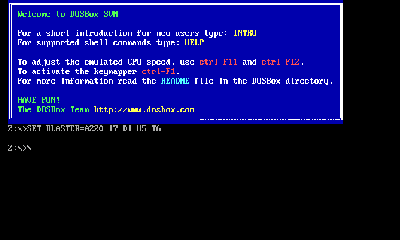
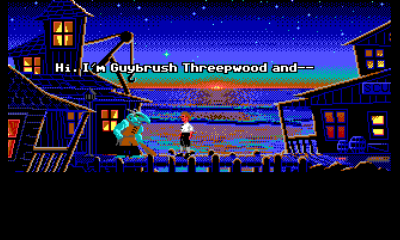
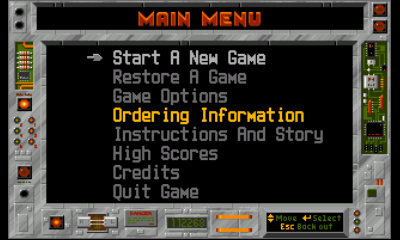
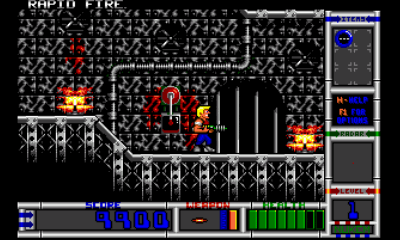
Screenshots
Compatibility
Tested on N3DS.
Changelog
v0.0.3 2023/05/11
- Use ARMv6 CPU Instructions (Thanks @RetroGamer02)
- Add left/right key modifiers to mapper
- Add mouse / joystick axis mapping
- Add reboot(cia only)/shutdown to settings
- Add video scale to screen settings
- Add ipx network support
- Add .conf selection menu
- Fix cia build
- Various fixes / cleanup
v0.0.2 2022/05/29
- Update keyboard.
- Add controller key mapping.
- Add saving / loading user defined keymaps.
v0.0.1 2022/05/27
- Initial release.