
Homebrew Launcher with grid layout 3DS: Difference between revisions
From GameBrew
More actions
No edit summary |
m Text replacement - "Category:3DS homebrew loaders" to "" |
||
| (6 intermediate revisions by the same user not shown) | |||
| Line 1: | Line 1: | ||
{{Infobox 3DS Homebrews | {{Infobox 3DS Homebrews | ||
|title=Homebrew Launcher with grid layout | |title=Homebrew Launcher with grid layout | ||
|image= | |image=Hbmenumas2.png | ||
|description=Homebrew Launcher with grid | |description=Homebrew Launcher with grid layout (discontinued). | ||
|author=Mashers | |author=Mashers | ||
|lastupdated=2015/12/05 | |lastupdated=2015/12/05 | ||
| Line 8: | Line 8: | ||
|version=Beta 1 | |version=Beta 1 | ||
|license=Mixed | |license=Mixed | ||
|download=https://dlhb.gamebrew.org/3dshomebrews/hbmenumas.7z | |download=https://dlhb.gamebrew.org/3dshomebrews/hbmenumas.7z?k33p0fil35 | ||
|website=https://gbatemp.net/threads/release-homebrew-launcher-with-grid-layout.397527 | |website=https://gbatemp.net/threads/release-homebrew-launcher-with-grid-layout.397527 | ||
|source=https://github.com/mashers/3ds_hb_menu | |source=https://github.com/mashers/3ds_hb_menu | ||
| Line 37: | Line 37: | ||
** Customisable colour scheme. | ** Customisable colour scheme. | ||
** Sound effects and background music c/o @RedHat. | ** Sound effects and background music c/o @RedHat. | ||
* Online updates | * Online updates. | ||
==User guide== | ==User guide== | ||
Gridlauncher offers extensive customisation options: | Gridlauncher offers extensive customisation options: | ||
* [https://gbatemp.net/threads/mashers-homebrew-launcher-mod-custom-themes-thread.399333 Custom themes thread] by | * [https://gbatemp.net/threads/mashers-homebrew-launcher-mod-custom-themes-thread.399333 Custom themes thread] by JJTapial9. | ||
* [https://gbatemp.net/threads/mashers-grid-launcher-homebrew-app-banners.403632 Homebrew app banners] by | * [https://gbatemp.net/threads/mashers-grid-launcher-homebrew-app-banners.403632 Homebrew app banners] by smileyhead. | ||
==Screenshots== | ==Screenshots== | ||
| Line 66: | Line 58: | ||
==Externl ilnks== | ==Externl ilnks== | ||
* GitHub - https://github.com/mashers/3ds_hb_menu | * GitHub - https://github.com/mashers/3ds_hb_menu | ||
* GBAtemp - https://gbatemp.net/threads/release-homebrew-launcher-with-grid-layout.397527 | |||
Latest revision as of 06:04, 6 May 2024
| Homebrew Launcher with grid layout | |
|---|---|
 | |
| General | |
| Author | Mashers |
| Type | Title Launchers |
| Version | Beta 1 |
| License | Mixed |
| Last Updated | 2015/12/05 |
| Links | |
| Download | |
| Website | |
| Source | |
| This application has been obsoleted by one or more applications that serve the same purpose, but are more stable or maintained. |

This is a mod of smealum's Homebrew Launcher with grid layout.
Note: The project is no longer maintained.
Features
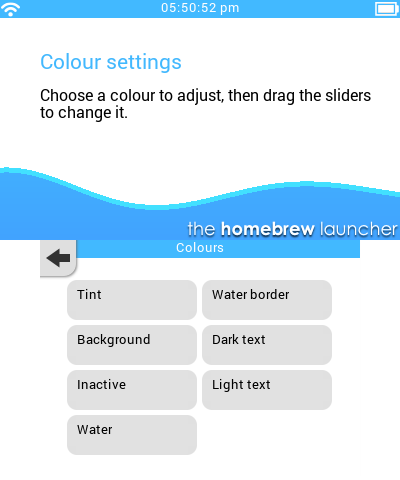
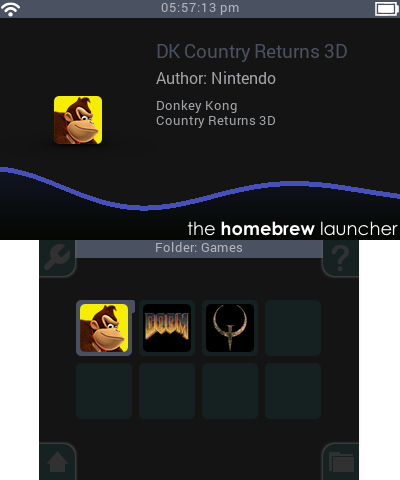
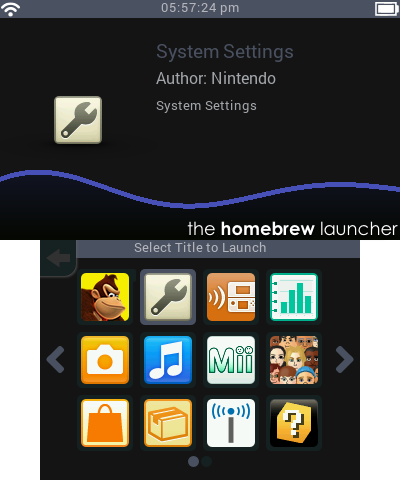
- Grid layout with paging, touch/d-pad controls.
- Built-in settings to change options without editing config files:
- Optionally hide the region free loader.
- Optionally sort alphabetically.
- Display in one, two or three rows.
- Optional wraparound scrolling.
- Optional animated transitions between pages.
- Optionally hide the default /3ds homebrew folder.
- 12/24 hour clock.
- Help pages providing guidance on setup.
- Support for scanning subfolders on the SD card and choosing which folder to view in the grid.
- Still or animated water in the background.
- Support for my custom-format converted TTF fonts, currently using Roboto as the main font.
- Fully customisable themes:
- Wallpapers and splash screens for top and bottom screens.
- Support for PNG images to replace all GUI elements.
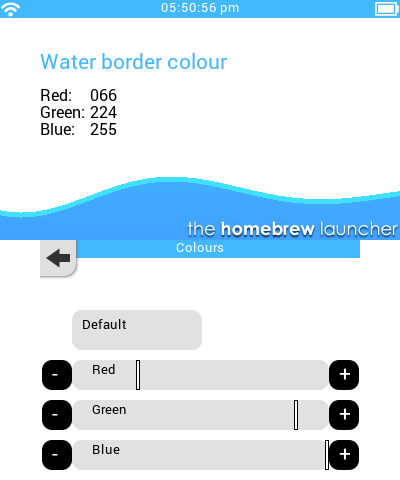
- Customisable colour scheme.
- Sound effects and background music c/o @RedHat.
- Online updates.
User guide
Gridlauncher offers extensive customisation options:
- Custom themes thread by JJTapial9.
- Homebrew app banners by smileyhead.
Screenshots
Compatibility
This is compatible with New and Old 3DS consoles (*hax 2.5).
No longer works correctly after ninjhax 1.1, possibly due to migrating the code base to the latest version of ctrulib.